Need help?
Do you have a question about the Insignia NS-F9T7-BL and is the answer not in the manual?
Essential safety guidelines to prevent fire, electric shock, and injury when using the fan.
Step-by-step guide for correctly setting up and operating the Insignia fan.
Instructions for cleaning the fan during use and preparing it for storage.
Procedure for safely replacing the fuse in the fan's power plug.
Information regarding the product's warranty coverage.
Customer service contact numbers and website for assistance.
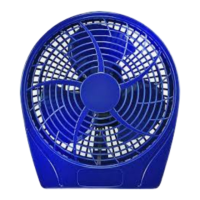
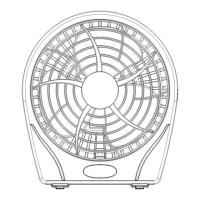
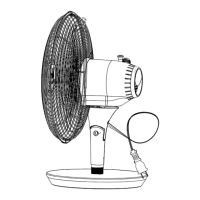
This document describes a 9" personal table fan, available in models NS-F9T7-BL, NS-F9T7-MT, and NS-F9T7-GY. It includes a quick setup guide, important safety instructions, operating instructions, user servicing instructions, cleaning and maintenance instructions, and warranty information.
The Insignia 9" personal table fan is designed to provide cooling by circulating air. It is intended for household use only and is not suitable for commercial or industrial applications. The fan features a switch to control its speed, allowing users to adjust the airflow to their preference. It operates on a 120-volt alternating current polarized outlet. The fan is equipped with an overload protection fuse, which is a safety feature designed to prevent damage from overloads or short-circuits.
To operate the fan, first ensure it is carefully removed from its packaging, saving the carton for off-season storage. Before plugging it in, confirm that the switch is in the OFF position. Place the fan on a firm, level surface to ensure stability during operation. Once positioned, plug the power cord into any standard 120VAC~60Hz outlet. The fan is equipped with a polarized plug (one blade wider than the other) as a safety feature to reduce the risk of electric shock. If the plug does not fit initially, try reversing it. If it still fails to fit, a qualified electrician should be contacted to replace the obsolete outlet; do not attempt to defeat this safety feature. After plugging in, turn on the switch located on the back of the fan and slide it to set the desired speed.
Important safety precautions must be followed during use. Always read all instructions before using the product. Use the fan only as described in this guide; any other use not recommended by the manufacturer may cause fire, electrical shock, or injury, and may void the warranty. Never operate the fan if the housing is removed or damaged. A loose fit between the AC outlet and plug can cause overheating of the plug, which should be addressed by a qualified electrician. This fan employs overload protection (fuse); if the fuse blows, it indicates an overload or short-circuit. In such a case, unplug the product, replace the fuse according to the user servicing instructions (using a 5 Amp, 125 Volt fuse), and check the product. If the replacement fuse blows again, the product should be discarded or returned to an authorized service facility.
Do not run the cord under carpeting, throw rugs, runners, or furniture, and avoid routing it under appliances. Arrange the cord away from traffic areas to prevent tripping hazards. Never connect the fan to power sources other than a 120-volt alternating current polarized outlet. To reduce the risk of electric shock, do not use this fan with any solid-state speed control. Additionally, never insert fingers or any objects into the grill. Avoid contact with moving parts. Do not operate the fan with a damaged cord or plug, or if it has malfunctioned, been dropped, or damaged in any manner. In such cases, discard the fan or return it to Best Buy, Inc. for examination or repair. Do not operate the fan in the presence of explosive and/or flammable fumes. Do not place the fan or any parts near an open flame, or cooking or other heating appliances. Extreme caution is necessary when the fan is used by or near children or invalids, and whenever it is left operating and unattended. Always use the fan on a dry, level surface.
Proper cleaning and maintenance are essential for the longevity and safe operation of the fan.
Before cleaning, always turn off and unplug the fan from the outlet. Carefully wipe the fan with a soft, damp cloth. Exercise caution near the motor to prevent moisture from entering. Crucially, do not immerse the fan in water, and never allow water to drip into the motor housing, as this can cause damage. Avoid using gasoline, benzene, or thinner to clean the fan, as these chemicals can damage its surface. After cleaning, ensure the fan is completely dry with a cloth or towel before using it again.
Before storing the fan for the off-season, clean it thoroughly. Once clean and dry, cover it with a vinyl bag to protect it from dust and moisture. Store the fan in a cool and dry place. It is recommended to use the original carton or an appropriately sized box for storage to provide adequate protection.
If the fuse blows, follow these steps to replace it:
 General
| Brand | Insignia |
|---|---|
| Model | NS-F9T7-BL |
| Fan Type | Tower Fan |
| Oscillation | Yes |
| Number of Speeds | 3 |
| Timer | Yes |
| Remote Control | Yes |
| Color | Black |
| Blade Size | Not applicable |
| Tilt Adjustment | No |
| Power Source | Electric |
| Voltage | 120V |
| Wattage | 45W |

 To Next Page