EasyManua.ls Logo

Insignia NS-HTMCSL6 - User Manual

Insignia NS-HTMCSL6
13 pages
Print Icon
To Next Page IconTo Next Page
Loading...
Before using your new product, please read these instructions to prevent any damage.
USER GUIDE
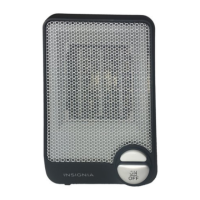
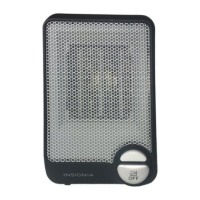
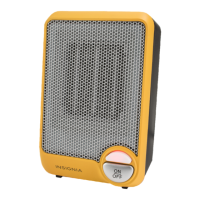
Metal Ceramic Heater
NS-HTMCSL6
NS-HTMCSL6_15-0333_MAN_V2_ENG.fm Page 1 Wednesday, April 8, 2015 9:28 AM

Questions and Answers

  • A
    Amanda RobertsJul 27, 2025
    What to do if my Insignia Heater shuts off unexpectedly?
    • T
      Tyler HamiltonJul 27, 2025
      If your Insignia Heater shuts off unexpectedly, there are several potential causes. First, ensure the heater is properly plugged into a working electrical outlet. Also, check that the set temperature is higher than the current room temperature. If a safety protection device was activated, place the heater upright, check for obstructions, unplug it, wait 10 minutes, remove any obstructions, and restart. If the problem persists, have it checked by an authorized service person.
  • T
    Thomas TorresAug 2, 2025
    Why is my Insignia Heater not heating the room enough?
    • A
      Anthony ColonAug 2, 2025
      If your Insignia Heater isn't warming the room sufficiently, it could be due to several factors. The room might be too large, or a window could be open, in which case you should turn on the main heat source, use more heaters, or close the window. Also, ensure the temperature is set high enough and that you've selected a higher power setting.
  • C
    Clinton JohnsonAug 8, 2025
    Why does my Insignia NS-HTMCSL6 Heater keep turning off and on?
    • J
      Jeremy JonesAug 8, 2025
      Your Insignia Heater may turn off and on if the room temperature reaches the set temperature on the control dial. This is normal, and the heater will restart when the room temperature drops below the set temperature. If it's not set to your desired temperature, adjust the temperature control dial accordingly.
  • J
    Jennifer RoweAug 14, 2025
    How to restart Insignia NS-HTMCSL6 Heater after safety shutoff?
    • J
      james38Aug 14, 2025
      If your Insignia Heater's safety protection device was activated, follow these steps to restart it: 1. Place the heater in an upright position. 2. Check for any obstructions and turn the heater off if you find one. 3. Unplug the heater and wait at least 10 minutes for it to cool down. 4. Carefully remove the obstruction. Plug the heater in and restart it. If the issue continues, have the heater checked by an authorized service person.
  • K
    Kelly LewisAug 20, 2025
    What to do if Insignia Heater power setting is too low?
    • D
      Dr. Matthew BlackAug 20, 2025
      If your Insignia Heater's power setting is too low and the room isn't warm enough, select a higher power setting.

Summary

Introduction

Important Safety Instructions

Product Features

Package Contents

Lists all items included in the product package upon purchase.

Main Features - Front

Details the operational controls and visual elements located on the front of the heater.

Control Dials

Main Features - Back

Using Your Heater

Cleaning and Maintaining Your Heater

Provides instructions for proper cleaning and upkeep to ensure longevity and performance.

Safety Features

Describes the built-in safety mechanisms designed to protect users and the appliance.

Troubleshooting Guide

Product Specifications

One-Year Limited Warranty

Warranty Details and Service

Covers warranty definitions, coverage, duration, and instructions for obtaining service.

Warranty Validity and Exclusions

Specifies the geographic validity of the warranty and lists items not covered by its terms.

Insignia NS-HTMCSL6 Specifications

General IconGeneral
BrandInsignia
ModelNS-HTMCSL6
CategoryHeater
LanguageEnglish

Related product manuals