EasyManua.ls Logo

Insignia NS-IR10BL7 - User Manual

Insignia NS-IR10BL7
13 pages
Print Icon
To Next Page IconTo Next Page
Loading...
Before using your new product, please read these instructions to prevent any damage.
USER GUIDE
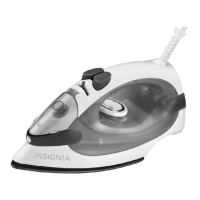
10 Steam Iron with
Retractable Cord
NS-IR10BL7/NS-IR10PK7
NS-IR10BL7_NS-IR10PK7_16-0214_MAN_V2_ENG.fm Page 1 Friday, April 22, 2016 1:03 PM

Questions and Answers

  • A
    andersonalexisAug 13, 2025
    How to fix Insignia NS-IR10BL7 Iron that won’t heat up?
    • M
      Michael BlackAug 13, 2025
      If your Insignia Iron won't heat, ensure it's properly plugged in and the temperature control dial is correctly set. If the temperature indicator remains off, test the outlet with another device. If the outlet works, there may be a problem with the iron.
  • L
    Lisa ScottAug 17, 2025
    Why does my Insignia Iron leave brown streaks on fabric?
    • M
      Mark WashingtonAug 17, 2025
      If brown streaks appear on the sole plate and stain your fabric when using your Insignia Iron, avoid using chemical descaling agents in the water tank. Ensure your laundry is thoroughly rinsed to remove soap or chemical residue, especially from new clothes. Also, fabric fibers may have accumulated in the sole plate holes. Use the self-clean function, clean the sole plate with a damp sponge, and occasionally vacuum the holes.
  • W
    William LewisAug 20, 2025
    What to do if water drips from Insignia Iron?
    • M
      Mia Jordan MDAug 20, 2025
      If water drips from the holes in the sole plate of your Insignia Iron, it could be due to several reasons: * The temperature may be too low, preventing steam formation, so increase the temperature setting. * You might be using steam before the iron is hot enough. Wait for the temperature indicator to turn off. * You could be using the Burst of Steam button too frequently; wait a few seconds between uses. * The steam rate might be set too high; reduce it.
  • D
    Dawn DuncanAug 25, 2025
    Why is there no steam coming from my Insignia NS-IR10BL7 Iron?
    • M
      meganrussellAug 25, 2025
      If there is little or no steam coming from your Insignia Iron, first, ensure the water tank is filled. If the tank is full, scale build-up or prolonged dry use could be the cause. Use the self-clean function to address these issues.
  • T
    Tamara WyattAug 28, 2025
    How to clean dirty Insignia Iron sole plate?
    • V
      Victor SmithAug 28, 2025
      If the sole plate of your Insignia Iron is dirty or brown and stains fabric, it may be caused by ironing with an inappropriate (too high) temperature setting, so select the correct setting. Another cause may be using starch. Always spray starch onto the reverse side of the fabric and clean the sole plate with a non-metallic sponge.
  • M
    Monica HarrisonAug 31, 2025
    Why does my Insignia NS-IR10BL7 leak when filling the tank?
    • A
      Angela FrancoSep 1, 2025
      If steam or water comes out from your Insignia Iron as you finish filling the tank, ensure that the steam control is set to produce steam and that you have not overfilled the water tank. Empty any excess water.
  • M
    maldonadojeremySep 5, 2025
    How to prevent scratches on Insignia NS-IR10BL7 Iron sole plate?
    • J
      James BellSep 5, 2025
      If the sole plate of your Insignia Iron is scratched or damaged, it is likely because you have placed it flat on a metallic rest-plate or ironed over a zipper. Always set your iron on its heel to prevent this.
  • A
    Angela HardySep 8, 2025
    What to do if Insignia Iron spray nozzle doesn't work?
    • D
      Dave DavisSep 8, 2025
      If the spray nozzle on your Insignia Iron isn't spraying, it's likely due to insufficient water in the tank. Fill the water tank to resolve this.

Summary

Introduction

Important Safety Instructions

Read All Instructions Before Using

Basic safety precautions for iron use.

Product Features

Package Contents

List of items included with the steam iron.

Main Features Overview

Visual identification of key iron components and controls.

Using Your Iron

Initial Setup and Temperature Control

Steps for first use and setting appropriate fabric temperatures.

Ironing Modes

Instructions for dry ironing, steam ironing, and fabric types.

Spray and Burst of Steam Functions

How to use spray and burst of steam for wrinkle removal.

Maintenance and Care

Self-Clean Function

Procedure to remove scale and impurities from the iron.

Cleaning Exterior and Storage

Guidelines for cleaning the iron's casing and proper storage.

Safety Features: Auto Shut-Off and Cord Retraction

Explanation of automatic safety shut-off and cord retraction mechanism.

Troubleshooting Guide

Product Specifications

One-Year Limited Warranty

Warranty Definitions and Coverage Period

Clarifies terms, duration, and conditions of the warranty.

Obtaining Warranty Service

Instructions on how to contact for repairs or replacements.

Warranty Validity and Exclusions

Details where the warranty is valid and what it does not cover.

Insignia NS-IR10BL7 Specifications

General IconGeneral
BrandInsignia
ModelNS-IR10BL7
CategoryIron
LanguageEnglish

Related product manuals