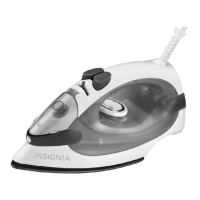
The Insignia 10" Steam Iron (NS-IR10BK6) is designed for reliable and trouble-free performance in garment care, offering both dry and steam ironing capabilities to effectively remove wrinkles from various fabric types.
Function Description
The primary function of this iron is to smooth out wrinkles in clothing and other fabrics. It operates by heating a soleplate, which is then passed over the fabric. For more effective wrinkle removal, especially on stubborn creases, the iron can generate steam. The steam feature is activated at higher temperature settings, allowing the user to choose between moderate and maximum steam output. Additionally, the iron includes a spray function that can be used at any time to dampen fabric, further aiding in wrinkle elimination without affecting the iron's temperature. A "Burst of Steam" pump provides an extra powerful shot of steam for particularly difficult wrinkles.
Usage Features
Before using the iron for the first time, it's recommended to remove any protective films or stickers from the soleplate and body, clean the soleplate with a soft cloth, and test the iron on an old piece of fabric to ensure cleanliness.
Setting the Temperature Control: The iron features a temperature control dial that allows users to select the appropriate heat setting for different fabrics. It's crucial to always check garment labels for ironing instructions. If labels are unavailable, a provided table guides users on suitable temperature settings based on fabric type (e.g., acrylic/nylon, silk/wool, polyester, cotton/linen). The general rule is to sort laundry by fabric type and iron those requiring lower temperatures first, progressing to higher temperatures as the iron heats up. If a fabric is a blend, the lowest advised temperature for its components should be selected. A temperature indicator light illuminates when the iron is heating and turns off when the desired temperature is reached, signaling readiness for use.
Dry Ironing: For dry ironing, the iron should be stood upright and plugged in. The temperature control dial is set to the desired temperature, and the steam control knob is set to 0 (no steam). Once the temperature indicator light turns off, the iron is ready.
Steam Ironing: To use the steam function, the water inlet cover is opened, and the iron is filled with water. The iron is then plugged in and stood upright. The temperature control dial is set to a higher temperature suitable for steam (indicated by specific settings on the dial). Once the temperature indicator turns off, the steam control is turned to the desired position (moderate or maximum steam), and steam will begin to emit from the soleplate holes. It's important to note that if the temperature is set too low during steam ironing, water may leak from the soleplate, in which case the temperature dial should be turned to a higher setting.
Choosing Water: The iron is designed to be used with normal tap water. However, in areas with particularly hard water, distilled or demineralized water is recommended to prevent mineral buildup. Chemically descaled water or other liquids should not be used.
Filling the Iron: Before filling, the steam control knob should be set to 0, and the temperature control dial to OFF. The iron must be unplugged and allowed to cool down. Water is then poured into the water inlet up to the MAX level of the reservoir. After filling, the iron is plugged in, stood upright, and the temperature control dial is set to the desired temperature. The temperature indicator light will turn on and off periodically to maintain the set temperature.
Spraying the Fabric: To use the spray feature, the water inlet cover is opened, and the iron is filled with water. The spray nozzle is aimed at the garment, and the spray pump is pressed. This function helps to eliminate wrinkles without altering the iron's temperature.
Using the Burst of Steam: This feature provides an extra amount of steam for stubborn wrinkles. After filling the iron with water, plugging it in, and setting the temperature control dial to the maximum, the user waits for the temperature indicator to turn off. Then, pressing the Burst of Steam pump releases a powerful shot of steam. For best results, it's advised to wait three seconds between each burst, as most wrinkles can be removed within three bursts.
Maintenance Features
Self-Clean Function: The iron includes a self-clean function to remove scale and impurities. This function should be used approximately every two weeks, or more frequently in areas with very hard water. To perform a self-clean, the iron is unplugged, the steam control knob is set to the self-clean position, and the water inlet cover is opened to fill the iron with water. The maximum ironing temperature is selected, and the iron is plugged in. Once the temperature indicator turns off, the iron is unplugged. Holding the iron over a sink, the self-clean button is pressed and held while gently shaking the iron. Steam and boiling water, along with impurities and flakes, will flush out from the soleplate. The button is released once all water is drained. The process can be repeated if significant impurities remain. In addition to this function, the iron has an anti-scale cartridge, which is an integral part of the iron and requires no maintenance, reducing scale deposits and prolonging its life.
Cleaning the Exterior: To clean the exterior, the temperature control dial is turned to OFF, the iron is unplugged, and allowed to cool completely. Deposits and residues on the soleplate can be removed with a cloth soaked in a vinegar/water solution. The casing can be wiped with a damp cloth and then polished with a dry one. Abrasives should never be used on the soleplate, and contact with metal objects should be avoided to keep the soleplate smooth.
Storing the Iron: For storage, the temperature control dial is turned to OFF, and the steam control knob is set to 0. The iron is unplugged, and any remaining water is poured out of the reservoir. The iron should be stood upright and allowed to cool completely. The power cord is then wound loosely around the iron. It's important to always store the iron in an upright position.
Safety Protective Cut-out: In the unlikely event of a thermostat failure, a protective cut-out prevents the iron from overheating. If this occurs, the iron should be taken to an authorized service facility. Users are cautioned not to attempt to repair the iron themselves, as this invalidates the warranty.


 To Next Page
 General