EasyManua.ls Logo

Insignia NS-L47Q09-10A - User Manual

Insignia NS-L47Q09-10A
40 pages
Print Icon
To Next Page IconTo Next Page
Loading...
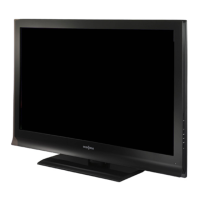
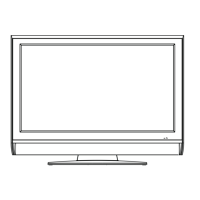
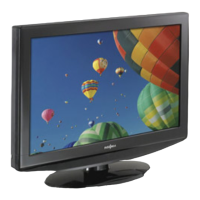
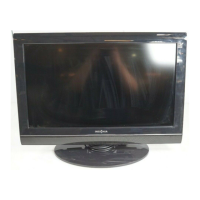
47" LCD TV
NS-L47Q09-10A
User Guide

Table of Contents

Other manuals for Insignia NS-L47Q09-10A

Questions and Answers

  • T
    Tracy KellyAug 19, 2025
    How to fix Insignia NS-L47Q09-10A LCD TV remote control not working?
    • B
      Brandy GarciaAug 19, 2025
      If the remote control for your Insignia LCD TV isn't working, first replace the batteries, ensuring the + and – symbols align correctly. Then, clean the remote sensor on the front of the TV. If problems persist, fluorescent lighting may be interfering with the signal, so try turning off the light or moving your TV.
  • M
    Michelle BallAug 21, 2025
    What to do if Insignia NS-L47Q09-10A LCD TV has no power?
    • J
      jgonzalezAug 21, 2025
      If your Insignia LCD TV has no power, ensure the power cord is correctly connected to both the TV and the power outlet. If it's still not working, unplug the power cord, wait 60 seconds, then plug it back in and turn on the TV.
  • R
    rramirezAug 23, 2025
    How to improve poor picture quality on Insignia NS-L47Q09-10A?
    • L
      Lauren GilbertAug 25, 2025
      If your Insignia LCD TV picture quality is poor, ensure the room is not too bright, as light reflecting off the screen can make the picture difficult to see. Also, if an S-VHS camera or camcorder is connected while another device is on, the picture may be poor; turn off one or more devices.
  • B
    Bob JohnstonAug 26, 2025
    Why is there good picture but no sound on my Insignia NS-L47Q09-10A LCD TV?
    • R
      Ricky SalasAug 26, 2025
      If your Insignia LCD TV has good picture but no sound, first increase the volume. If you still cannot hear anything, make sure that the sound is not muted and that the correct audio mode is selected.
  • T
    Travis WardAug 28, 2025
    Why is there no picture on my Insignia NS-L47Q09-10A?
    • M
      Marissa JacobsAug 28, 2025
      If your Insignia LCD TV displays no picture, ensure the video cables are securely connected to the back. Also, make sure the correct video mode is selected, the incoming signal is compatible, and the antenna is correctly connected. Finally, check the closed caption settings, as some TEXT modes can block the screen.
  • K
    Kayla Mcdonald DDSAug 30, 2025
    How to fix Insignia LCD TV control buttons that do not work?
    • T
      Tanya HowellAug 30, 2025
      If your Insignia LCD TV control buttons do not work, first make sure that the Button Lock option is set to Off. If the buttons still don’t work, unplug the power cord, wait a few seconds, then plug the cord back in and turn on your TV.
  • D
    David AlvarezSep 1, 2025
    How to resolve snowy picture or noise on Insignia LCD TV?
    • L
      Luis BurchSep 1, 2025
      If your Insignia LCD TV has a snowy picture or noise, make sure that the A/V and antenna cables are connected correctly and securely.
  • D
    Dustin BennettSep 3, 2025
    How to stabilize VGA picture on Insignia NS-L47Q09-10A LCD TV?
    • P
      Philip GarciaSep 4, 2025
      If the VGA picture on your Insignia LCD TV is not stable or synchronized, make sure that you have selected the correct VGA mode on your computer.
  • C
    Cynthia ChristensenSep 5, 2025
    How to improve color on Insignia NS-L47Q09-10A with good sound?
    • C
      Charlotte CookSep 5, 2025
      If your Insignia LCD TV has good sound but poor color, adjust the contrast, color, and brightness settings.
  • A
    Ana CampbellSep 8, 2025
    What causes after images on Insignia LCD TV?
    • M
      Mary BanksSep 8, 2025
      If you notice after images appearing on your Insignia LCD TV, avoid displaying a still image, such as a logo, game, or computer image, for an extended period of time. This can cause a permanent after-image to be burned into the screen, which is not covered by the warranty.

Summary

Safety and Handling

Child Safety Tips

Essential advice for safe TV placement and use to prevent injury.

Wall Mounting Precautions

Guidelines for secure wall mounting to avoid accidents and damage.

Essential Safety Warnings

General Safety Instructions

Crucial warnings for electrical safety, lightning, and ventilation.

LCD Panel Handling Precautions

Precautions for the glass screen, internal liquid, and replacement parts.

Initial Setup and Connections

TV Components and Accessories

Overview of the TV's parts and included items.

Connecting Power and Antenna

Steps to connect the TV to power and various antenna types.

Connecting Video and Audio Sources

Guides for connecting cable TV, satellite, VCR, camcorders, and game consoles.

Connecting Computer and Audio

Instructions for connecting PCs, headphones, and audio systems.

Operating Your TV

Basic TV Operation

Turning the TV on/off and initial setup wizard.

Navigating Menus and Input Sources

Accessing on-screen menus and selecting video inputs.

Picture and Sound Adjustments

Adjusting picture quality and audio modes for optimal viewing.

Advanced TV Features

Channel Management

Scanning, hiding, labeling channels, and managing favorites.

Parental Controls

Setting passwords, ratings, and blocking specific content.

Closed Captioning

Viewing and customizing closed caption display styles.

Time and Menu Settings

Setting the clock, sleep timer, and adjusting menu transparency.

Troubleshooting and Maintenance

Troubleshooting Common Issues

Solutions for problems like no power, picture, or sound.

TV Care and Cleaning

Proper methods for cleaning the TV cabinet and screen.

Insignia NS-L47Q09-10A Specifications

General IconGeneral
BrandInsignia
ModelNS-L47Q09-10A
CategoryLCD TV
LanguageEnglish

Related product manuals