EasyManua.ls Logo

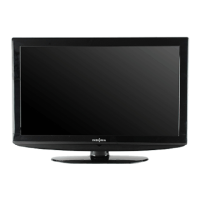
Insignia NS-LCD37 - User Manual

Insignia NS-LCD37
100 pages
Print Icon
To Next Page IconTo Next Page
Loading...
LCD TV | Téléviseur ACL | Televisor con pantalla LCD
NS-LCD37
User Guide | Guide de l’utilisateur | Guía del Usuario

Questions and Answers

  • B
    Bonnie TorresAug 20, 2025
    Why can't I access some items on my Insignia LCD TV menu?
    • E
      Elizabeth WilsonAug 20, 2025
      If some items on your Insignia LCD TV can't be accessed, it means that the settings option appears in gray, indicating that the settings option is unavailable in current input mode.
  • D
    deborahsmithAug 22, 2025
    How to fix Insignia LCD TV with no picture and sound?
    • R
      Randall OliverAug 22, 2025
      If your Insignia LCD TV displays no picture and no sound, ensure the power cord is securely plugged in. Then, press the POWER button on either the TV itself or the remote control. As a simple check, try switching to another channel, as the issue might be with the broadcast station.
  • L
    Linda SullivanAug 25, 2025
    Why is there no sound on my Insignia LCD TV?
    • M
      Matthew TorresAug 25, 2025
      If your Insignia LCD TV has good picture but no sound, the sound may be muted. Press the MUTE button again to cancel it. Also, ensure that the stereo mode is set to stereo or mono.
  • G
    Gary BrooksAug 26, 2025
    How to troubleshoot Insignia NS-LCD37 remote that's not working?
    • M
      Michael BellAug 26, 2025
      If your Insignia LCD TV remote isn't working, start by replacing the batteries, ensuring they are correctly oriented. Then, make sure the TV's power cord is plugged in securely.
  • T
    Tracy BishopAug 28, 2025
    What to do if my Insignia NS-LCD37 shows only snow and noise?
    • C
      Caleb MarshallAug 28, 2025
      If your Insignia LCD TV displays only snow and noise, verify the antenna or cable connections. As a simple check, try switching to another channel, as the issue might be with the broadcast station.
  • J
    Julie RamosAug 29, 2025
    Why is the picture dark on my Insignia NS-LCD37 LCD TV but the sound is good?
    • V
      Victoria MillerAug 29, 2025
      If your Insignia LCD TV shows a dark or poor picture with good sound, try selecting a different picture mode. You can also adjust the brightness in the video settings. Ensure that the antenna/cable connections are secure.
  • S
    Sara VanceAug 31, 2025
    How do I remove the black box on my Insignia LCD TV screen?
    • E
      Emily LopezAug 31, 2025
      If your Insignia LCD TV displays a black box on the screen, you may have selected a text option when no text is available. Turn off the Close Caption feature or select a different option.
  • C
    Corey ClarkSep 2, 2025
    How to adjust color on Insignia NS-LCD37 LCD TV?
    • A
      Angela LyonsSep 2, 2025
      If the picture on your Insignia LCD TV has no color, appears dark, or the color is incorrect, adjust the color saturation in the video settings.
  • N
    Nicole Ortiz DVMSep 4, 2025
    How to fix dotted lines on Insignia NS-LCD37?
    • N
      Nicole ButlerSep 4, 2025
      If your Insignia LCD TV displays dotted lines or stripes, try adjusting the antenna. Also, move the TV away from potential noise sources like cars, neon signs, or hair dryers.
  • K
    Keith HuffSep 6, 2025
    What is the default password for Insignia LCD TV?
    • T
      Teresa OrtizSep 6, 2025
      If you've lost the password for your Insignia LCD TV, use the super password (1397) to access the Password Set menu. You can then set a new password. Remember to write down your new password.

Summary

Introduction and Safety

Safety Information

Important safety precautions and warnings for product usage.

Electrical Safety Precautions

Precautions to prevent electrical shock and fire hazards.

Ventilation and Placement Guidance

Guidance on proper placement for adequate ventilation.

Grounding and Polarization Instructions

Instructions on proper grounding and polarization practices.

Safeguards and Precautions

Lightning, Servicing, and Overload Safety

Precautions for lightning, servicing, parts, and electrical overloading.

Preventing Object and Liquid Entry

Preventing objects and liquids from entering the TV to avoid damage.

Safeguards, Features, and Controls

Service Conditions and Panel Care

Conditions requiring service and advice for panel protection.

Remote Control Guide

Remote Control Button Functions

Explanation of functions for each button on the remote control.

Setting Up Your Television

Installing Remote Control Batteries

Instructions for inserting batteries into the remote control.

Connecting Video Sources

Computer Connection and Basic TV Operation

Menu Navigation and Channel Setup

Channel Management

Signal Monitoring and Channel Selection

Picture Customization

Audio, Clock, and Sleep Timer

Captioning and Parental Controls

Digital Captions and Password Setup

Customizing digital captions and setting parental control password.

Parental Control Ratings Configuration

Regional Rating Settings

PC;Component Mode and Maintenance

Screen Care and Troubleshooting

Troubleshooting Remote and TV Issues

Solutions for remote control and common TV operational issues.

Product Specifications and Remote Programming

Remote Control Programming

Instructions for programming the remote to control various devices.

Remote Control Advanced Features

Remote Control Troubleshooting

Solutions for common remote control problems.

Insignia NS-LCD37 Specifications

General IconGeneral
Screen Size37 inches
Resolution1366 x 768
Display TypeLCD
Aspect Ratio16:9
HDMI Ports2
USB Ports1
Component Video Input1
Composite Video Input1
VGA Input1
Contrast Ratio1000:1
Brightness500 cd/m²
Response Time8 ms
InputsHDMI, USB, Component, Composite, VGA
Speakers2 x 10W
Audio OutputRCA
Viewing Angle178° (H) / 178° (V)

Related product manuals