EasyManua.ls Logo

Insignia NS-LCD22-09 - User Manual

Insignia NS-LCD22-09
40 pages
Print Icon
To Next Page IconTo Next Page
Loading...
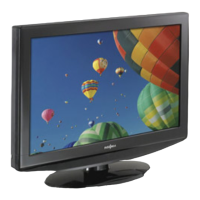
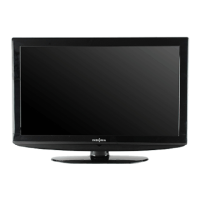
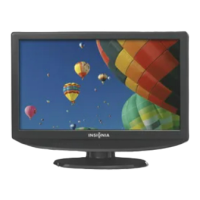
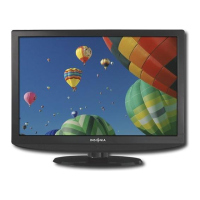
22" W LCD TV 720P | Televisor LCD de 22" W con 720p
NS-LCD22-09
User Guide | Guía del Usuario

Table of Contents

Other manuals for Insignia NS-LCD22-09

Questions and Answers

  • A
    Amy WatersAug 19, 2025
    Why is my Insignia NS-LCD22-09 LCD TV remote control not working?
    • D
      Danielle BarnettAug 19, 2025
      If your Insignia LCD TV remote control isn't working, try these steps: First, press the TV button on the remote. If that doesn't work, replace the batteries, ensuring the + and – symbols align correctly. Clean the remote sensor on the front of your TV. Also, bright or fluorescent lighting can interfere with the signal, so try turning off the light or moving your TV.
  • M
    Micheal AveryAug 21, 2025
    How to fix no picture on Insignia NS-LCD22-09 LCD TV?
    • D
      Daisy RiosAug 21, 2025
      If your Insignia LCD TV shows no picture, ensure the video cables are securely connected to the back of the TV. Adjust the contrast and brightness settings. Verify that the correct video mode is selected and that the incoming signal is compatible. Also, make sure the antenna is connected correctly and check the closed caption settings, as some TEXT modes can block the screen.
  • J
    Jill JosephAug 23, 2025
    What to do if my Insignia NS-LCD22-09 LCD TV has no power?
    • S
      Shirley YatesAug 23, 2025
      If there's no power to your Insignia LCD TV, first, ensure the power cord is properly connected to both the TV and a functioning power outlet. If it's connected, unplug the power cord, wait 60 seconds, then plug it back in and turn on your TV.
  • J
    John AriasAug 26, 2025
    Why does my Insignia NS-LCD22-09 have good picture but no sound?
    • T
      Timothy WilliamsAug 26, 2025
      If your Insignia LCD TV has good picture but no sound, try increasing the volume. Also, ensure that the sound is not muted and that the correct audio mode is selected.
  • G
    gilmorealexanderAug 28, 2025
    How to fix Insignia NS-LCD22-09 control buttons that do not work?
    • J
      Jeffrey ThompsonAug 28, 2025
      If the control buttons on your Insignia LCD TV do not work, unplug the power cord, wait a few seconds, then plug the cord back in and turn on your TV.
  • A
    Andrea AlvarezAug 30, 2025
    How to resolve snowy picture or noise on Insignia LCD TV?
    • D
      davidhensonAug 30, 2025
      If your Insignia LCD TV picture is snowy or noisy, ensure that the A/V and antenna cables are connected correctly and securely.
  • B
    baldwinanthonySep 1, 2025
    How to troubleshoot poor color with good sound on Insignia NS-LCD22-09 LCD TV?
    • K
      kristenalvarezSep 1, 2025
      If your Insignia LCD TV picture has poor color but good sound, try adjusting the contrast, color, and brightness settings.
  • S
    Sarah ArcherSep 3, 2025
    How to improve poor picture quality on Insignia LCD TV?
    • M
      myoungSep 3, 2025
      If your Insignia LCD TV displays a poor picture, make sure the room isn't too bright, as light reflecting off the screen can make the picture difficult to see. If you have an S-VHS camera or camcorder connected while another device is on, the picture quality may be affected. Try turning off one or more of these devices.
  • C
    Caitlin HoltSep 5, 2025
    What to do if VGA picture is not stable on Insignia NS-LCD22-09?
    • S
      sally02Sep 5, 2025
      If the VGA picture on your Insignia LCD TV is not stable or synchronized, ensure that you have selected the correct VGA mode on your computer.
  • X
    xsnowSep 7, 2025
    Why does my Insignia LCD TV have a ghost or double image?
    • B
      Bridget ColemanSep 7, 2025
      If you notice a “ghost” or double image on your Insignia LCD TV, it might be due to obstructions to the antenna, such as high-rise buildings or hills. Using a highly directional antenna may improve the picture quality.

Summary

Child Safety

Tune Into Safety Tips

Provides essential safety tips for using TVs, including proper stands and securing cords.

Safe Wall Mounting Practices

Details instructions and precautions for safely mounting the TV on a wall.

Safety Information

Important Safety Instructions

Lists 17 crucial safety instructions for operating and maintaining the TV.

Remote Control Guide

Remote Control Buttons

Lists and describes the functions of each button on the Insignia TV remote.

Setting Up Your TV

Installing Remote Batteries

Step-by-step guide on how to install batteries in the remote control.

Connecting to Power Outlet

Instructions for connecting the TV to a power source and important notes.

Connecting External Devices

Connecting External Sources

Guides on connecting composite, S-Video, component, and HDMI sources to the TV.

Computer Connectivity

Connecting via VGA

Instructions for connecting a computer using a VGA cable and audio cable.

Basic TV Operation

Turning TV On and Off

Describes the procedure for powering the TV on and putting it into standby mode.

Selecting TV Signal Source

Explains how to choose the input source for viewing content.

Channel and Volume Management

Parental Controls and Captions

Setting Parental Controls

Steps to set up a password and control program access based on ratings.

Navigating the On-Screen Menu

Advanced On-Screen Settings

Troubleshooting Guide

Common Issues and Solutions

Lists common TV symptoms and their corresponding solutions for user-level fixes.

Appendix: Wall Mounting

One Year Limited Warranty

Insignia NS-LCD22-09 Specifications

General IconGeneral
BrandInsignia
ModelNS-LCD22-09
CategoryLCD TV
LanguageEnglish

Related product manuals