EasyManua.ls Logo

Insignia NS-LCD15-09 - User Manual

Insignia NS-LCD15-09
40 pages
Print Icon
To Next Page IconTo Next Page
Loading...
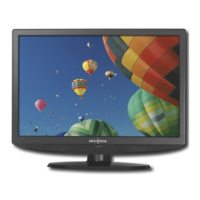
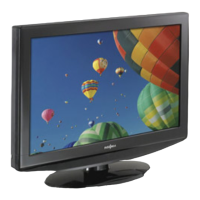
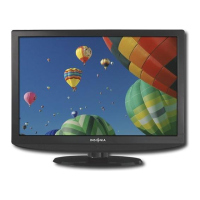
15.6" LCD TV 720P| Televisor LCD de 15.6" con 720p
NS-LCD15-09
User Guide | Guía del Usuario

Table of Contents

Questions and Answers

  • R
    Ryan MedinaAug 17, 2025
    What to do if my Insignia NS-LCD15-09 LCD TV has no power?
    • L
      Laura ColemanAug 17, 2025
      If your Insignia LCD TV has no power, ensure the power cord is securely connected to both the TV and a working power outlet. If it's connected, unplug the power cord, wait 60 seconds, then plug it back in and turn on your TV.
  • J
    Joshua BradfordAug 20, 2025
    What to do if my Insignia NS-LCD15-09 has no picture?
    • M
      Michelle MendezAug 20, 2025
      If your Insignia LCD TV shows no picture, make sure the video cables are securely connected to the back of your TV. Adjust the contrast and brightness settings. Verify that the correct video mode is selected and that the incoming signal is compatible. Also, ensure the antenna is connected correctly and check the closed caption settings, as some TEXT modes can block the screen.
  • S
    Sarah GarrisonAug 23, 2025
    How to fix Insignia NS-LCD15-09 LCD TV with good picture but no sound?
    • N
      Nicole PerezAug 23, 2025
      If your Insignia LCD TV has a good picture but no sound, first increase the volume. Then, make sure that the sound is not muted. Finally, ensure that the correct audio mode is selected.
  • M
    Monique HartAug 26, 2025
    What to do if control buttons on Insignia NS-LCD15-09 LCD TV do not work?
    • S
      sandra78Aug 26, 2025
      If the control buttons on your Insignia LCD TV do not work, unplug the power cord, wait a few seconds, then plug the cord back in and turn on your TV.
  • J
    Jeffrey RiceAug 28, 2025
    How to fix snowy picture or noise on Insignia NS-LCD15-09?
    • A
      Amber FieldsAug 28, 2025
      To fix a snowy picture or noise on your Insignia LCD TV, make sure that the A/V and antenna cables are connected correctly and securely.
  • R
    Richard SnyderAug 31, 2025
    Why does my Insignia NS-LCD15-09 LCD TV have a poor picture?
    • A
      Ashley SwansonAug 31, 2025
      A poor picture on your Insignia LCD TV can be due to a few reasons. Ensure the room is not too bright. Also, if you have an S-VHS camera or camcorder connected while another device is on, it may cause a poor picture. Try turning off one or more of these devices.
  • M
    Mary RoblesSep 2, 2025
    How to fix no output from one of the speakers on Insignia LCD TV?
    • P
      pdaySep 3, 2025
      To fix no output from one of the speakers on your Insignia LCD TV, adjust the balance in the Sound menu.
  • T
    Taylor RobertsonSep 5, 2025
    How to resolve after images appearing on Insignia NS-LCD15-09 LCD TV?
    • A
      Amy JamesSep 5, 2025
      To prevent after images from appearing on your Insignia LCD TV, avoid displaying a still image, such as a logo, game, or computer image, for an extended period of time.
  • H
    howardwilliamSep 8, 2025
    How to fix good sound but poor color on Insignia NS-LCD15-09 LCD TV?
    • H
      holly20Sep 8, 2025
      If your Insignia LCD TV has good sound but poor color, adjust the contrast, color, and brightness settings.
  • D
    Deborah WashingtonSep 12, 2025
    Why does my Insignia NS-LCD15-09 LCD TV have a “ghost” image?
    • L
      Linda CruzSep 12, 2025
      A “ghost” or double image on your Insignia LCD TV may be caused by obstructions to the antenna, such as high-rise buildings or hills. Using a highly directional antenna may improve the picture quality.

Summary

Child Safety Guidelines

Safe Usage Tips for Children

Essential safety advice for TV placement and child interaction to prevent accidents and ensure safe viewing.

Safe Wall Mounting Procedures

Guidelines for securely mounting the TV to a wall, including selection of appropriate mounts and professional installation advice.

General Safety Precautions

Critical Safety Instructions

A comprehensive list of essential safety precautions and recommendations for operating the TV safely.

Product Features Overview

Front Panel and Remote Sensor

Description of buttons on the TV's front panel and the location of the remote sensor.

Remote Control Operation

Remote Control Button Functions

Detailed explanation of each button on the remote control and its corresponding function.

Effective Remote Control Usage

Guidelines and important notes for operating the remote control effectively and avoiding interference.

TV Setup and Connections

Connecting External Video Sources

Computer Connectivity Options

Troubleshooting Common Issues

Troubleshooting Symptoms and Solutions

A guide to diagnosing and resolving common TV problems, including no power, no picture, or remote control issues.

Technical Specifications

Product Technical Specifications

Detailed technical data including analog/digital standards, screen size, channel coverage, power, and input/output specifications.

One Year Limited Warranty

Warranty Coverage Period

Details on the length of the warranty period, starting from the product's purchase date.

What the Warranty Includes

Explanation of what the warranty covers, such as repair or replacement of defective products with new or rebuilt parts.

How to Obtain Warranty Service

Instructions on how to get warranty service, whether the product was purchased at a retail store or online.

Warranty Limitations and Exclusions

Warranty Exclusions

List of items and conditions excluded from warranty coverage, including accidental damage, misuse, and commercial use.

Insignia NS-LCD15-09 Specifications

General IconGeneral
Screen Size15 inches
Display TypeLCD
Resolution1024 x 768
Aspect Ratio4:3
Brightness250 cd/m²
Response Time8ms
HDMI Ports1
USB Ports0
InputsHDMI
Weight6.6 lbs

Related product manuals