EasyManua.ls Logo

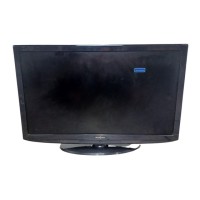
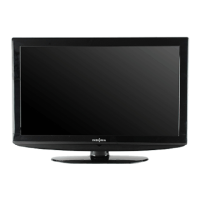
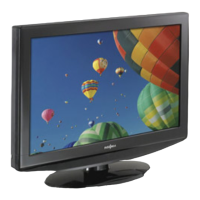
Insignia NS-LCD47HD-09 - User Manual

Insignia NS-LCD47HD-09
36 pages
Print Icon
To Next Page IconTo Next Page
Loading...
47" LCD HD TV | Televisor LCD de alta definición de 47"
NS-LCD47HD-09
User Guide | Guía del Usuario

Table of Contents

Other manuals for Insignia NS-LCD47HD-09

Questions and Answers

  • H
    hannah49Aug 17, 2025
    Why is there no picture on my Insignia NS-LCD47HD-09 LCD TV?
    • M
      Mary WilliamsAug 18, 2025
      There could be several reasons why your Insignia LCD TV isn't displaying a picture. First, ensure the video cables are securely connected to the back of your TV. Then, adjust the contrast and brightness settings. Verify that the correct video mode is selected and that the incoming signal is compatible. Also, confirm the antenna is connected correctly and check the closed caption settings, as some TEXT modes can block the screen.
  • T
    Tami SchultzAug 20, 2025
    How to fix Insignia NS-LCD47HD-09 LCD TV when there is no power?
    • C
      cohenkimberlyAug 20, 2025
      If your Insignia LCD TV has no power, start by making sure that the power cord is properly connected to both the TV and a functioning power outlet. If it's connected, unplug the power cord from the outlet, wait 60 seconds, then plug it back in and try turning on your TV.
  • C
    Craig SantosAug 22, 2025
    How to fix Insignia LCD TV remote control that is not working?
    • M
      Matthew MitchellAug 22, 2025
      If your Insignia LCD TV remote control isn't working, first press the TV button on the remote. If that doesn't work, replace the batteries, ensuring that the + and – symbols on the batteries align correctly with the symbols in the battery compartment. Also, try cleaning the remote sensor on the front of your TV. Bright or fluorescent lighting may interfere with the remote control signal, so try turning off the light or moving your TV.
  • S
    Samuel BowmanAug 25, 2025
    What to do if my Insignia NS-LCD47HD-09 has good picture but no sound?
    • A
      Aimee ThompsonAug 26, 2025
      If your Insignia LCD TV has a good picture but no sound, first increase the volume. Make sure that the sound is not muted. Finally, ensure that the correct audio mode is selected.
  • B
    Bethany WilsonAug 27, 2025
    How to fix poor picture on Insignia LCD TV?
    • H
      Herbert MoonAug 27, 2025
      If the picture quality on your Insignia LCD TV is poor, make sure that the room is not too bright, as light reflecting off the screen can make the picture difficult to see. Additionally, if you have an S-VHS camera or camcorder connected while another device is turned on, it may cause a poor picture, so try turning off one or more of the devices.
  • M
    Megan CainAug 29, 2025
    How to eliminate snowy picture or noise on Insignia LCD TV?
    • L
      Lindsay CollinsAug 30, 2025
      To resolve a snowy picture or noise issue on your Insignia LCD TV, make sure that the A/V and antenna cables are connected correctly and securely.
  • T
    Tamara PerezSep 1, 2025
    Why does my Insignia LCD TV have good sound but poor color?
    • C
      Crystal AguilarSep 1, 2025
      If your Insignia LCD TV has good sound but poor color, try adjusting the contrast, color, and brightness settings to improve the picture quality.
  • L
    livingstonnathanSep 4, 2025
    What causes a “ghost” or double image on Insignia LCD TV and how to fix it?
    • B
      Brian HallSep 4, 2025
      A “ghost” or double image on your Insignia LCD TV may be caused by obstructions to the antenna, such as high-rise buildings or hills. Using a highly directional antenna may improve the picture quality.
  • G
    georgewatsonSep 6, 2025
    What causes horizontal dotted line on Insignia NS-LCD47HD-09 and how to fix it?
    • M
      Matthew HowardSep 6, 2025
      A horizontal dotted line on your Insignia LCD TV may appear if your TV is too close to another electrical device, such as a hair dryer or neon light. Turn off the device or move your TV to resolve this issue.
  • B
    Brian EscobarSep 9, 2025
    How to fix Insignia LCD TV when control buttons do not work?
    • A
      Adam MillerSep 9, 2025
      If the control buttons on your Insignia LCD TV are not working, unplug the power cord, wait a few seconds, then plug the cord back in and turn on your TV.

Summary

Introduction

Child Safety Guidelines

Tune into Safety

Safety tips for TV placement and usage to prevent injury from tipping.

Wall Mounting Guidelines

Guidelines for safely mounting the TV to a wall, including selecting appropriate mounts and seeking professional help.

General Safety Information

Water and Moisture Precautions

Precautions for using the TV near water or moisture to prevent damage or electric shock.

Cleaning Instructions

Instructions for safely cleaning the TV exterior with a damp cloth, avoiding liquids and aerosols.

Ventilation and Heat Management

Importance of proper ventilation and locating the TV away from heat sources to prevent overheating.

Electrical Safety

Guidance on grounding, polarization, power cord protection, and avoiding electrical hazards.

Safe Use of Stands and Attachments

Warnings and instructions regarding the use of stands, carts, and recommended attachments for TV placement.

Lightning and Servicing Safety

Recommendations for unplugging during lightning storms and referring servicing to qualified personnel.

Product Care and Safety Operation

Replacement Parts and Overloading

Importance of correct replacement parts and warning against overloading outlets to prevent hazards.

Object Entry and Damage Handling

Caution against inserting objects or liquids, and conditions requiring service due to damage.

Power Source and Screen Care

Guidance on power source selection and protecting the TV screen from scratches or impact.

Non-Active Pixels and Interference

Information on non-active pixels and warning about mobile phone interference.

Antenna Grounding and Disposal

Guidance on antenna grounding and responsible end-of-life TV disposal for recycling.

TV Features and Accessories

Included Accessories

List of accessories expected to be provided with the TV.

Front Panel Controls

Illustration and identification of front panel controls and indicators on the TV.

Remote Control Operation

Identification and description of buttons on the remote control for operating the TV.

TV Setup and Connections

Remote Control Battery Installation

Step-by-step instructions for inserting batteries into the remote control.

Power and Antenna Connections

Steps for connecting the TV to power and an outside antenna.

Cable TV Connection

Guidance on connecting cable TV, including options with or without a converter box.

Connecting External Signal Sources

Connecting Cable TV with Converter

Illustration for connecting cable TV using a converter/descrambler box with an RF switch.

Connecting Various External Devices

Methods for connecting external devices like DVD players, VCRs, or STBs using various cables (Composite, S-Video, HDMI).

Basic TV Operation

Powering the TV On and Off

Steps to power the TV on and off, and the function of the power indicator LED.

Selecting TV Signal Sources

How to choose between different input sources like Antenna, TV, HDMI, VGA, etc.

Setting Up Channel Lists

Process for setting up the channel list, including automatic scanning and manual adjustments.

Advanced TV Operations

Changing Channels and Sub-channels

Methods for changing TV channels and selecting digital sub-channels.

Volume Adjustment and Status Display

Instructions for adjusting volume, muting sound, and displaying status information.

DTV Signal Strength and Channel Labels

How to check DTV signal strength and assign custom labels to channels.

Picture Freeze and Clock Setting

How to freeze the picture and set the TV's internal clock.

Advanced TV Functions

Sleep Timer and Closed Captions

How to set the sleep timer for automatic turn-off and manage closed caption settings.

Parental Control Setup

Guide to setting up parental controls, including password creation and selecting rating levels.

On-Screen Menu and Ratings

MPAA and TV Parental Ratings

Explanation of MPAA and TV Parental Guidelines rating systems and their meanings.

On-Screen Menu Navigation

Overview of the on-screen menu structure and how to navigate through Setup, Video, Audio, and Feature options.

Detailed Menu Settings

Video Settings Configuration

Explanation of video settings like Contrast, Brightness, Sharpness, Color, Tint, and Backlight.

Audio Settings Configuration

Explanation of audio settings like Audio Language, Bass, Treble, Balance, Digital Audio Output, and TV Speaker.

Feature Menu Options

Details on Feature menu options including Time Set, Sleep Timer, Advanced Video, Password Set, Parental Control, and Component/VGA settings.

TV Maintenance and Cleaning

General Maintenance and Placement

Advice on TV placement regarding temperature and avoiding direct sunlight or heat sources.

Cleaning the TV Screen and Cabinet

Instructions for safely cleaning the TV screen and cabinet with a soft cloth and mild detergent.

Troubleshooting Common Issues

Common TV Issues and Solutions

A table listing common TV symptoms and their possible solutions, including no power, no picture, and sound issues.

Appendix: Wall Mounting

Wall Mount Bracket Attachment

Instructions and illustrations for attaching a wall mount bracket to the TV.

Technical Specifications

Technical Specifications Overview

Detailed technical specifications including standards, screen size, power, and audio.

Input;Output Connections

Details on various input/output connections like HDMI, VGA, Component, S-Video, and required cables.

Included Accessories List

List of included accessories such as power cord, user guide, remote, and cables.

Legal and Compliance Notices

FCC compliance statements, Canadian notice, and copyright information.

Product Warranty Information

Warranty Coverage Details

Information on warranty duration, what is covered, and exclusions from coverage.

Obtaining Warranty Service

Instructions on how to obtain warranty service and where the warranty is valid.

Insignia NS-LCD47HD-09 Specifications

General IconGeneral
Screen Size47 inches
Display TechnologyLCD
Aspect Ratio16:9
HDMI Ports3
USB Ports1
Contrast Ratio3000:1
Brightness500 cd/m²
Response Time8 ms
Speakers2
Viewing Angle178° (horizontal and vertical)
Inputs1 x Component, 1 x Composite, 1 x VGA
Audio Output20W (10W x 2)

Related product manuals