EasyManua.ls Logo

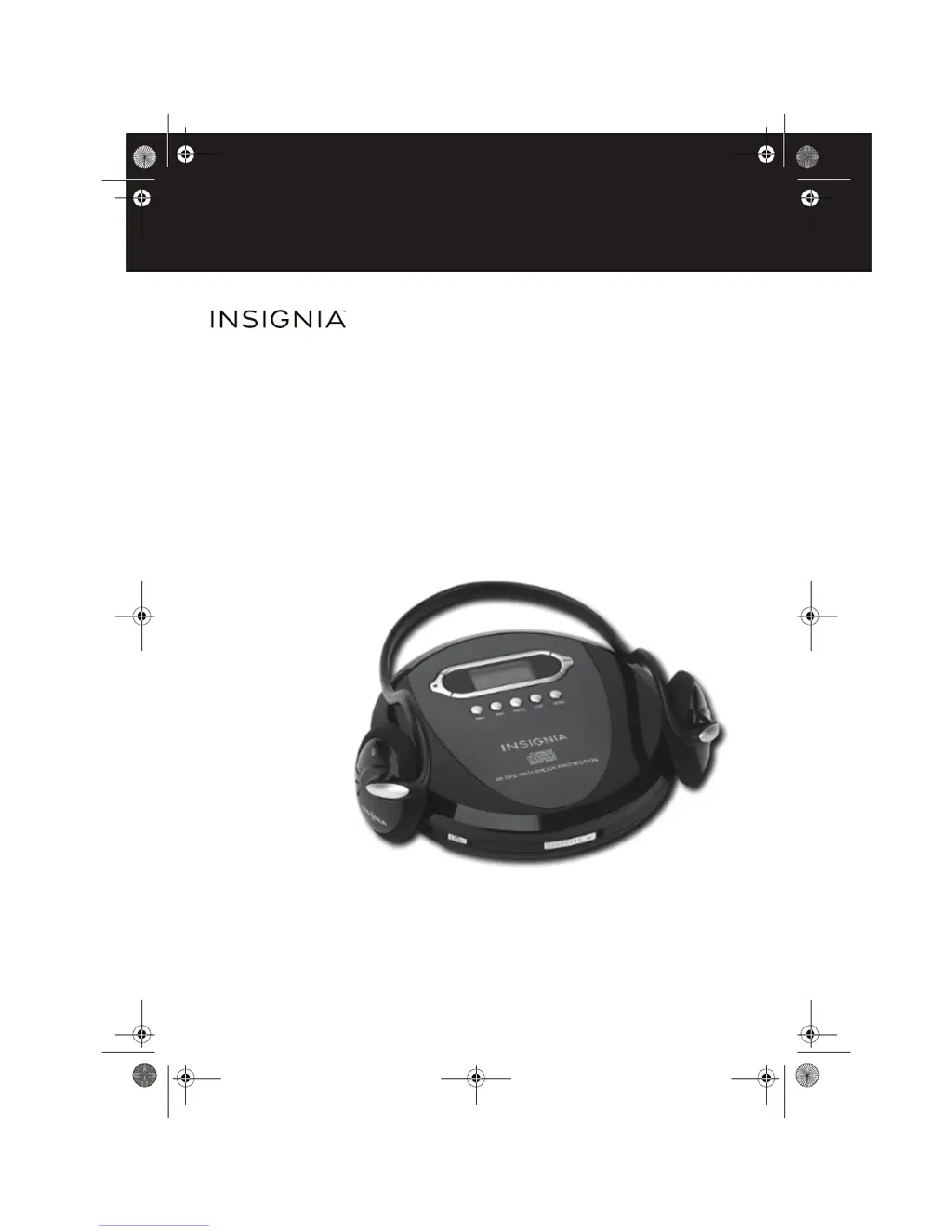
Insignia NS-P4112 - User Manual

Insignia NS-P4112
20 pages
Print Icon
To Next Page IconTo Next Page
Loading...
Before using your new product, please read these instructions to prevent any damage.
USER GUIDE
Portable CD Player
NS-P4112
NS-P4112_14-1153_MAN_V6_ENG.fm Page 1 Tuesday, October 28, 2014 8:57 AM

Questions and Answers

  • J
    Jeffrey WolfJul 25, 2025
    Why does my Insignia CD Player have no sound?
    • T
      teresajonesJul 26, 2025
      Your Insignia CD Player might not have sound for several reasons: it may not have power (replace the batteries or ensure the AC/DC power cord is correctly connected), playback might not be initiated (press the play button), or the volume could be too low (increase the volume).
  • R
    Rita HunterAug 5, 2025
    What to do if my Insignia NS-P4112 CD Player doesn't display tracks?
    • D
      Dr. Ryan ScottAug 5, 2025
      If your Insignia CD Player isn't displaying tracks, ensure the CD is inserted correctly with the label side up. Also, the CD might be dirty (clean it), scratched or warped (try a different CD), or moisture might have formed inside the CD compartment (remove the CD and leave the CD door open for about an hour to dry).
  • P
    priscilla11Aug 14, 2025
    What to do if certain sections of CD do not play normally on Insignia NS-P4112?
    • A
      Albert PowersAug 14, 2025
      If certain sections of a CD do not play normally on your Insignia CD Player, the CD might be dirty (clean the CD) or scratched (skip over the scratched sections, or replace the CD).

Summary

Welcome

Safety Information

Electrical and Laser Safety

Warnings about electric shock, laser exposure, servicing, and basic precautions.

Hearing Protection Guidelines

Explains how to set a safe volume level to protect hearing from loud noise.

Sound Level Information

Features

Control Panel Overview

Details the function of each button, switch, and the LCD display on the player.

Setting Up Your CD Player

Installing Batteries

Step-by-step guide on how to insert AA alkaline batteries into the player.

Connecting External Audio and Headphones

Instructions for connecting the CD player to external audio systems and headphones.

Using Your CD Player

Playing a CD and Auto Power Off

Instructions on how to play a CD and details about the automatic power-off feature.

Track Navigation and Playback Modes

Covers track searching, repeating, and intro play mode functionality.

Advanced Playback Features

Details random track playback and programming custom playback lists.

Bass Boost and Anti-Shock

Explains how to use the bass boost feature and the anti-shock function.

Troubleshooting

Maintaining Your CD Player

CD Handling and Cleaning

Guide on proper CD handling, storage, and cleaning methods.

Player Exterior Cleaning

Instructions on how to clean the exterior of the CD player safely.

Product Specifications

Audio and General Specs

Lists technical specifications for audio performance and general power requirements.

Legal Notices

FCC and Canada Compliance

Details FCC Part 15 compliance and Canada ICES-003 statement.

One-Year Limited Warranty

Warranty Coverage Details

Explains warranty period, coverage, and how to obtain service.

Warranty Exclusions and Contact

Lists items not covered by warranty and provides customer service contact information.

Insignia NS-P4112 Specifications

General IconGeneral
BrandInsignia
ModelNS-P4112
CategoryCD Player
TypePortable CD Player
Power Source (Battery)2 x AA batteries
DisplayLCD
Headphone Jack3.5mm
Anti-Shock ProtectionYes
Dimensions5.6 x 5.6 x 1.1 inches
Playback FormatsCD, CD-R
Playable MediaCD
Power SourceBattery, AC
OutputsHeadphone

Related product manuals