16
NS-P4113 Portable CD/MP3/WMA Player and Digital FM Tuner
www.insignia-products.com
5 Repeat Steps 3 and 4 to program as many as 24 tracks.
6 Press the
/ button once to start programmed playback.
7 To cancel the playlist, press and hold the MODE/CLEAR button
for three seconds.
MP3 or WMA CD
To program a playlist:
1 Press the
/ button, wait eight seconds, then press the /
button.
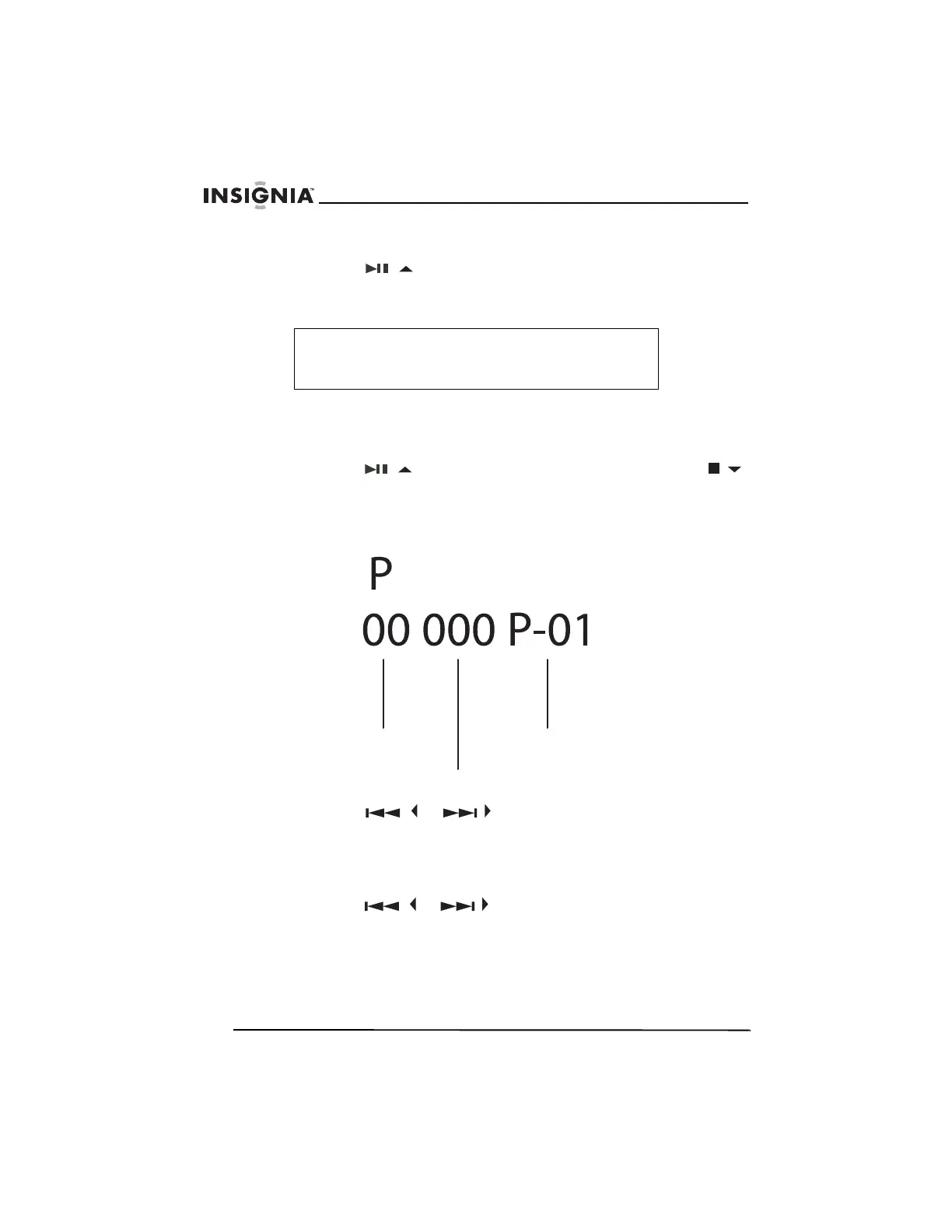
2 Press the PROG/ENTER button. The album number, track
number, and program number appear on the display. The album
number flashes.
3 Press the
/ or / button to select the album you want
to add to the playlist.
4 Press the PROG/ENTER button once to store the album into
memory. The album number stops flashing, and the track number
starts flashing.
5 Press the
/ or / button to select the track you want to
add to the playlist.
6 Press the PROG/ENTER button to store the track into memory.
Note
During program playback, if you want to play the playlist
repeatedly, press the MODE/CLEAR button one or more
times until REP A appears on the display.
Album
number
Track
number
Program
number



 To Next Page