
EasyManua.ls Logo

Insignia NS-RGFESS2 - User Manual

Insignia NS-RGFESS2
51 pages
Print Icon
To Next Page IconTo Next Page
Loading...
Before using your new product, please read these instructions to prevent any damage.
USER GUIDE
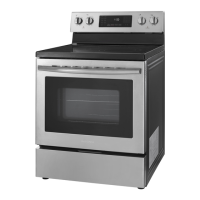
4.8 Cu. Ft. Electric
Convection Range with
Steam Cleaning
NS-RGFESS2/NS-RGFESS1-C

Table of Contents

Questions and Answers

  • J
    John RamosAug 13, 2025
    Why don't the surface burners produce a rolling boil on my Insignia NS-RGFESS2?
    • D
      Donna GentryAug 13, 2025
      The surface burners might not produce a rolling boil due to several reasons. You may be using inappropriate cookware; use flat pans that match the diameter of the surface element you selected. In some areas, low power (voltage) can be a factor, so cover the pan with a lid until the desired heat is obtained. If your range was recently installed, its power cord connection may be incorrect, causing the burners and oven to receive half the normal voltage. Disconnect the circuit breaker to cut power to the range and follow instructions on pages 18 or 19 to make sure the power cord wires are connected in the correct order and that the wire colors match the diagram shown, or contact Insignia customer care for support.
  • J
    Joseph VangAug 17, 2025
    What to do if the display flashes on my Insignia NS-RGFESS2?
    • M
      Michelle WilliamsAug 17, 2025
      If the display flashes on your Insignia Convection Oven, it usually means there was a power failure. To resolve this, reset the clock.
  • A
    ashley27Aug 20, 2025
    What to do if the surface burners do not turn on in Insignia NS-RGFESS2?
    • J
      joseph53Aug 21, 2025
      If the surface burners on your Insignia Convection Oven do not turn on, check if a fuse in your home may be blown or the circuit breaker tripped. If so, replace the fuse or reset the circuit breaker.
  • E
    Emma JacksonAug 25, 2025
    What to do if my Insignia NS-RGFESS2 Convection Oven is not level?
    • J
      Jason RussellAug 25, 2025
      If your Insignia Convection Oven is not level, it could be due to a few reasons. Your range may have been installed incorrectly. Place an oven rack in the center of the oven and put a level on the oven rack. Adjust the leveling legs at the base of your range until the oven rack is level. Also, ensure that the floor is level, strong, and stable enough to adequately support your range. Another cause might be that the floor is sagging or sloping, in which case you should contact a carpenter to correct the situation. Lastly, the kitchen cabinets might not be correctly aligned, making your range appear unlevel. Ensure that the cabinets are square and provide sufficient room for installation.
  • M
    Matthew RossAug 28, 2025
    What to do if the beeper doesn’t work on my Insignia NS-RGFESS2?
    • R
      Robert AshleyAug 28, 2025
      If the beeper on your Insignia Convection Oven isn’t working, it might be because the beeper sound has been turned off. To turn it back on, press and hold the (sound) pad for three seconds.
  • J
    John SalasSep 1, 2025
    How to move my Insignia Convection Oven for servicing?
    • I
      iterrySep 1, 2025
      If your Insignia Convection Oven needs to be accessed for servicing and can’t be moved easily, it might be because the oven leg is inside the anti-tip device. Slide your range forward until the leg is out of the anti-tip device, then move your range as needed. Make sure that you reinstall the range leg into the anti-tip device when you are through. Another reason might be that the kitchen cabinets are not square and too close to your range, in that case contact a builder or installer to make your range accessible. Lastly, carpet could be interfering with the movement of your range, so provide sufficient space so your range can be lifted over the carpet.
  • K
    Kristie CoffeySep 4, 2025
    What to do if the display goes blank on my Insignia NS-RGFESS2 Convection Oven?
    • J
      Julie BellSep 4, 2025
      If the display goes blank on your Insignia Convection Oven, a fuse in your home may be blown, or the circuit breaker tripped. Replace the fuse or reset the circuit breaker.
  • D
    Diana BeasleySep 8, 2025
    Why does my Insignia NS-RGFESS2 Convection Oven still beep when the beeper is off?
    • J
      jmartinezSep 8, 2025
      The clock and beep warning tones stay on even when you turn the beeper off. This is normal.

Summary

Safety First: Essential Precautions

Important Safety Instructions

General safety guidelines and warnings.

Child Safety

Specific safety advice for children.

Critical Installation Warnings

Safety rules for installation.

Installation and Setup Guide

Clearances and Dimensions

Requirements for range placement.

Electrical Requirements

Power connection standards.

Connecting the Power Cord

Step-by-step wiring instructions.

Installing the Anti-Tip Device

Crucial safety feature installation.

Operating Your Electric Range

Oven Functions and Settings

Oven modes, temp, racks.

Baking, Roasting, and Timer Use

Cooking modes and timing.

Maintenance, Troubleshooting, and Warranty

Cleaning and Maintenance Procedures

How to clean the appliance.

Troubleshooting Common Problems

Diagnosing and fixing issues.

Product Specifications

Technical details of the range.

One-Year Limited Warranty

Warranty coverage details.

Insignia NS-RGFESS2 Specifications

General IconGeneral
BrandInsignia
Model NumberNS-RGFESS2
Product TypeConvection Oven
Temperature Range150°F to 450°F
Control TypeDigital
Cooking FunctionsAir Fry, Bake, Broil, Convection Bake, Convection Broil, Dehydrate, Keep Warm, Pizza, Proof, Reheat, Toast
Interior LightYes
TimerYes
ColorStainless Steel
Included AccessoriesBaking Pan, Crumb Tray
TypeCountertop Convection Oven

Related product manuals
