Need help?
Do you have a question about the Insignia NS-S10CCBK and is the answer not in the manual?
Allows lifting the shredder head to empty the wastebasket.
Controls shredder operation: FWD, AUTO, OFF, REV.
Indicates Overheat, Overload, Power status, and Door open.
Area for inserting paper, credit cards, or discs for shredding.
Allows visual inspection of shredded material level in the wastebasket.
Container for collecting shredded paper, cards, and discs.
Steps for assembling and connecting the shredder.
Instructions on how to operate the shredder, including auto-shredding.
Procedure for clearing paper jams using the REV function.
Guidance on when and how to empty the wastebasket.
Solutions for problems like shredder not working or jamming.
Technical details including dimensions, capacity, and power input.
Essential safety warnings and instructions for safe operation.
Guidance on operating duration and shredding capacity.
Information regarding regulatory compliance and interference.
Details on the limited warranty and customer service contact info.
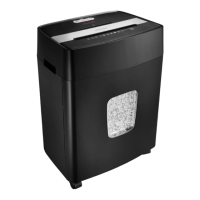
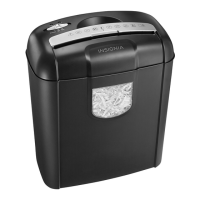
This document describes the Insignia 10-sheet Cross Cut Shredder (models NS-S10CCBK and NS-S10CCBK-C), a device designed for securely disposing of sensitive documents and other materials.
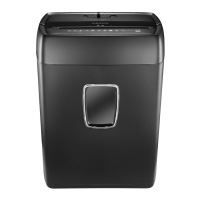
The Insignia 10-sheet Cross Cut Shredder is a personal document shredder that efficiently destroys paper, credit cards, compact discs, small staples, and small paper clips. It employs a cross-cut shredding style, reducing materials into small .2 × 1.4 inch (4 × 35 mm) particles, which provides a higher level of security for sensitive data compared to strip-cut shredders. The shredder is designed for home or small office use, offering a convenient way to protect personal and confidential information from unauthorized access. It features a 5.6-gallon (21 L) wastebasket capacity, allowing for a significant amount of shredded waste before needing to be emptied. The shredder head is equipped with a handle for easy lifting, facilitating the emptying process.
The shredder is straightforward to set up and operate. To begin, place the wastebasket upright on a level surface and securely attach the shredder head to the basket, ensuring it fits properly. Then, connect the power cord to a standard (120 V AC) power outlet; an extension cord should not be used.
The main control is a slide switch with three positions: FWD (Forward), AUTO OFF, and REV (Reverse).
The shredder can handle up to 10 sheets of paper (75 g/m2 A4 paper) at a time, or one credit card or disc at a time. It's important not to exceed these capacities to prevent jams and ensure optimal performance. The shredding slot is designed to accept these materials efficiently.
The device includes several LED indicators to provide operational status feedback:
The wastebasket features a window, allowing users to visually monitor the fill level of shredded material. This helps in determining when the wastebasket needs to be emptied, which is recommended when it is approximately two-thirds full.
Proper maintenance ensures the longevity and optimal performance of the shredder.
 General
| Shred Type | Cross-cut |
|---|---|
| Sheet Capacity | 10 sheets |
| Security Level | P-4 |
| Auto Start/Stop | Yes |
| Overheat Protection | Yes |
| Accepts | Paper, Credit Cards, Staples |
| Power | 120V |

 To Next Page