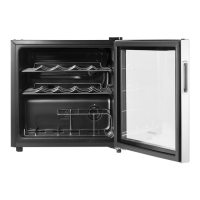
This document describes the Insignia Stainless Steel 8-Bottle Wine Cooler (model NS-WC08SS1), a freestanding appliance designed for storing wine.
Function Description
The Insignia 8-Bottle Wine Cooler is designed to store up to eight bottles of wine, maintaining them at a chosen temperature. It features digital controls that allow users to set the temperature between 46–65° F (8–18° C). The cooler is intended for household and similar environments, providing a controlled environment for wine storage. It includes interior lighting for visibility and operates with a quiet motor.
Important Technical Specifications
- Capacity: 8 bottles
- Temperature Range: 46–65° F (8–18° C)
- Dimensions (H×W×D): 18.5 × 10.2 × 20.1 inches (47 × 26 × 51 cm)
- Weight: 21.6 lbs. (9.8 kg)
- Power Requirements: 115 V ~ 60 Hz
- Current: 0.95 A
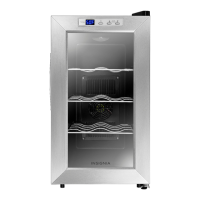
- Design: Stainless steel finish with a curved glass door.
- Installation: Freestanding only, not designed to be recessed or built-in.
Usage Features
- Control Panel: The control panel includes a temperature display, a light switch to turn on/off the interior light, temperature increase/decrease buttons, and a °F/°C button to switch between Fahrenheit and Celsius display formats. To change the temperature display format, the increase and decrease buttons must be pressed simultaneously for three seconds.
- Temperature Setting: After plugging in the cooler, the thermostat can be adjusted to the desired temperature. It's recommended to adjust the thermostat setting by one increment at a time and wait several hours for the temperature to stabilize. If the cooler is unplugged or loses power, a three to five-minute delay is required before restarting.
- Wine Arrangement: To ensure good air circulation, bottles should not touch the back of the cooler. The manual suggests storing strong red wine at the top, pink and mild red wine in the middle, and white wine at the bottom.
- Serving and Storage Tips:
- Wine warms up quickly after being poured, so it's suggested to pour at a temperature slightly below the ideal serving temperature.
- Do not store bottled wine by box or case inside the cooler.
- Moisten a cork from an old bottle before returning it to the bottle.
- Red wine should be allowed to breathe (oxygenate) before drinking, typically four to five hours. Pink or rosé wines can be placed on the table two to five hours before drinking. White wine can be served immediately.
- Champagne should be kept in the cooler and removed immediately before drinking.
- Location Requirements:
- The cooler should be placed on a strong, level surface.
- Allow five inches of space between the back and sides for proper air ventilation.
- Avoid direct sunlight and heat sources (stove, heater, radiator).
- Ambient temperatures below 59° F (15° C) or above 77° F (25° C) can hinder performance.
- Not designed for use in a garage or outside.
- Avoid moist areas.
- Leveling: The cooler must be level for correct operation. Adjustable leveling feet allow users to raise or lower sides by turning them clockwise or counter-clockwise, respectively.
- Power Supply: Requires a 110-120 V, 60 Hz grounded power supply. It should be plugged into its own individual electrical outlet with a voltage rating matching the rating plate. An extension cord should not be used.
Maintenance Features
- Cleaning the Exterior: The case should be wiped periodically with a mild detergent and warm water, then dried with a soft cloth. Abrasive cleaners, gasoline, benzine, thinner, or similar solvents should not be used to prevent damage to the finish.
- Cleaning the Interior:
- Unplug the cooler.
- Remove all wines.
- Wash the inside with a damp warm cloth soaked in a solution of one quart of lukewarm water to two tablespoons of baking soda solution.
- Keep the door gasket (seal) clean for efficient operation.
- Dry the interior and exterior with a soft cloth.
- Storing the Wine Cooler (for extended periods):
- Unplug the cooler.
- Remove all wines.
- Clean the cooler.
- Leave the door open slightly to prevent condensation, mold, or odor.
- Exercise extreme caution with children; the cooler should not be accessible for child's play.
- Moving the Wine Cooler:
- Unplug the cooler.
- Remove all wines.
- Securely tape down all loose items inside.
- Tape the door shut.
- Keep the cooler in an upright position during transportation.
- Energy Saving Tips:
- Locate the cooler in the coolest area of the room, away from heat-producing appliances or heating ducts and direct sunlight.
- Avoid overloading the cooler, as this forces the compressor to run longer.
- Do not open the door too often, especially in hot weather, to prevent cool air from escaping.
- Ensure adequate ventilation and air circulation behind the cooler.
Safety Instructions
The manual emphasizes several safety warnings, including:
- Electric Shock Hazard: Do not open the cooler. Dangerous voltage is present.
- General Safety: Read and follow all instructions, heed warnings, do not use near water, clean with a damp cloth only, do not block ventilation openings, do not install near heat sources, and do not defeat the safety purpose of the polarized or grounding-type plug.
- Power Cord: Protect the power cord from being walked on or pinched. Do not modify or extend the power cord. Unplug during lightning storms or long periods of disuse. Ensure AC power matches voltage requirements. Do not handle the plug with wet hands. Unplug by holding the plug, not pulling the cord.
- Operation: Do not turn the appliance on or off by plugging or unplugging the power cord. Turn off before unplugging.
- Servicing: Refer all servicing to qualified personnel.
- Moisture/Liquids: Do not expose to rain, moisture, dripping, or splashing. No liquid-filled objects on top.
- Ventilation: Keep ventilation openings clear.
- Internal Appliances: Do not use electrical appliances inside the storage compartment unless recommended by the manufacturer.
- Child Safety: Never allow children to play with, operate, or crawl inside. Before disposal, remove the door and leave shelves in place to prevent entrapment.
- Cleaning/Maintenance: Unplug before user maintenance. Children aged 8 and older can use it with supervision and understanding of hazards. Cleaning and maintenance should not be performed by children without supervision.
- Component Damage: If a component is damaged, it must be replaced by the manufacturer or qualified persons.
- Disposal: Follow local regulations for disposal due to flammable refrigerant and gas.
- Environment: Intended for household use.
- Flammable Liquids: Do not store or use gasoline or flammable liquids near the cooler.
- Extension Cords: Do not use an extension cord.
Troubleshooting
The manual provides a troubleshooting guide for common issues:
- Cooler doesn't operate: Check if unplugged, fuse blown, circuit breaker tripped, or power failure.
- Door doesn't close completely: Check shelf position, clean door gaskets, level the cooler.
- Cooler isn't cold enough: Check if the door was opened too often, large amount of warm beverage added, or temperature control set too warm.
- Cooler makes unusual noises or vibrates: Check if the cooler is level, touching a wall. Rattling, gurgling, popping, or crackling noises from refrigerant flow or expansion/contraction of walls are normal.
- Moisture building up: Check if the door was opened too often or not closed correctly, or if the location is too humid.
- Cooler turns on and off frequently: Check if the room temperature is too hot, door opened too often, door gaskets don't seal, or temperature control set too warm.
- Humidity level too low: Check if the door was opened too often or not closed correctly, or if the location is too hot. Place a cup of water inside to raise humidity.
Warranty
The product comes with a one-year limited warranty covering defects in material or workmanship. The warranty is valid for products purchased in the United States or Canada from a Best Buy branded retail store or online. It covers repair or replacement of defective products. The warranty does not cover customer instruction, installation, setup adjustments, cosmetic damage, damage due to weather/lightning/power surges, accidental damage, misuse, abuse, negligence, commercial use, modification, or display panel damage from static images.


 To Next Page
 General