7 8
material, the best way is to remove the surface-hardening
layer by processing.
6) When testing sample surface is not horizontal, the
curvature radius of testing and nearby surface should be
larger than 30mm. And appropriate supporting ring should be
elected and installed.
7) A sample should not be with magnetic. The signal of the
impact device would be seriously interfered in the work by the
magnetic, which may cause inaccurate test results.
2
Measuring Steps:
Loading: Simply load the impact device by sliding the loading
tube forward.
Place: Then place and hold the impact device on the surface
of the test piece at the desired test point. Impact indirection
should be vertical with the test of surface.
Burst impact (Measure): Trigger the impact by pressing the
release button. The hardness value will be instantaneously
displayed.
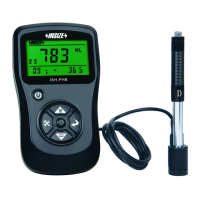
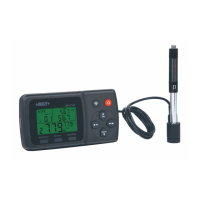
Read off the test result from LCD. For example:
Sample material: steel and cast iron;
Impact direction: downwards;
Date: 3rd, Dec;
The current hardness value: 786HLD;
The current measurement is the third point;
The current mean value: 785HLD
Conversions to HRC: 58.6HRC
The mean value of HRC: 58.5HRC
Repeating the above steps, users can carry out tests in more
points.
Note: Generally, each measurement location of sample is
conducted for the five tests. The “S” (difference of maximum
value and minimum value) values must be less than 15HL.
The distance between any two impact position should be ≥3
mm ; the distance between impact position and the edge of the
sample should be ≥3 mm.
Memory and print:
3
The data group (such as test result, conversion result, sample
material and impact direction) automatically save in memory after
one individual measurement. ISH-PHA hardness tester can store
nine sets of data, when measuring times more than nine, the last
group of data will store the 9th position and the first group of data
will be erased. The second group of data will be moved into the
2th position, simultaneously the position of other group of data,
will be moved into lower position.
Press and hold “Back/Print” button to end the measurement and
print out the memory data (when connected to printer) in test.
Completing print, the original data will be erased automatically.
Highlight LED backlight is used for poor light conditions. Users
can turn on or turn off the backlight by pressing the button (it will
automatically save this model while shutdown). If there is no
measure, and no key operation in 10 seconds, the backlight will
4
Backlight and auto-power off:


 To Next Page
 Loading...