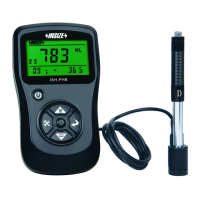
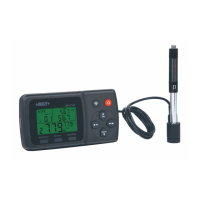
4
Name of each part
Sensor
3
4
{┱〈┆■┧
Tube Sensor body
Socket
Front view
Back view
Power switch is a total power switch on the instrument.
Turned off when not in use for a long time.
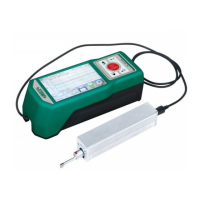
1 Bluetooth Mark;2 Assess length;3 Filter;4 Working Time;
5 Start Touch key area;6 Pickup position;7 Hint information area;
8 Range;9 Master results display;10 Slave results display;
11 Battery level;12 Profile scale;13 Profile display area;
14 Menu touch key;15 Save touch key;16 Print touch key
5
Buttons define
Power key: Press and hold START 2 seconds On/Off tester
Start measurement key: Start the instrument to measuring
Up /Add key: Increase the value
Cancel / Exit key: Used to exit the menu and unset
Enter key: Confirmation setting
Down / decrease key: decreased the value
touch key of Hidden
Start touch key Profile zoom touch key
Multi results and
Profile touch key


 To Next Page