
 To Next Page
D
Dr. Holly PhillipsJul 28, 2025
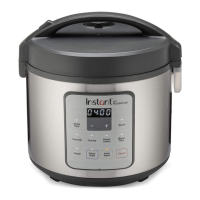
How to open Instant Zest lid?
- RRobert LaneJul 28, 2025
To open the Instant Rice Cooker lid, press down the lid release button on the lid handle, then lift up to one side. Note that the lid is not removable.

How to open Instant Zest lid?
To open the Instant Rice Cooker lid, press down the lid release button on the lid handle, then lift up to one side. Note that the lid is not removable.
Why is my Instant Zest Rice Cooker rice too hard?
If your rice or grain is too hard or undercooked when using the Instant Rice Cooker, it could be due to a few reasons: * The lid was opened too early. To fix this, after cooking completes, open the cooker and quickly fluff the rice or grains, then close the lid and let the cooker sit for an additional 5–10 minutes. * Not enough water or liquid was used. Try adding ½ to 1 cup water, mix, and run the cooking program again. * The rice or grain requires a longer cooking time. Simply run the cooking program a second time.
Why is my Instant Rice Cooker rice too soft?
If your rice or grain is too soft or overcooked when using the Instant Rice Cooker, it could be due to: * Too much water or liquid. To resolve this, stir the rice or grain to redistribute the cooking liquid. Close the lid and run Keep Warm for 10-30 minutes as required, stirring occasionally. * The rice or grain was cooked for too long. Refer to recipe instructions.
What to do if Instant Zest Rice Cooker shows error code?
If your Instant Rice Cooker displays an error code and the lights are flashing continuously, this indicates a faulty sensor. In this case, you should contact Customer Care for assistance.
What to do if my Instant Zest Rice Cooker display is blank?
If the display on your Instant Rice Cooker remains blank after connecting the power cord, it could be due to a bad power connection or no power. Inspect the power cord for damage and do not use it if damaged. Check the outlet to ensure it is powered. If the issue persists, the cooker’s electrical fuse may have blown, and you should contact Customer Care.
Details and illustrations of included accessories for the Zest Rice & Grain Cooker.
Explains the function of the LED display for time and status messages.
Details the various one-touch cooking programs available on the control panel.
Explains how to adjust settings for Smart Programs.
 General
| Brand | Instant |
|---|---|
| Model | Zest Series |
| Category | Rice Cooker |
| Language | English |