EasyManua.ls Logo

Instant ZEST PLUS - User Manual

Instant ZEST PLUS
25 pages
Print Icon
To Next Page IconTo Next Page
Loading...
ZEST
PLUS
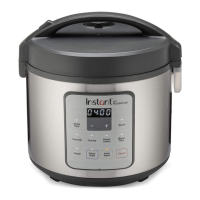
Rice & Grain Cooker
20 Cup
User Manual
Welcome
Important Safeguards
Product Specications
Initial Setup
Product, Parts and Accessories
Control Panel
Initial Test Run
Smart Programs
Care and Cleaning
Troubleshooting
Warranty
Contact Information

Other manuals for Instant ZEST PLUS

Questions and Answers

  • M
    Michael HarrisAug 15, 2025
    What to do if Instant Rice Cooker rice is undercooked?
    • M
      Morgan FosterAug 15, 2025
      If your rice or grain is chewy, too hard, or undercooked when using the Instant Rice Cooker, it could be due to several reasons. First, ensure you're not opening the lid too early. After cooking completes, open the cooker and quickly fluff the rice or grains, then close the lid and let the cooker sit for an additional 5-10 minutes. It may also be caused by not enough water or liquid. Add ½ to 1 cup water, mix, and run the cooking program again. Finally, the rice or grain may require a longer cooking time, try running the cooking program a second time.
  • O
    olsenbethanyAug 18, 2025
    How to open Instant ZEST PLUS Rice Cooker lid?
    • S
      Shannon Brown PhDAug 18, 2025
      If you're having difficulty opening the lid of your Instant Rice Cooker, press down the lid release button on the lid handle, then lift up to one side. Note that the lid is not removable.
  • W
    Wayne StantonAug 21, 2025
    What to do if Instant Rice Cooker display is blank?
    • J
      jack74Aug 21, 2025
      If the display of your Instant Rice Cooker remains blank after connecting the power cord, the issue might stem from a bad power connection or lack of power. Inspect the power cord for any signs of damage, and if damaged, do not use it. Check the outlet to ensure it is receiving power. If these steps don't resolve the issue, it's possible that the cooker’s electrical fuse has blown, in that case contact Customer Care.
  • G
    George GutierrezAug 25, 2025
    Why is my rice too soft in my Instant ZEST PLUS?
    • B
      bakertiffanyAug 25, 2025
      If your Instant Rice Cooker yields rice or grain that is too soft or overcooked, it might be due to too much water or liquid. Stir the rice or grain to redistribute the cooking liquid. Then, close the lid and activate the Keep Warm setting for 10-30 minutes, stirring occasionally. Alternatively, overcooking can occur if the rice or grain was cooked for too long, so refer to your recipe instructions for precise cooking times.
  • D
    debbiesmithAug 28, 2025
    Why is my rice or grain too soft in my Instant Cooker?
    • C
      Calvin WhiteAug 28, 2025
      If your rice or grain is too soft after cooking with your Instant Cooker, it might be due to too much water. Try stirring the rice or grain to redistribute the cooking liquid, then close the lid and run Keep Warm for 10-30 minutes, stirring occasionally. Also, overcooking can occur if the rice or grain was cooked for too long, so refer to your recipe instructions for guidance.
  • A
    Ashley SandovalAug 31, 2025
    What to do if rice is undercooked in Instant Cookers?
    • S
      Sandra MontgomerySep 1, 2025
      If your rice or grain is chewy or undercooked when using your Instant Cooker, it could be because the lid was opened too early. After cooking is complete, open the cooker and quickly fluff the rice or grains, then close the lid and let the cooker sit for an additional 5-10 minutes. Another reason may be that not enough water or liquid was used. Try adding ½ to 1 cup water, mix, and run the cooking program again. Also, some rice or grain requires a longer cooking time, so you may need to run the cooking program a second time.
  • S
    Susan OlsonSep 3, 2025
    Why Instant Cookers display remains blank?
    • C
      campbellashleySep 4, 2025
      If the display on your Instant Cooker remains blank after connecting the power cord, the issue might be due to a bad power connection or no power. Inspect the power cord for damage and ensure it is not damaged in any way before use. Also, check the outlet to ensure it is powered. If the cooker’s electrical fuse has blown, contact Customer Care.
  • L
    lindsay77Sep 7, 2025
    What to do if error code appears on Instant Cookers display?
    • C
      Christina HarrisSep 7, 2025
      If an error code appears on the display of your Instant Cooker, and the cooker beeps and lights flash continuously, this may indicate a faulty sensor. In this case, contact Customer Care.
  • N
    Natalie RoseSep 12, 2025
    How to open Instant Cookers lid?
    • A
      amber51Sep 12, 2025
      If you're having difficulty opening the lid of your Instant Cooker, press down the lid release button on the lid handle, then lift up to one side. Note that the lid is not removable.

Summary

Welcome to Instant Cooking

Important Safety Precautions

Polarized Plug Safety

Product Specifications Overview

Initial Setup Guide

Product Overview and Components

Zest Plus Cooker Accessories

Details on included accessories like inner pot, steamer tray, and measuring cup.

Control Panel Overview

Control Panel Display

Explanation of the LED display for time and status messages.

Control Panel Status Icons

Meanings of icons indicating Delay Start, heating element, and sound status.

Smart Program Indicator Light

Function of the LED indicating program selection or running status.

Control Panel Program Settings

Overview of buttons for adjusting time, delay start, and program selection.

Smart Program Settings and Operation

Status Messages

Smart Programs

Steam Program Details

How to use the Steam Smart Program for cooking.

Sauté Program Details

How to use the Sauté Smart Program for frying and browning.

Slow Cook Program Details

How to use the Slow Cook Smart Program for slow cooking.

Keep Warm Program Details

How to use the Keep Warm Smart Program to maintain food temperature.

Smart Programs and Cooking Ratios

Initial Test Run Procedure

Care and Cleaning Instructions

Troubleshooting Common Issues

Limited Warranty Information

Limitation and Exclusions

Details on what is not covered by the limited warranty.

Disclaimer of Implied Warranties

Legal disclaimers regarding implied warranties.

Warranty Registration and Service

How to register the product and obtain warranty service.

Instant ZEST PLUS Specifications

General IconGeneral
TypeRice Cooker
Frequency60Hz
Non-stick Inner PotYes
Steam FunctionYes
Weight2.1 kg

Related product manuals