Page 3 of 16
About I/O Linc
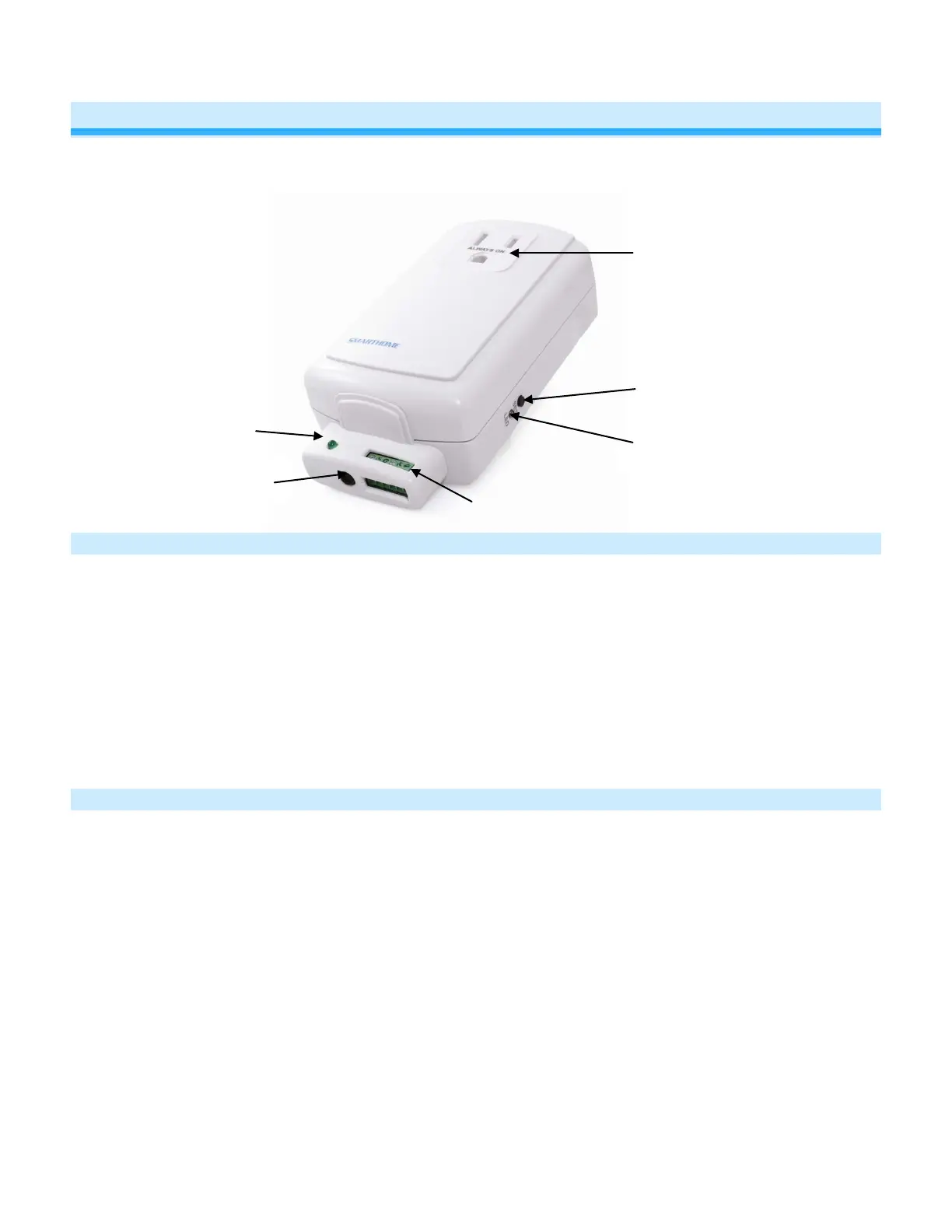
I/O Linc allows you to monitor and control any low voltage device (such as alarm sensor, electric door strike, etc.) as
part of your INSTEON home automation network. With one dry-contact sensor input you can control many INSTEON
devices throughout the house. Plus, use the built-in single-pole double-throw (SPDT) switch to connect to any low-
voltage-powered device for continuous or momentary operation.
Key I/O Linc Features
• Installs and links to other INSTEON devices in minutes
• Contains 1 sensor input and 1 output relay (NO/NC)
• Monitors and controls pool valves, electric door strikes, garage doors, and more using your INSTEON or X10
network
• 4 output relay modes allow you to control many different types of devices
• Controls INSTEON lights and appliances using standard sensor
• Indicates INSTEON setup mode activity with a Status LED and beeper
• Two-year warranty
What is Included with I/O Linc
• I/O Linc – INSTEON Low Voltage / Contact Closure Interface
• 1.5mm flathead screwdriver
• Quick-Start Guide
Status LED


 To Next Page