EasyManua.ls Logo

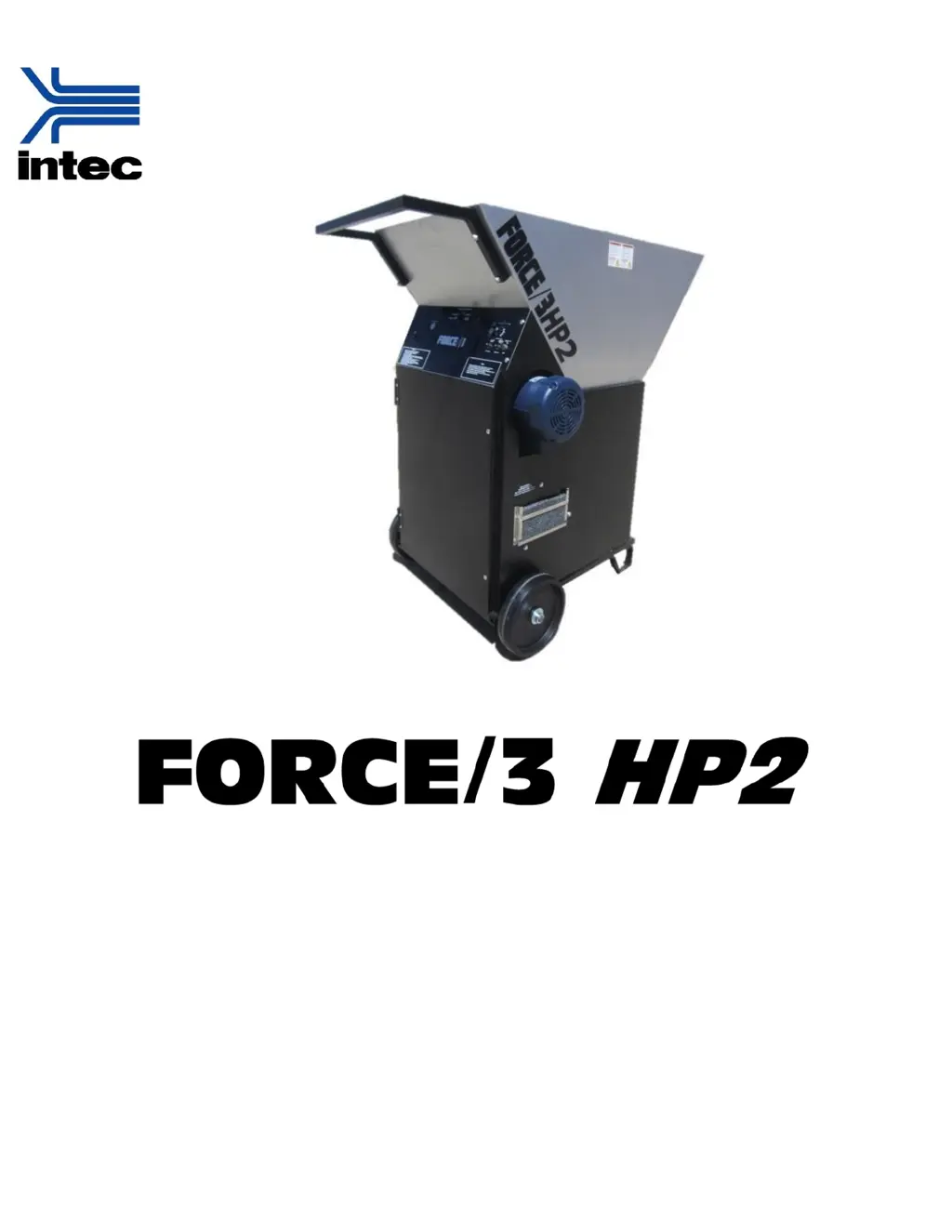
Intec FORCE/3 HP2 - User Manual

Intec FORCE/3 HP2
22 pages
Print Icon
To Next Page IconTo Next Page
Loading...
Instruction Manual
Insulation blowing machine
Original Language English
Intec — 4040 Kodiak Court – Frederick, CO 80504 USA
T: 303-833-6644 Web: www.inteccorp.com Email: info@inteccorp.com
T: 800-666-1611 Rev Date: 20200504

Questions and Answers

  • S
    Scott BrownAug 3, 2025
    Why is insulation dribbling out of the Intec FORCE/3 HP2 Blower hose?
    • J
      jessicaburtonAug 3, 2025
      If insulation is dribbling out of the hose of your Intec Blower, try pushing the slide gate in by 1-2 holes, especially if you're using heavy insulation material. Also, check the hose for any kinks and straighten them out. Inspect the airlock seals for cuts and wear; if they appear worn, have a qualified technician replace them.
  • L
    Lynn GordonAug 7, 2025
    What to do if my Intec Blower machine does not turn on?
    • E
      Earl WilliamsAug 7, 2025
      If your Intec Blower machine doesn't turn on, first check the power cord connections at both the machine and the power source to ensure they are secure. Make sure the POWER ON BUTTON is pressed in so that it lights up green. Also, verify that the ROTARY CONTROL SWITCH is in the desired position and the appropriate remote (wired or wireless) is selected. Confirm that the power cord is properly connected. Check if the machine's circuit breaker or the circuit breaker at the power source has tripped and reset them if necessary. If using a wired remote, ensure both the wired remote cord and electrical panel switches are in the ‘ON’ position. If the issue persists, there might be a loose wire in the electrical system, and you should contact Intec Tech Support.
  • E
    eevansAug 13, 2025
    What to do if the agitator does not run on my Intec Blower?
    • M
      Monica FergusonAug 13, 2025
      If the agitator on your Intec Blower isn't running, first ensure that the blower is turned on, as the agitator requires the blower to function. Check if the agitator circuit breaker needs to be reset and reset it if necessary. Also, inspect the hopper for any foreign material causing a jam. If a jam is present, remove the power cords, clear the obstruction, and then restart the system.
  • V
    vicki07Aug 18, 2025
    What to do if the blower does not run on my Intec FORCE/3 HP2?
    • A
      amyleeAug 18, 2025
      If the Intec Blower itself isn't running, the first step is to reset the blower circuit breaker. If resetting the breaker doesn't solve the issue, it could be due to a faulty blower motor. In such cases, contact Intec Tech Support for further assistance.
  • K
    Kevin GloverAug 23, 2025
    What to do if no material comes out of the Intec Blower hose?
    • D
      Daniel MendozaAug 23, 2025
      If your Intec Blower machine is on but no material is coming out of the hose, start by checking if the slide gate is closed and open it. Then, inspect the hose for any insulation blockages; if there's a blockage, turn the system off, remove the hose, and clear it. If there's an air pocket in the hopper preventing insulation from feeding into the agitators, disconnect electrical power and redistribute the insulation material inside the hopper. Also, check the airlock for obstructions and remove them after disconnecting electrical power. Finally, inspect the airlock seals for wear; if they are worn, have a qualified technician replace them.
  • K
    Karen PetersonAug 28, 2025
    Why do the circuit breakers need resetting often on my Intec FORCE/3 HP2?
    • V
      Victor MooreAug 28, 2025
      If the circuit breakers of your Intec Blower need resetting often, ensure that the system has a dedicated 115V / 15amp circuit for both the agitator and blower, as low voltage or amperage can cause this issue. If you're using an extension cord, make sure it's a 12/3 heavy-duty cord (SJ300V) for lengths of 100 feet or less, or a 10/3 heavy-duty cord for lengths over 100 feet. If you are using a generator, consider purchasing one with low harmonic distortion.

Summary

Symbols and Safety

Safety First

Provides critical safety warnings and precautions for operating the machine and handling insulation.

Set up and Operation

System Setup Procedures

Details requirements for setting up the system on a dry, level surface and protective equipment.

Power Connection Requirements

Specifies power cord requirements and independent circuit needs for the machine.

System Operation

Maintenance

Troubleshooting

Machine Power Issues

Lists likely causes and remedies for the machine not turning on.

Blower and Agitator Operation Issues

Provides troubleshooting steps for when the blower or agitator does not run.

Material Flow and Circuit Breaker Problems

Addresses issues like no material flow, dribbling, and frequent circuit breaker trips.

Intec FORCE/3 HP2 Specifications

General IconGeneral
ModelFORCE/3 HP2
Motor2-Stroke
Power SourceGasoline
Engine Type2-Stroke
CategoryBlower
Air Volume700 CFM

Related product manuals