5
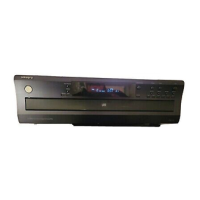
Front panel
Display
123
456
PAUSE REPEAT RANDOM MEMORY NEXT DISC No.
TRACK SINGLE ELAPSED
TOTAL REMAIN
a
bcd
fe
ih
g
/
Open/Close
Disc SkipMemory Clear Disc 1 Disc 2 Disc 3 Disc 4 Disc 5 Disc 6
Pause Stop
RandomDisplay
Next Selection
Power
6 DISC
CDC-3.1
On Off
Repeat
Play
/
Five CD Exchange Continuous Play
1234 5 6789
191817161511 1210
13
14
Control Positions and Names
• If there is a protective film on the surface of the display that makes it difficult to read the display, remove it.
• For more information about the buttons and knobs, refer to the pages listed in the brackets ( [ ] ) below.
12. Loading drawer
13. Carousel
14. Disc trays
15. Disc Skip buttons [8]
16. Direct play buttons
(Disc 1-Disc 6) [10, 12, 14]
17. Random button [13]
18. Repeat button [13]
19. Search/Skip buttons
( / , / ) [9~12, 14, 15]
Display
a. PAUSE indicator
b. REPEAT indicator
c. RANDOM indicator
d. MEMORY indicator
e. NEXT indicator
f. Disc number indicator
g. TRACK number indicator
h. ELAPSED/REMAIN indicators
i. Time display
Front panel
1. Power button [7]
2. Display button [9]
3. Next Selection button [12]
4. Remote control sensor [6]
5. Display
6. Open/Close button [8]
7. Pause button [9]
8. Stop button [9, 11]
9. Play button [8~10, 13, 14]
10. Memory button [14, 15]
11. Clear button [15]
Supplied accessories
Check that the following accessories are supplied with this unit.
Audio connection cable x 1
cable x 1
Remote controller (RC-435C) x 1
Batteries (size AA, R6 or UM-3) x 2
Power cable x 1
CDC-3.1_05-07 09/05/2000, 4:24 PM5


 To Next Page

