Intel Desktop Boards D845GRG and D845GBV Product Guide
22
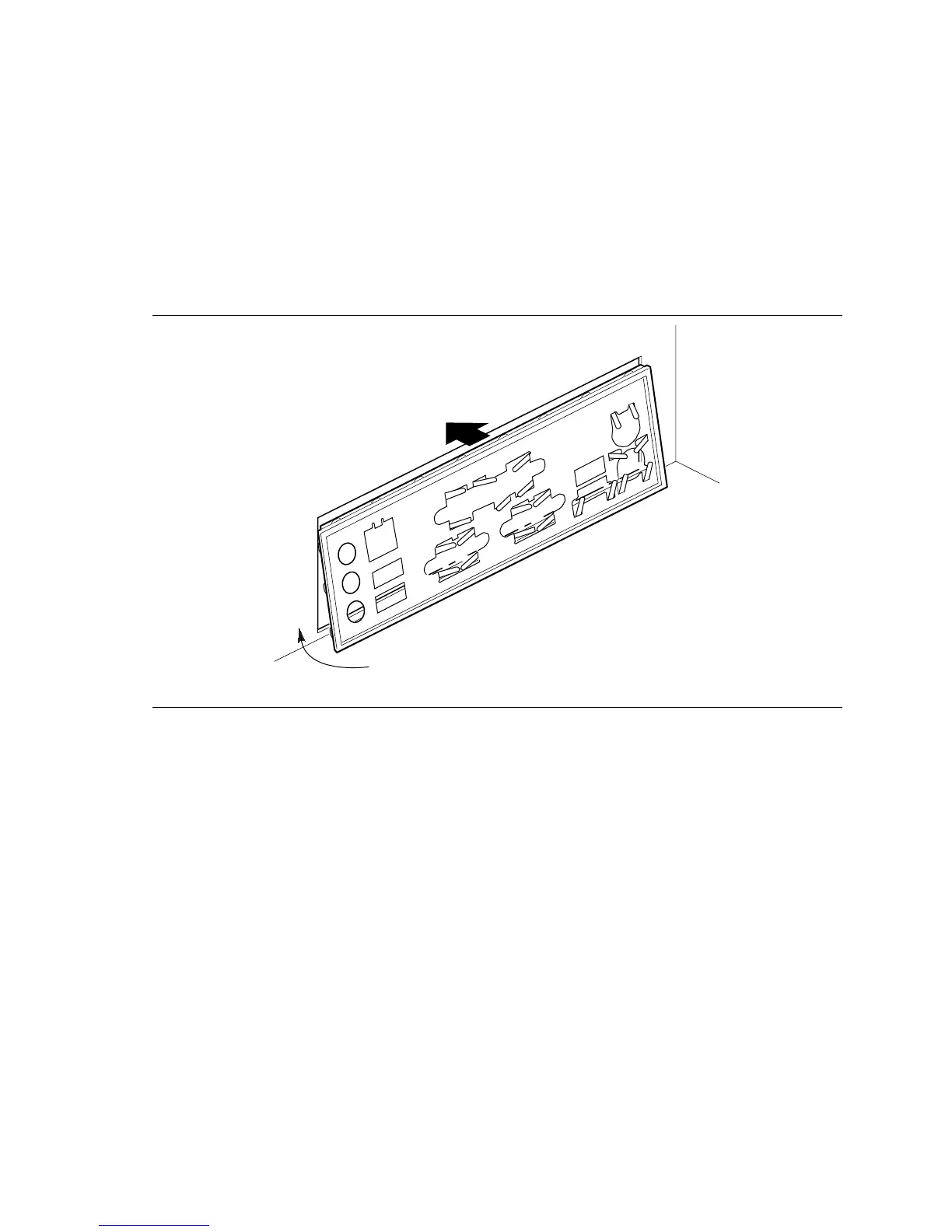
Installing the I/O Shield
The Intel desktop board comes with an I/O shield. When installed in the chassis, the shield blocks
radio frequency transmissions, protects internal components from dust and foreign objects, and
promotes correct airflow within the chassis.
Install the I/O shield before installing the desktop board in the chassis. Place the shield inside the
chassis as shown in Figure 4. Press the shield into place so that it fits tightly and securely. If the
shield doesn’t fit, obtain a properly-sized shield from the chassis supplier.
OM11310
Figure 4. Installing the I/O Shield



 To Next Page