Intel Desktop Board DG33FB Product Guide
50
Connecting Chassis Fan and Power Supply
Cables
Connecting Chassis Fan Cables
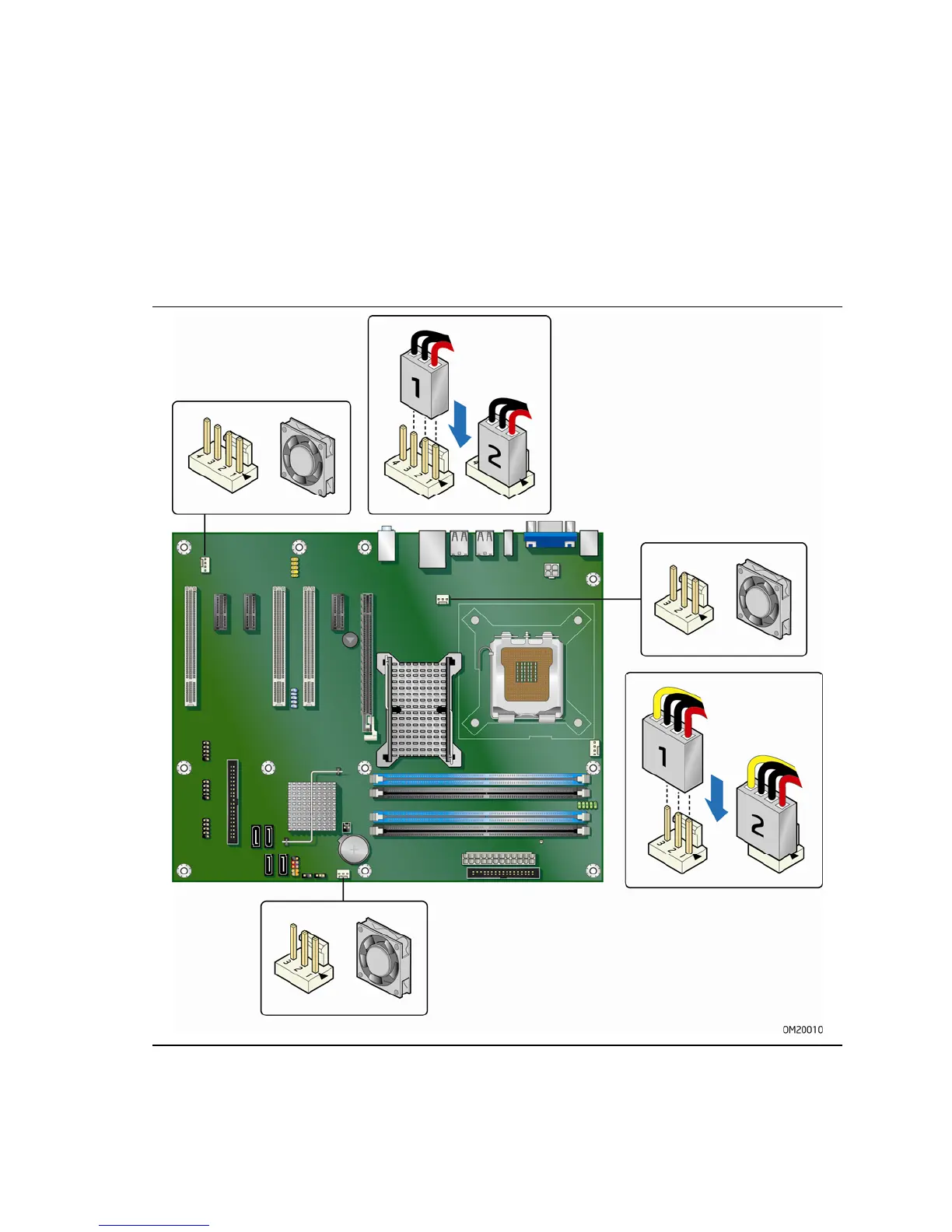
Connect chassis fan cables to the 3-pin and 4-pin chassis fan headers on the Desktop
Board.
Figure 25 shows the location of the chassis fan headers.
Figure 25. Location of the Chassis Fan Headers







 To Next Page