16
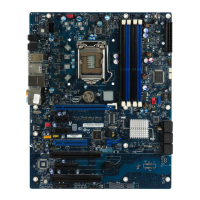
(11) Parallel COM Port header: PARALLEL
The board also provides a 25-pin parallel port header.
Pin 1
Parallel
Header
Pin 2
(12) FAN Headers: SYSFAN1 (3-pin), SYSFAN2 (3-pin), CPUFAN (4-pin)
These connectors support cooling fans of 350mA (4.2 Watts) or less, depending
on the fan manufacturer, the wire and plug may be different. The red wire
should be positive, while the black should be ground. Please connect the fan’s
plug to the board taking into consideration the polarity of connector.
SYSFAN2
21
SYSFAN1
1
3
14
CPUFAN
(13) Onboard Power LED
The board has 14 power LED onboard to show system running status. More
power LED on indicates heavier system workload. More power LED off means
system working in power-saving mode.



 To Next Page