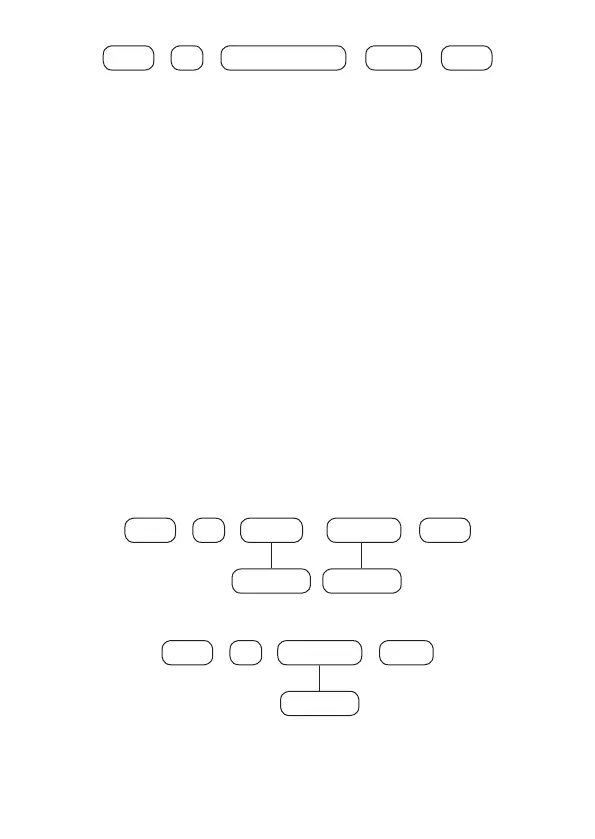
59
+
User
+ +
65
+
Enter Control key Enter
After changing the congured value, press the
Enter
key. If you only want to view
the setting, press the
Exit
key and no programming will be changed.
6.5. Functions of Wireless Keyboard
Keyboard Partition
In the factory default keyboards can operate and view the status of all partitions.
Using the following command you can program the keyboard to operate only one
specic partition.
When the keyboard is programmed for a specic partition, you can only view the
status and operate the selected partition, so if you enter a password for another
partition or have permission for more than one partition, the
Keyboard error
without permission
message will be displayed.
To activate the alarm center partition on which a keyboard is allowed using the
master password or a password with permission for more than one partition,
including the relevant keyboard partition, just enter the password or use the
sequence
Activate + Partition + Password.
In AMT 8000 it is possible to program/associate a keyboard (01 to 16) to one of the
partitions (01 to 16), as described below.
To program this function, type:
+
223 Keyboard
+
Enter
+ +
Partition
01 to 1601 to 16
Enter
To edit/view the programmed value, type:
+
223 Keyboard
+
Enter
+
Enter
01 to 16
After entering the command, dene which partition the XAT 8000 wireless
keyboard will belong to, being the address 00 for the common keyboard and 01 to
16 for a specic partition and press the
Enter
key to conrm. If you only want to
view the setting, press the
Exit
key and no programming will be changed.



 To Next Page