EasyManua.ls Logo

intelektron BC9000R - User Manual

intelektron BC9000R
9 pages
Print Icon
To Next Page IconTo Next Page
Loading...
INSTALLATION GUIDE
~~
~o
~N
~
~
2;n
0..
0
~
""'t
ng;
>
:::r
\Oro
~-
Vl<
In)
~
0..
lQJ
~
-I
:I
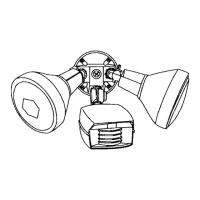
BC9000R MOTION DETECTOR WI'ltH
DECORATIVE LAMP COVERS
MODELS- BC9000R AND BC9000RW
®
CAUTION-BEFORE YOU START
1)
READ
THE
ENTIRE INSTRUCTION BOOK BE-
FORE
YOU START.
2)
THOROUGHLY INSPECT
THE
CONTENTS
OF
YOUR BOX.
3) EXPERIENCE WITH 120 VAC
IS
REQUIRED.
IF
YOU ARE NOT SURE
OF
THE INSTALLA-
TION, CONSULT A QUALIFIED ELECTRICIAN.
4)
KEEP
IN MIND BEFORE YOU MOUNT YOUR
MOTION DETECTOR, THAT IT
IS
MOST SEN-
SITIVE
TO
MOTION ACROSS ITS FIELD OF
VIEW, NOT TOWARDS OR
AWAY
FROM IT. TRY TO MOUNT IT AT LEAST
DIAGONALLY ACROSS
THE
PROTECTED AREA.
5)
FOR
BEST RESULTS, MOUNT YOUR MOTION
DETECTOR ON A SOLID SURFACE AND 6 TO 8
FEET
ABOVE
THE
GROUND.
Vl'lj
>-r<
r-t
'"""
>--'-<I=DI=D
(])
B n
@ '"d
(])
Question and Answer IconNeed help?

Do you have a question about the intelektron BC9000R and is the answer not in the manual?

Summary

Installation Guide

Initial Safety and Setup Precautions

Review safety, inspect contents, ensure electrical experience, and note mounting and aiming best practices.

Installation Steps

Pre-Installation and Preparation

Check local codes, turn off power, remove existing fixture, and prepare the face plate for installation.

Mounting and Wiring

Install lampholders, thread wires, connect detector wiring, and secure the face plate to the junction box.

Aiming and Coverage

Understanding Detection Zones

Diagrams illustrating detection areas and levels of vision for optimal performance.

Optimal Aiming Strategies

Guidelines for aiming the detector head lower than the maximum distance for reliable triggering.

Controls and Adjustments

Test Mode and Initial Setup

Instructions for opening the control door, setting the test mode, and turning on power for initial testing.

Manual Override and Photocell Operation

How to manually control lights, bypass the detector, and utilize the daylight photocell sensor.

Range, Time, and Bypass Controls

Adjusting sensitivity, time settings, and the manual override bypass switch for customized operation.

Advanced Photocell and Time Settings

Adjusts the photocell for darkness and explains the TEST and time settings for motion detection.

Troubleshooting

Lights Not Activating or Staying On

Checks power, lamps, wiring, and override settings for issues with light activation or duration.

Performance Issues and Solutions

Addresses random triggers, range problems, slope mounting, and LED behavior for optimal performance.

LED Blinking Behavior

Explanation of the normal 10-20 second reset period for the LED after lights turn off.

intelektron BC9000R Specifications

General IconGeneral
Brandintelektron
ModelBC9000R
CategoryFlood Light
LanguageEnglish