60
Wi-Fi and Bluetooth Connection
You can connect to the ACU via Wi-Fi and to the antenna via Bluetooth for com-
plete control and monitoring whenever you are on a vessel. For Bluetooth connec-
tion, see Appendix A: Setup Bluetooth Connection.
Set Up Wi-Fi Connection
Setting up the ACU to access Wi-Fi.
Setting up the PC (AP MENU) to access Wi-Fi.
Aptus Web Conrmation
Set Up the ACU to access Wi-Fi
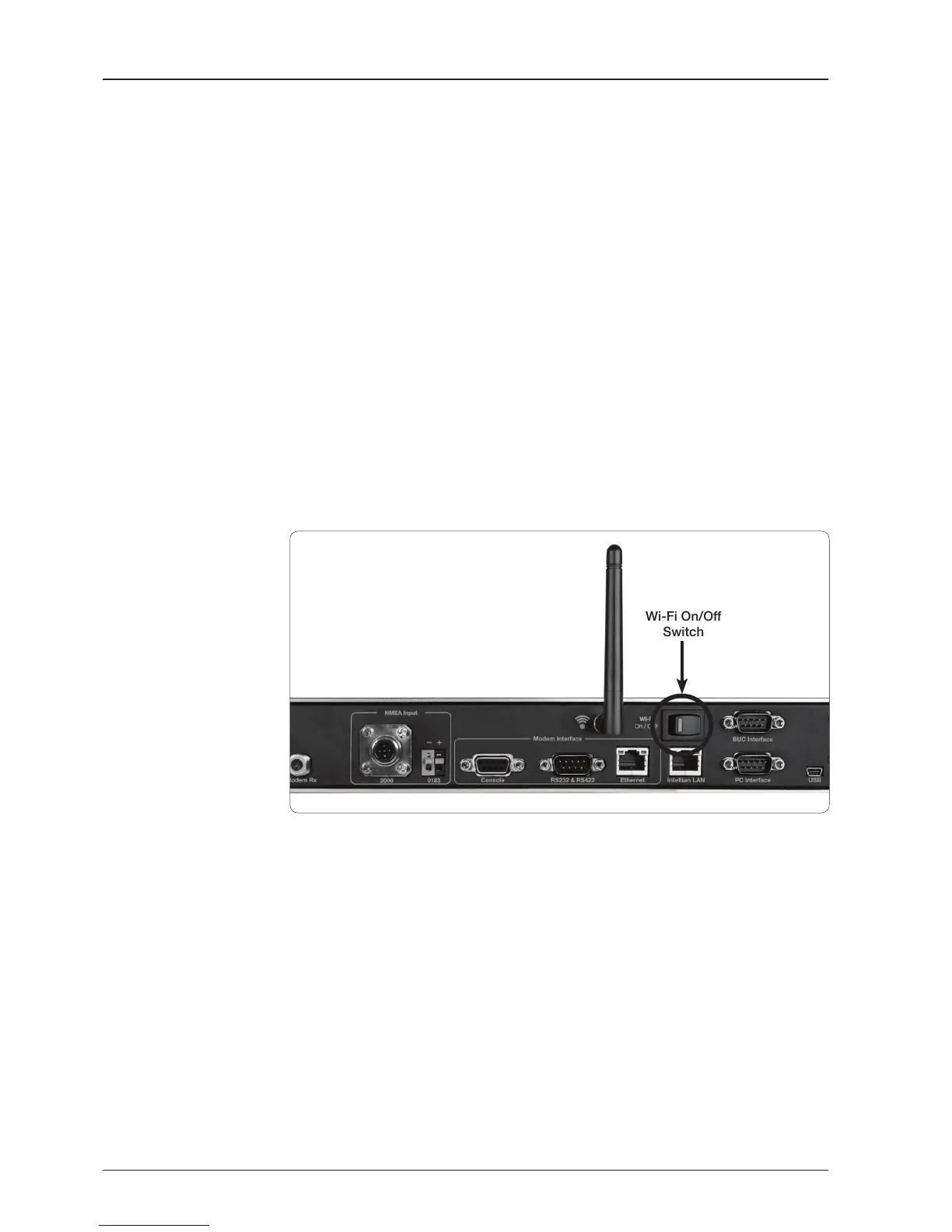
Turn on the switch on the back of the ACU, and 30 seconds after enabling the
power supply, conrm if a red light appears on the switch.
Set Up the PC to access Wi-Fi
Setting up my computer’s wireless IP address:
Control Panel > Network and Sharing Center > Change Adapter Settings >
Right click on the “Local Area Connection” > Click “Properties”
After selecting TCP/ IPv4, click on the properties menu, then select “Obtain an
IP address automatically”.
Wi-Fi On/Off
Switch
j


 To Next Page
 Loading...