13
You can choose Traditional Chinese, Simple Chinese, Arabic or English as system language.
7. LCD Contrast
Adjust the contrast of LCD display, the higher the brighter. Range 1-6
8. SD Card Reserve Space
SD card can be set to retain the capacity for system smooth running.
9. Format SD Card
Format SD Card - will remove all audio files.
10 .Default setting
Reset to factory default.
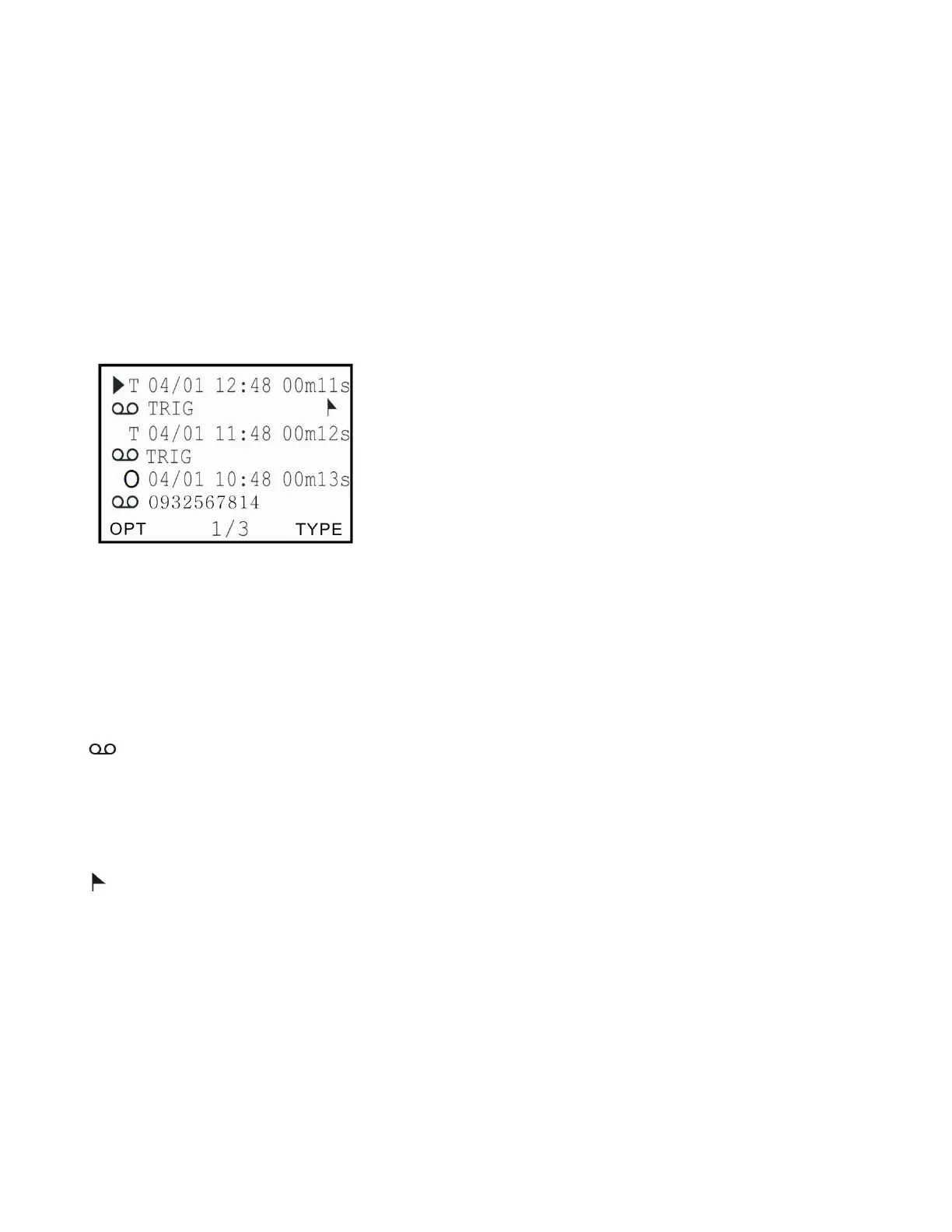
(A) Call Records Display Description
1 .Record Type
I=Incoming call O=Outgoing call N=MIC T=Voice Trigger
2 .Date /Time
Date and time of Call
3. Recording Length
Length of Call
4 .
Symbol indicates audio files, otherwise CDR only.
5 .Incoming /Outgoing Call Number Display
Incoming or outgoing numbers.
6.
Symbol indicates the important audio file
(B) .Operation


 To Next Page