14
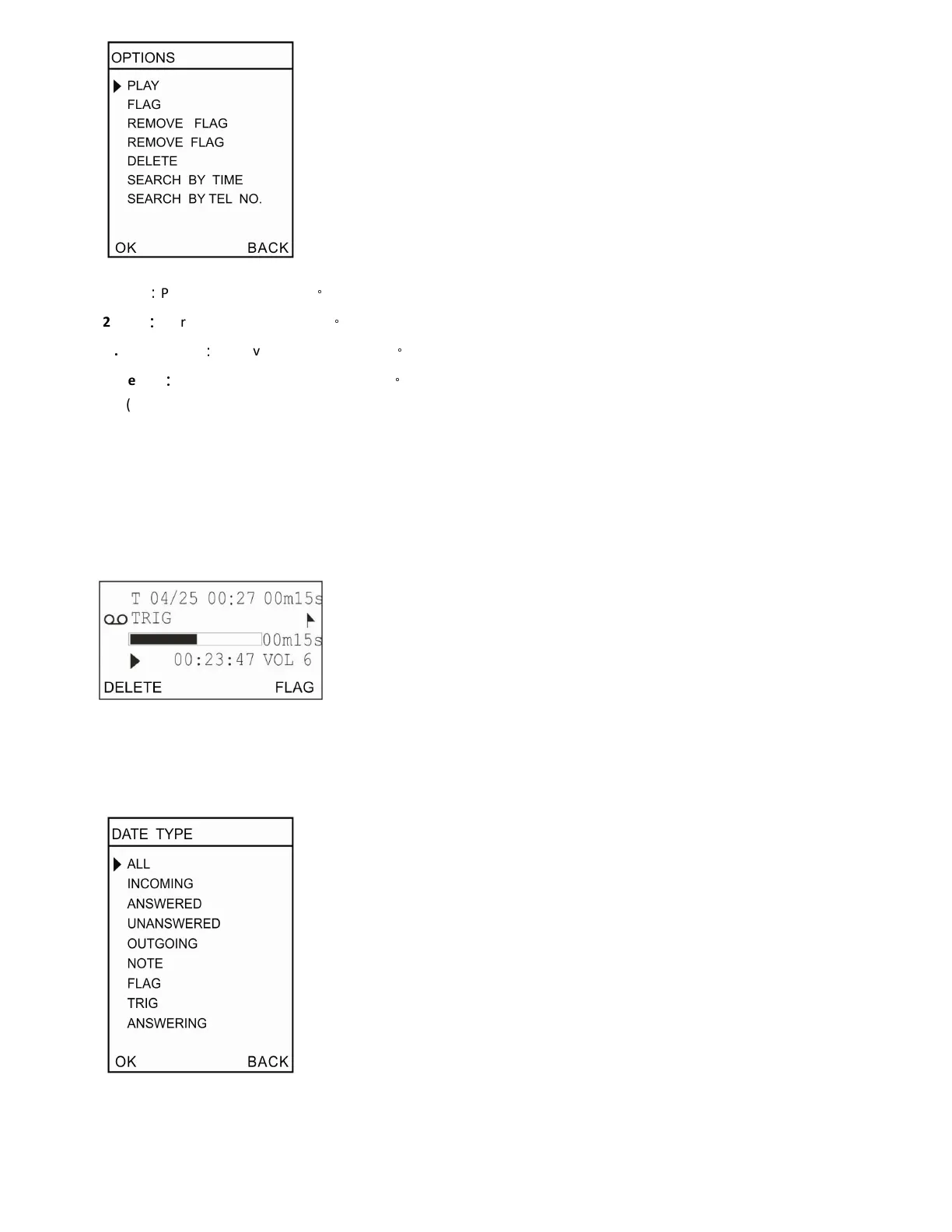
1 .Play
:
Play selected audio files
。
2 .Flag
:
Mark important audio files
。
3 .Remove Flag
:
Remove mark on audio files
。
4 .Delete
:
Delete selected audio files or CDR
。
(1) Delete audio files and keep the CDR
(2) Delete both audio files and CDR
5 .Search by Time: Search audio files by time
6 .Search by number: Search audio files by incoming / outgoing numbers
(C). Play Audio files
Recording type, date, time, elapse, number and process will be shown on LCD. You can delete or flag the audio file directly.
(D) .Searching Option
1. AllSearch all records in SD card
2. Incoming - Search all incoming calls including missed calls.


 To Next Page