9
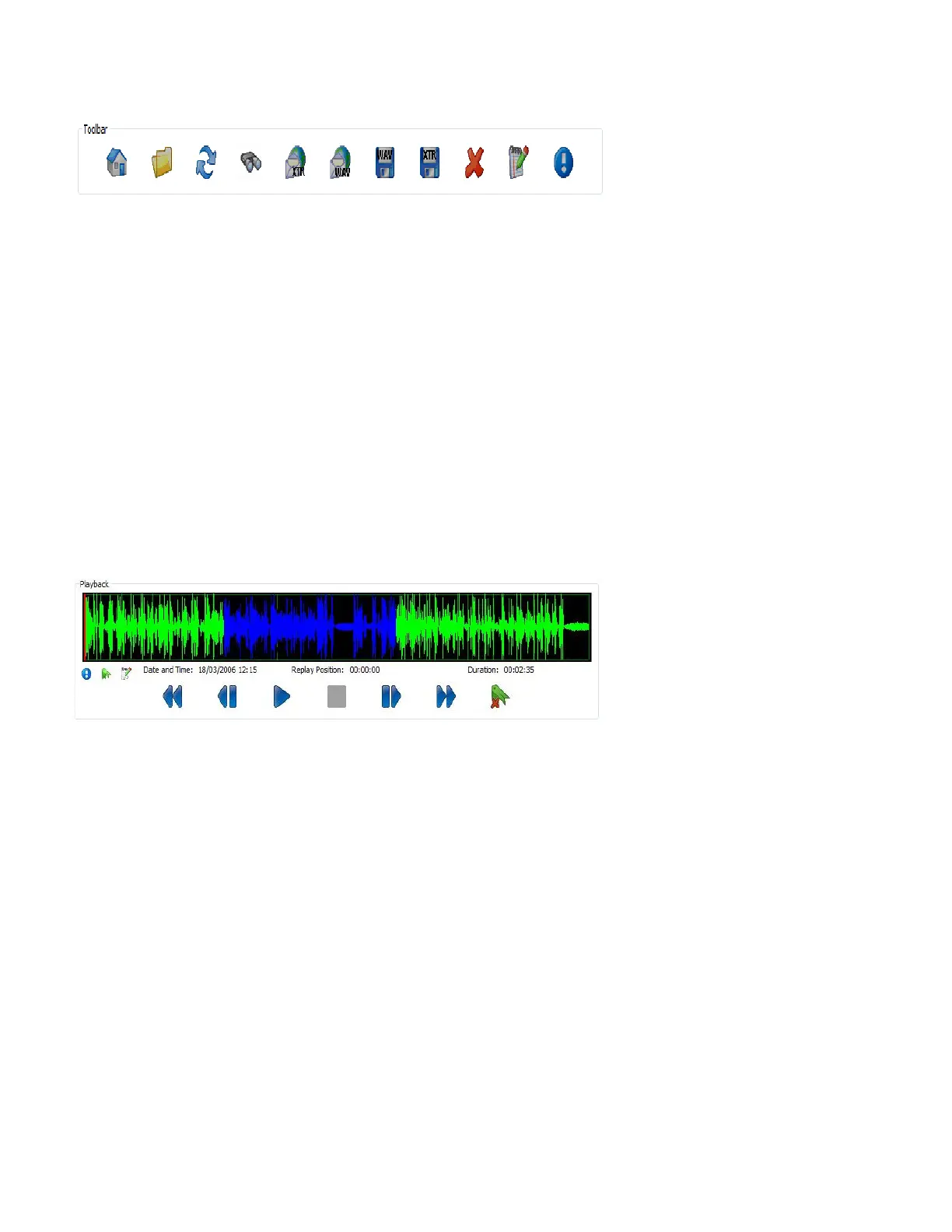
XtR Desktop Player allows you to list and listen to recordings, add comments, add a bookmark and email/export recordings. A summary
of Toolbar features is given below.
Home – Lists calls at the specified home location
Folder – Changes the folder/drive where the your recordings are located (also allows you to change the home location)
Refresh – Refreshes the call list
Search – Set parameters and search through recordings
Email (Wav and XtR) – Emails highlighted call in wav or XtR format
Export (Wav or XtR) – Exports highlighted call in wav or XtR format
Delete – Deletes the highlighted call
Notepad (Annotate) – Add notes to the highlighted call (the Bookmark feature also adds specific information to the Notes field.
Bookmark information should not be edited or you will lose the Bookmark)
Important – Adds important flag to highlighted call (stops auto delete)
You can edit the Caller ID field by ‘double clicking’ on the Caller ID entry.
Playback Area
The playback area allows you to manage the playback of the selected call in the call List.
Use the Play, Pause, Stop and Skip buttons to find the location you wish to playback. You can also click on the level indicator to choose
a location (or double click to play).
The Bookmark button allows you to highlight a portion of the recording of importance. To enter a bookmark, click the start position of
the important section and press the Bookmark key, then click the end location of the important section and click the bookmark key
again.
Additional information in the Playback area includes:
- Date, Time and Duration of recording
- Current replay position
- If Important or if Notes (Annotation) or a Bookmark has been set


 To Next Page
 Loading...