8
Call Assistant SD – Player Software
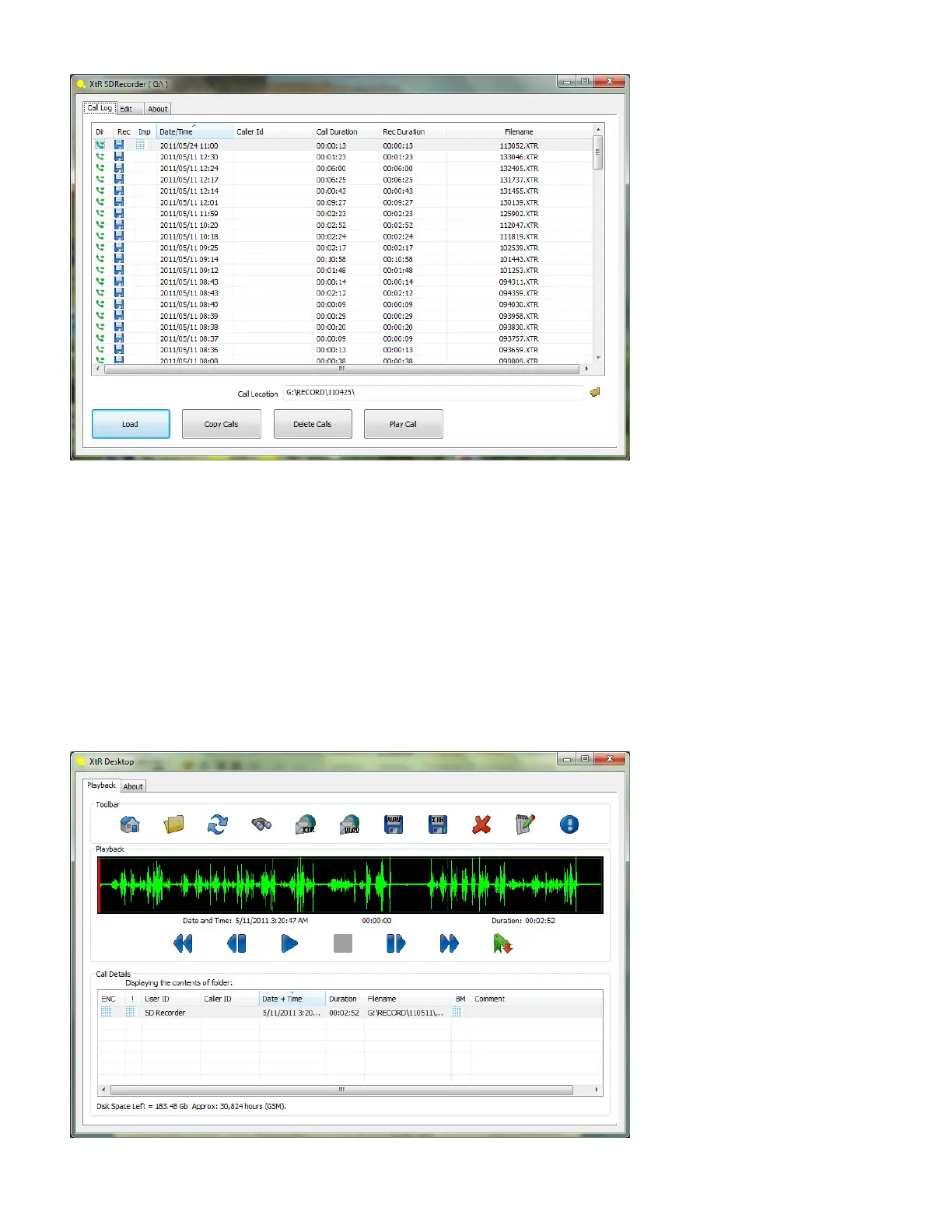
To Play Calls > Double click on the call (or select the call and press the “Play Call” button) which will open the player and automatically
start playing the call.
The Calls List allows you to sort calls by User ID, Caller ID, Date and Time, Duration and Filename.. Simply click on the title header at the
top of each column to list the calls in order.
Pressing the “Copy Calls” button will copy the calls from your SD card to the My Calls folder in your My Documents folder. To change
the source of the calls to your My Calls folder select the folder icon next to the Call Location window and navigate to your My Calls
folder in My Documents.
To delete calls select the calls you wish to delete and select the “Delete Calls” button.
XtR Desktop Player
The calls are played in the XtR Desktop Player which is automatically launched when you select a call to be played.


 To Next Page