Recon Blockage Plus™ Operator’s Guide
600890-000075, rev 1.0 Page 12 of 26
2.3 Verifying work switch installation
Follow the instructions below to verify that the work switch has been correctly installed and is
communicating with the app.
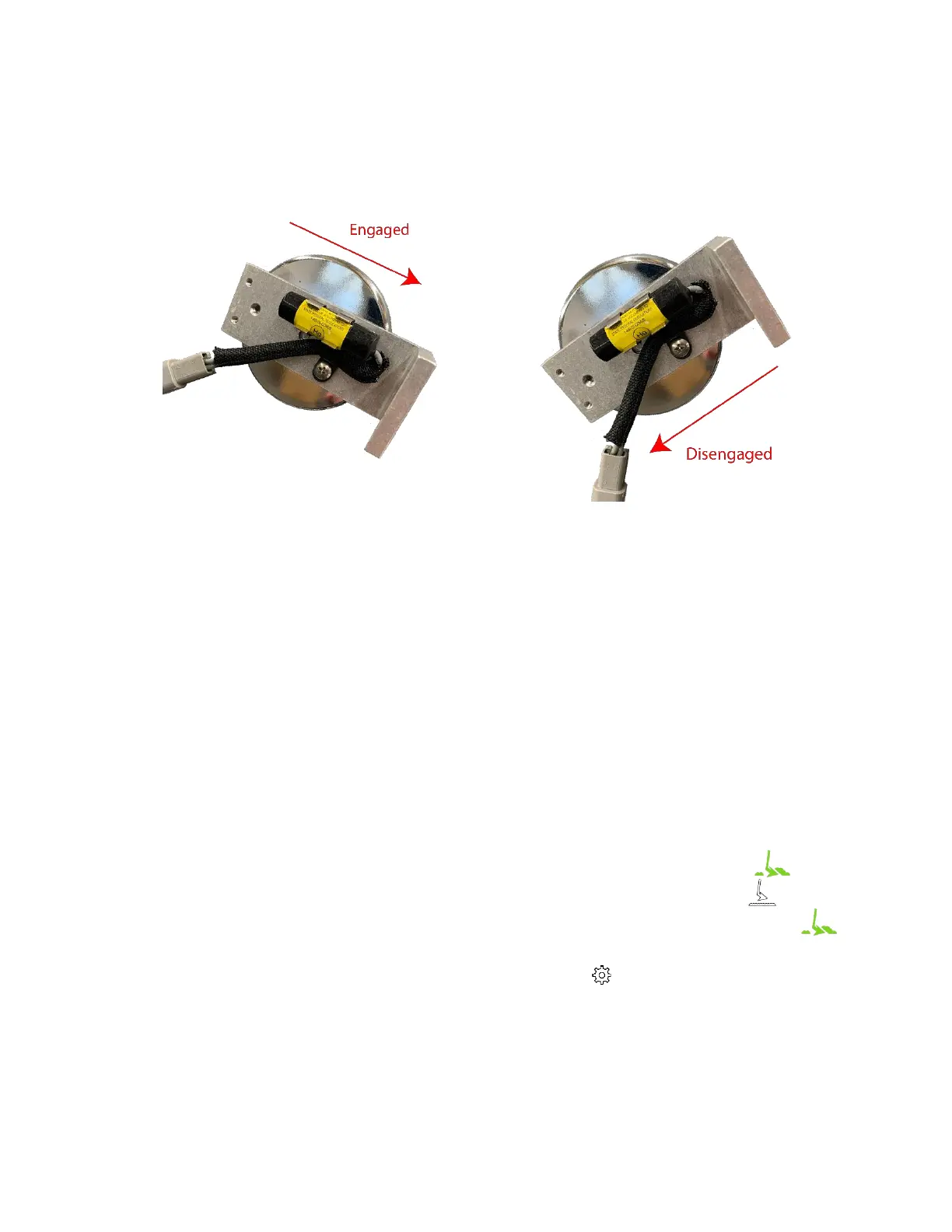
Figure 10: Work switch functionality
1. Determine your work switch method.
• Default method
o The work switch is tilted toward the wires when the implement is in the
ground.
o The work switch is tilted away from the wires when the implement is out of the
ground.
• Inverted method
o The work switch is tilted away from the wires when the implement is in the
ground.
o The work switch is tilted toward the wires when the implement is out of the
ground.
2. Verify that the work switch indicator functions correctly in the app.
a. Navigate to the main blockage screen in the app.
b. Lower the implement and verify that the work switch indicator turns green .
c. Raise the implement and verify that the work switch indicator turns white .
d. Lower the implement again and verify that the work switch indicator turns green .
If the work switch indicator is not the correct color as noted in the instructions above,
toggle the Work Switch Inverted switch in the Settings page. If it does not change
when you adjust the implement’s hydraulic system, contact your dealer for assistance.



 To Next Page