Recon Blockage Plus™ Operator’s Guide
600890-000075, rev 1.0 Page 20 of 26
3.2.4 Monitoring with section control
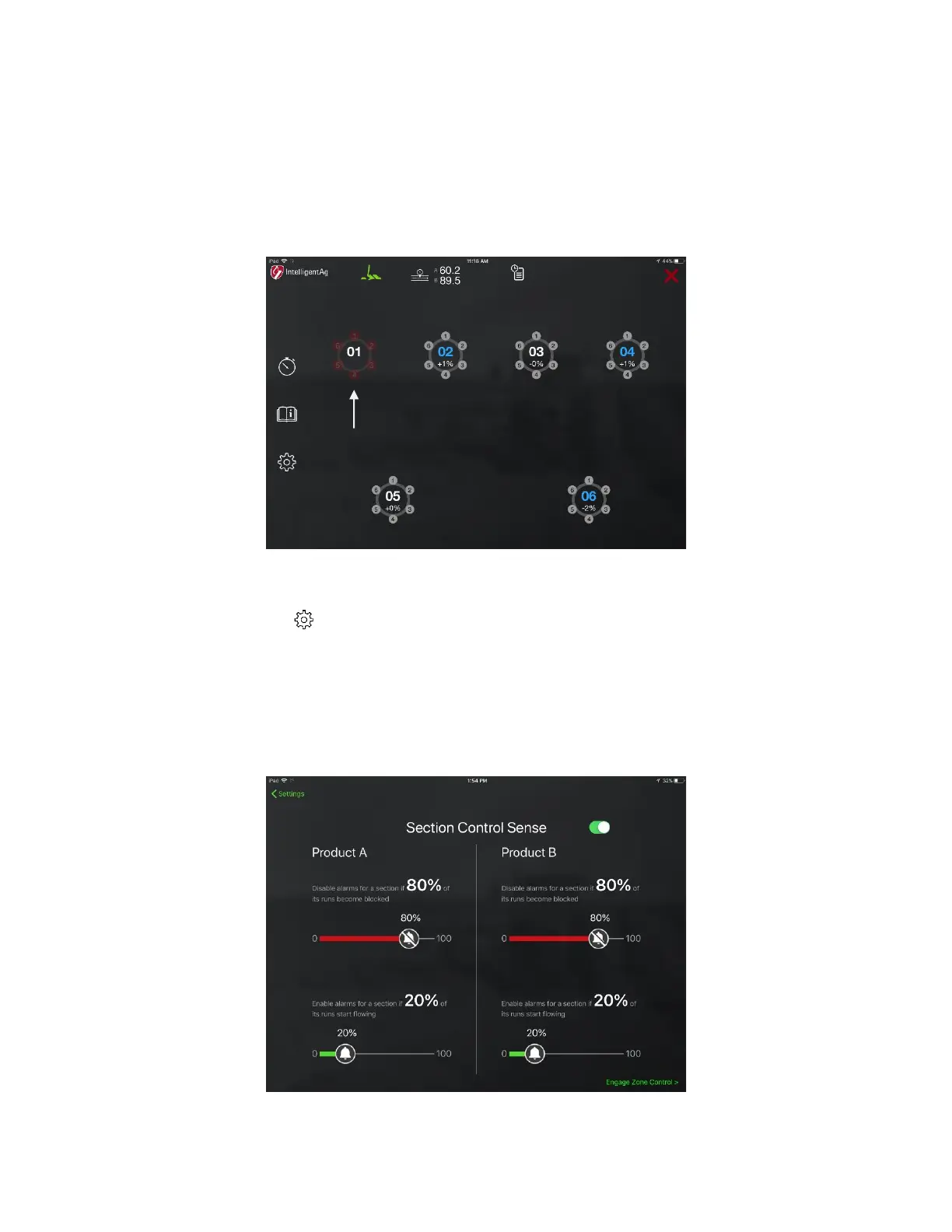
If your implement has a section control system and you indicated that you were using section
control during initial configuration, the manifolds that are not seeding due to section control will
appear dimmed.
NOTE: All sections will appear dimmed if the work switch is disengaged while section control is
enabled.
Figure 18: Blockage screen showing a manifold not seeding due to section control
Adjusting Section Control Sense settings
1. Tap the settings
icon on the main Blockage screen. Then, tap Section Control.
2. Adjust the alarm thresholds for Product A and Product B (if applicable).
• The higher the percentage on the red slider, the longer it will take for a section alarm
to shut off when runs become blocked.
• The higher the percentage on the green slider, the longer it will take for a section
alarm to sound when blocked runs become unblocked.
Figure 19: Section Control Sense settings



 To Next Page