- 107 -
7: Remote Access and Router Setup
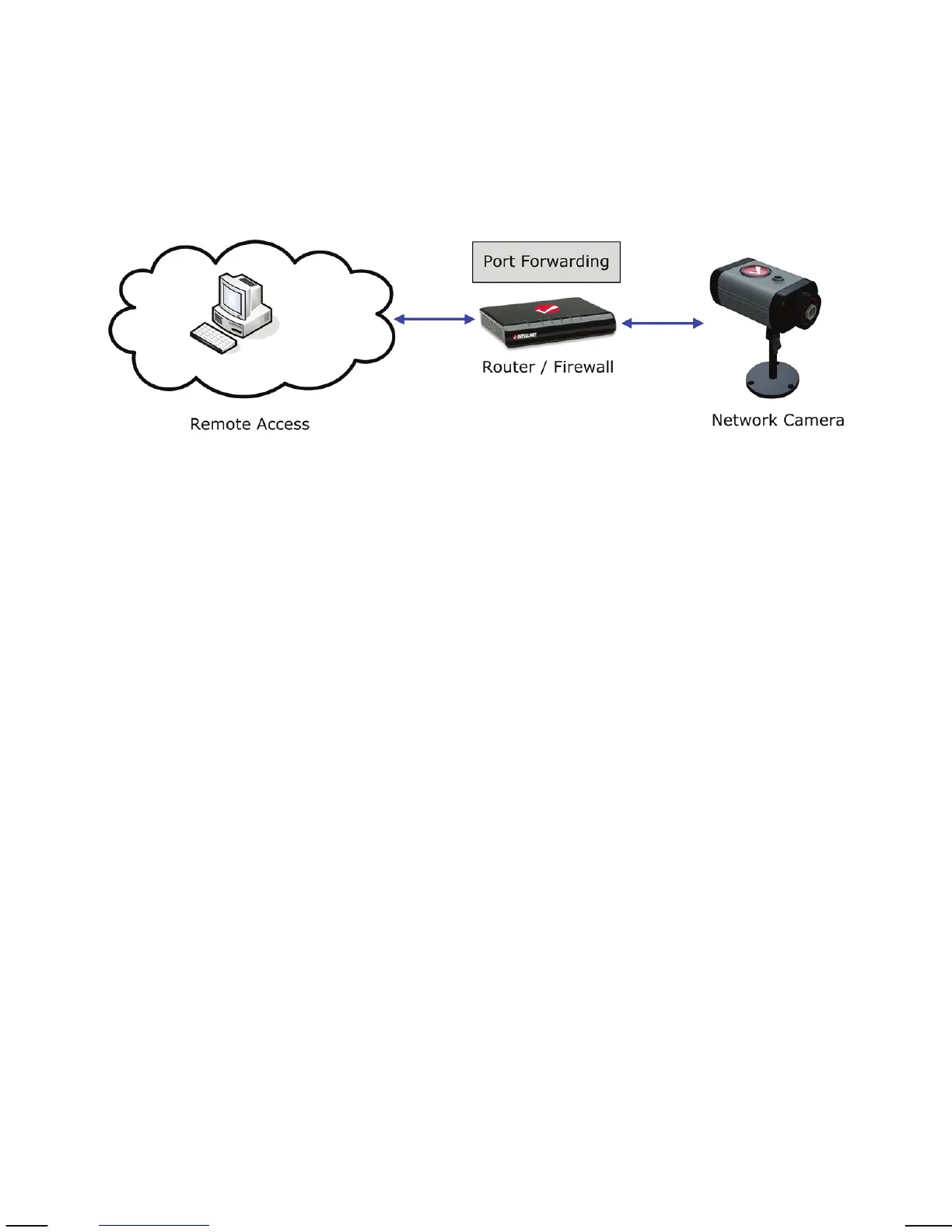
To gain access to a camera in your local network over the Internet, certain
ports need to be opened and forwarded in your router.
The Network Cameras use the following ports:
a) M-JPEG/MPEG4 (VGA) models running firmware V 1.6.16.03
or older
- Web Server port = 80
- MPEG4 Audio/Video port = 8090
- MPEG4 Video/Audio port (SSL) = 8091
- Motion-JPEG Video port = 8070
- Motion-JPEG Video port (SSL) = 8071
- Audio Receive port = 40008
- RTSP port = 554
- HTTPS port = 443
b) H.264 Megapixel Cameras and VGA models running firmware
V 1.6.16.05 and newer.
- Web Server port = 80
- RTSP port = 554
- HTTPS port = 443
Note: The new generation of H.264 Megapixel cameras uses a simplified port
scheme to make remote connections easier.
The port forwarding setup can vary, depending on which router you are using.
The example shown here represents a typical INTELLINET NETWORK
SOLUTIONS router.


 To Next Page