- 44 -
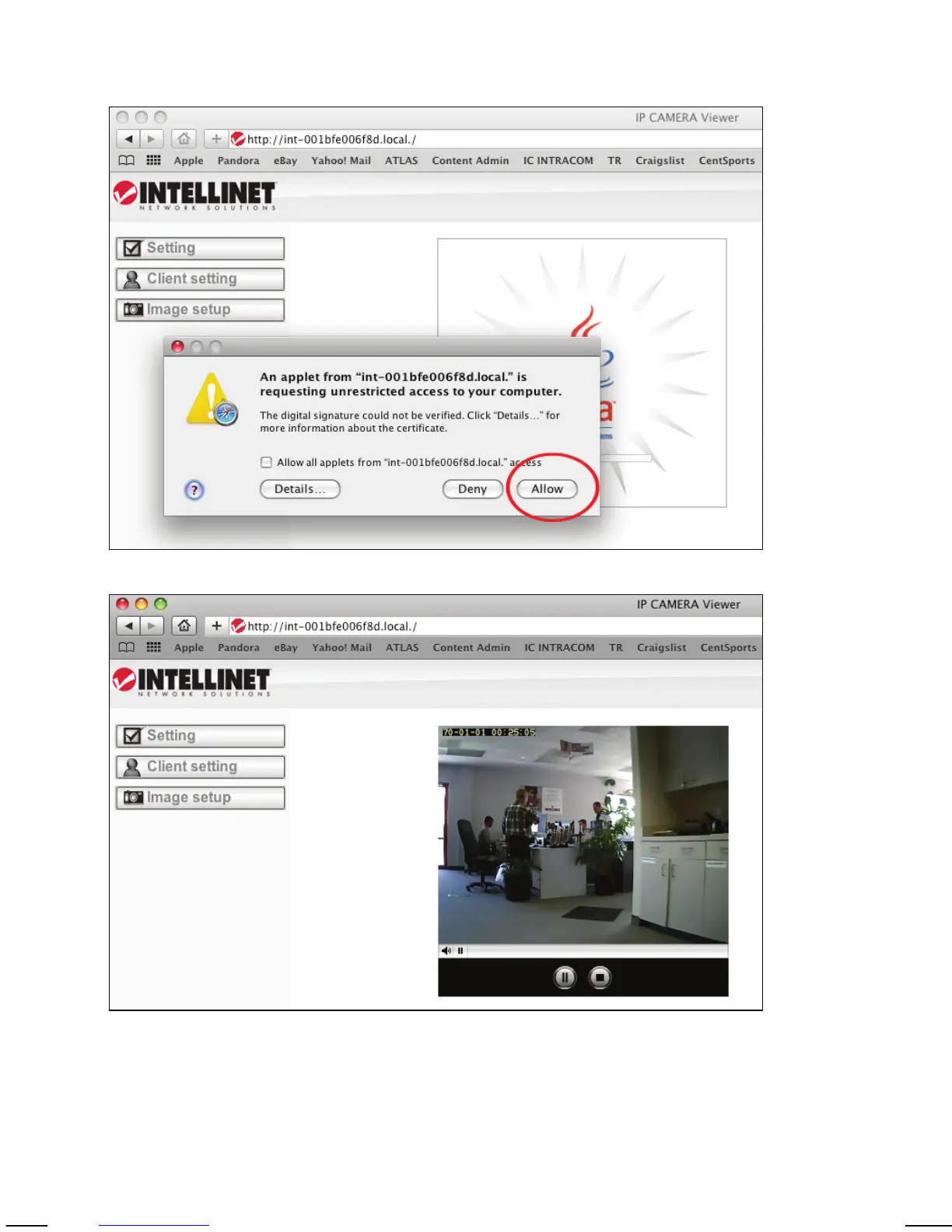
The Network Camera is shown in the category Webpages. In order to connect
to the camera, double-click the circled link. Safari then connects to the camera
and the message below appears:
Click on Allow and you will see the camera live image a few moments later.
Refer to Chapter 5 for explanations on the Web interface options of your
network camera.



 To Next Page