3 – DP2002 Intellitronix (rev.09/10/2020) www.intellitronix.com
Reach up behind the dash and re-attach the Tach coupler to the housing. It needs to be plugged in,
to provide power to the Tach and the turn signal indicators and other warning lights.
Remove the protective film from both sides of the new smoke tinted acrylic lens, and mate it to the
OEM black plastic housing such that the tabs align with the slots. (You may want to clear away any
dust.)
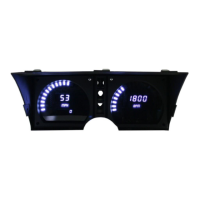
Install the new smoked lens and OEM housing over the gauge boards and fasten with 6 OEM Allen
head screws.
Re-Install the OEM clear plastic lens using the OEM Phillips screws.
Center Console
Console Removal:
Remove the car radio from the console. Procedure will vary depending on what unit has been
installed.
Remove 4 Phillips screws from the black plastic console faceplate to release it.
Pull the entire vertical section out, jiggling around the upper dash edge, being careful not to
damage the heater control switches.
Reach behind and pinch the ancillary gauge coupler to disconnect.
Disconnect the upper accent light coupler.
Remove this upper console from the car and take it to your workbench.
Gauge Removal:
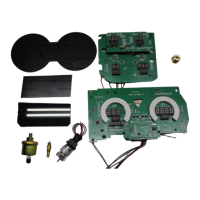
You will be removing each of the gauges from the metal housing a/k/a “bucket”, and then
reassembling the bucket with the new digital board and smoked acrylic cover inserted.
Remove the bulbs for the old OEM gauges, but not for the 4 warning lights.
Use a tiny jewelers flathead to unscrew the (eyeglasses size) retaining screw in the center of the
clock knob, and put it somewhere safe like a magnetic parts tray or piece of tape.
Unscrew the plastic clock knob until it comes off.
Remove the nut-head screws from the back of the panel to release the metal bucket from the black
plastic console.
Remove the 3 nuts from the back of each of the 5 gauges in turn, using deep sockets, nut drivers, or
pliers.
Set aside the OEM gauges.
Digital Panel Installation:
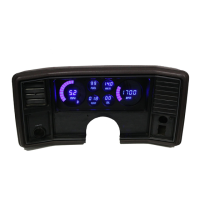
Center the new digital dash panel board into the bucket, and gently but firmly press it in.
Route the new panel wires out through a hole the back of the bucket.
Align the smoked acrylic over the digital board, and the OEM clear plastic over that.
Make sure the colored warning light covers are still in place in the black bezel.
Flip everything over and secure it to the back of the black plastic console bezel with the 4 OEM
screws.
Make sure the flexible circuit is still attached to the back of the bezel to power the 4 warning lights.
Make sure the 4 warning light bulbs are still in place.
The center console is now ready to re-install.
Console Re-installation:
Plug in the upper accent light coupler.
Plug in the ancillary gauge coupler to power the warning lights.
Work the console back into its original position, being careful of the heater control switches.
Secure the front bezel to the dash with the 4 OEM Phillips screws that came out.
Do not reinstall the car radio yet, until you have completed the wiring connections to the sensors.
Congratulations, you are done with this part!


 To Next Page
 Loading...