Need help?
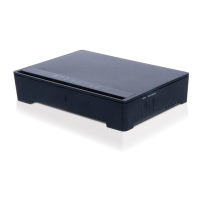
Do you have a question about the Inteno EG300 and is the answer not in the manual?
Diagram illustrating the top panel of the EG300 Gateway, showing various ports and indicators.
Diagram illustrating the back panel of the EG300 Gateway, showing various ports and connectors.
Lists the essential items included in the EG300 Start Box for installation.
Instructions for connecting the EG300 to the broadband network via the WAN port.
Guide on connecting computers and other devices to the EG300 using LAN ports.
Steps to connect devices wirelessly to the EG300 using the WLAN feature.
Detailed explanation of the status lights on the EG300 front panel and their meanings.
Guidance on diagnosing and resolving problems encountered during EG300 installation and operation.
 General
| Frequency Band | 2.4 GHz |
|---|---|
| Maximum Wireless Speed | 300 Mbps |
| Type | Network Router |
| Wi-Fi Standard | 802.11n |
| Ethernet Ports | 4 x 10/100 Mbps |
| Wireless Frequency Bands | 2.4 GHz |
| Security Protocols | WPA, WPA2 |
| WAN Port | 1 x 10/100 Mbps |
| Antennas | 2 x external |

 To Next Page