Need help?
Do you have a question about the Inteno VG50 and is the answer not in the manual?
Lists the items included in the Inteno VG50 start box, such as the device, power adapter, and cables.
Guidance on connecting the broadband service to the first telephone jack in the home for proper telephony and data service.
Instructions for connecting the VG50 to the broadband outlet using an RJ45 network cable.
Steps to connect the VG50's LAN ports to a computer using an RJ45 network cable.
Procedure for connecting devices to the VG50's wireless network using SSID and encryption code.
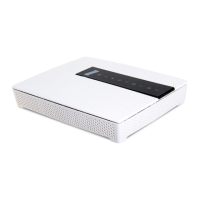
Details the status indicators on the front panel of the VG50, including Status, Ethernet, WAN, Wireless, WPS, USB, DSL, and Internet.
Explains the function of the WPS button and the WiFi ON/OFF button on the VG50.
Provides solutions for common issues, such as power, DSL, and Ethernet connection problems.
 General
| Model | VG50 |
|---|---|
| Category | Network Router |
| Wireless Standards | IEEE 802.11a/b/g/n/ac |
| Ethernet Ports | 4 |
| WAN Ports | 1 |
| Wireless Standard | 802.11ac |
| Wireless Frequency Bands | 2.4 GHz, 5 GHz |
| LAN Ports | 4 |
| WAN Port | 1 |
| USB Ports | 1 |

 To Next Page