EasyManua.ls Logo

intensity IDCC090KF-5 - User Manual

intensity IDCC090KF-5
9 pages
Print Icon
To Next Page IconTo Next Page
Loading...
MAN-O-IDCSF/5-0618
intensity.mx
OWNER´S MANUAL
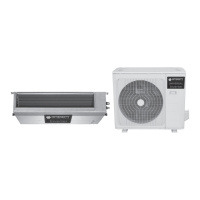
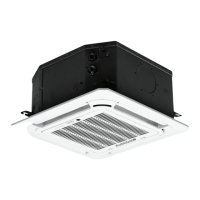
IDCC090KF-5, IDCE090KF-5,
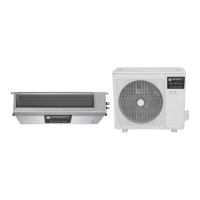
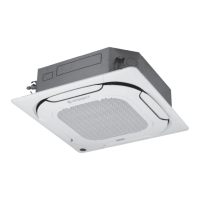
IDCC120KF-5, IDCE120KF-5.
COMMERCIAL SPLIT SYSTEM
220V | 7.5 - 10 Tons.
COOLING ONLY

Questions and Answers

  • D
    Dana MaysAug 3, 2025
    Why does the TIMING ON display disappear on my intensity IDCC090KF-5?
    • D
      davidbellAug 3, 2025
      The TIMING ON display disappears because the air conditioner has started running automatically at the set time. Check whether the time set on the timer has expired.
  • D
    David WolfeAug 9, 2025
    What to do if the ON/OFF display disappears on my Intensity Air Conditioner?
    • B
      Benjamin HarrisAug 9, 2025
      The ON/OFF display disappears because the set time has expired, and the air conditioner has stopped running. Check whether the time set on the timer has expired.
  • C
    Chris SmithAug 15, 2025
    How to fix intensity IDCC090KF-5 remote when ON/OFF button doesn't transmit signal?
    • R
      Ryan ThompsonAug 15, 2025
      If the remote controller signal cannot be transmitted when you press the ON/OFF button, the batteries may be exhausted. Check whether the batteries of remote controller are low.
  • C
    Chelsea PageAug 22, 2025
    Why can't I shift the wind speed on my Intensity Air Conditioner?
    • H
      Harold AllenAug 22, 2025
      The wind speed cannot be adjusted if the Intensity Air Conditioner is in AUTO or DEWET mode, as the unit automatically selects the air speed in these modes. Check whether the mode marked on the screen is AUTO or DEWET.
  • M
    Mary GrayAug 27, 2025
    Why doesn't the temperature indicator light up on my intensity IDCC090KF-5?
    • L
      larry90Aug 27, 2025
      The temperature indicator does not light up in Supply Air mode because the temperature cannot be set in this mode. Check whether the mode marked on the screen is Supply Air.

Summary

1 Precautions

2 Electric Safety Requirement

3 Functions & Features

4 Names and Functions of Air Conditioner Components

5 Operation Precautions

Inspection before operation

Check ground wire, air filter, and blockages before operating the unit.

Safety precautions

Guidelines to prevent electric shock, fire, or damage during operation and maintenance.

6 Beat Operation

7 Maintenance & Upkeep

7.1 Importants

Key considerations for professional repair, cleaning, and maintenance tasks.

7.2 Maintenance & Upkeep Of Outdoor Unit

Procedures for inspecting and cleaning the outdoor unit components safely.

7.3 Operation Required Before Leaving The Air Conditioner Idle For A Long Period

Steps to prepare the unit for extended periods of non-operation to ensure optimal performance.

7.4 Startup After A Long Period Out Of Service

Checks and procedures for restarting the air conditioner after it has been idle.

7.5 Maintenance & Upkeep Of Indoor Unit

Guidelines for cleaning and maintaining the indoor unit's filters and components.

8 Phenomena Not Attributable to Faults of Air Conditioner

9 Faults of Air Conditioner and Cause

10 Faults of Remote Controller and Cause

11 Repair

12 Model, Specification & Parameters

intensity IDCC090KF-5 Specifications

General IconGeneral
Brandintensity
ModelIDCC090KF-5
CategoryAir Conditioner
LanguageEnglish

Related product manuals