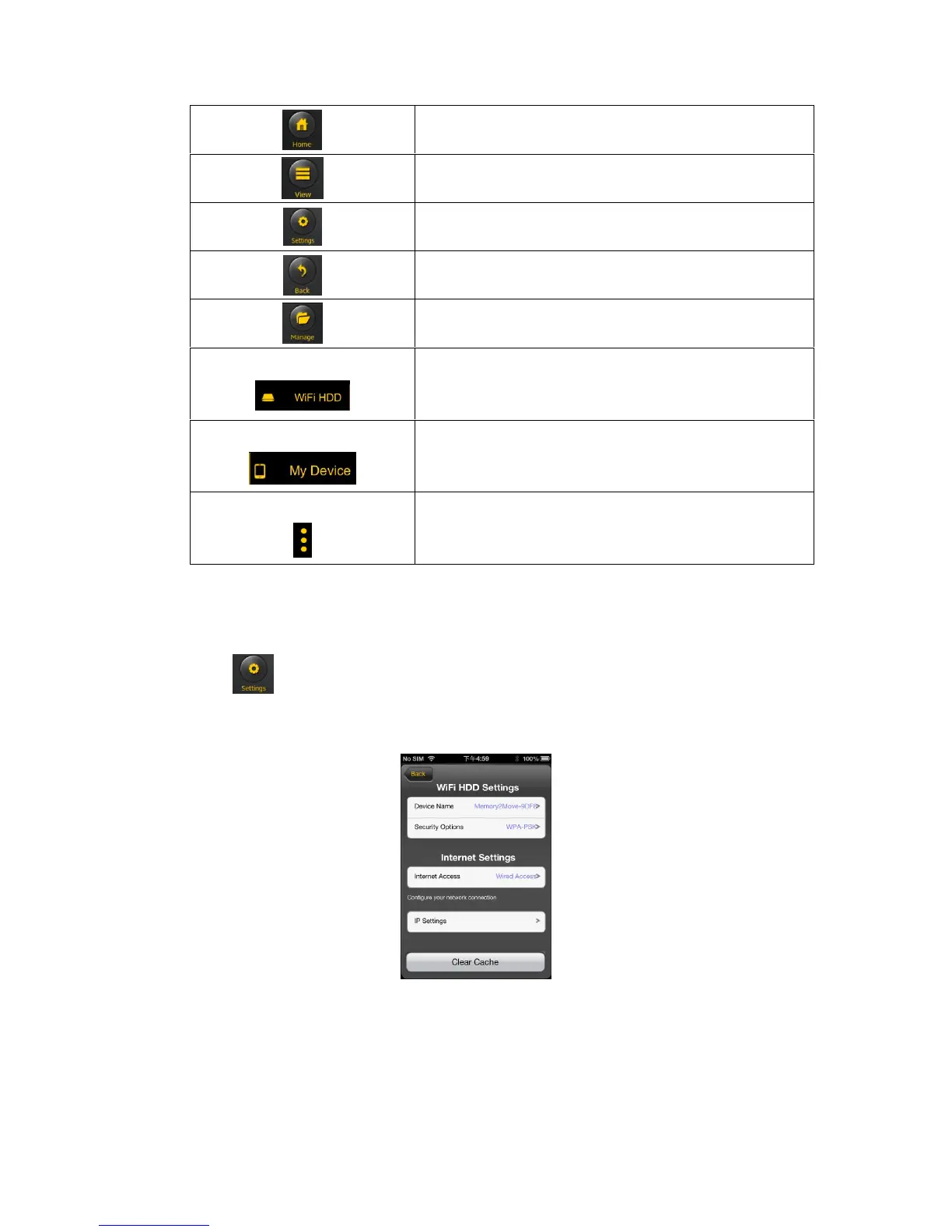
Home Button – back to the main screen.
View Button - change to List or Thumbnail view.
Settings Button – change the “Memory 2 Move” configuration.
Back Button – back to previous screen
Manage Button – to choose one or more files
“Memory 2 Move” – the Remote Storage
My Device – the device that you are using to access the “Memory 2 Move”
or the Local Storage
Status Button – \to view the Transfer status list, About information, now
playing music and exit the app
11.3. Wi-Fi settings (iOS and Android)
11.3.1 Wi-Fi Setting Interface
Click on to change the Wi-Fi Disk configuration. This feature only appears when switched to
the “My Wi-Fi Device”.



 To Next Page