EN - Page 6 of 9
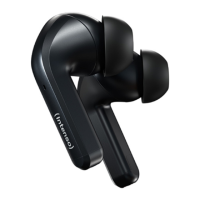
Turning on and o: The earphones turn on and o automacally in conjuncon with the char-
ging box. Press and hold the touch sensor for 5 seconds to manually turn
o the respecve earphone. To turn it on, press and hold it for 3 seconds.
Also re-sync the earphones this way if necessary.
Play / pause: Briey tap the le or right touch sensor to pause or resume playback.
Previous/next
track:
To switch to the previous track, double-tap the le touch sensor. To switch
to the next track, double-tap the right touch sensor.
Answer/end call: To answer an incoming call, tap once on the le or right touch sensor. Tap
again to end the call.
Reject call: To reject an incoming call, double-tap the le or right touch sensor.
ANC / transparency
mode:
Press and hold the right touch sensor for 2 seconds to switch between
modes. The following modes are available: ANC enabled, ANC disabled and
transparency mode.
Music / gaming
mode:
The gaming mode has a lower latency than the music mode and is there-
fore also recommended for video playback. The music mode is somewhat
mellower in terms of sound. Switch between the two modes as required by
pressing and holding the le touch sensor for 2 seconds.
voice assistant: If your playback device has an integrated voice assistant, this can be acva-
ted by tapping the le or right touch sensor three mes.
SERVICE/DISTRIBUTORS
INTENSO INTERNATIONAL GMBH I Kopernikusstraße 12-14 I D-49377 Vechta
Email (technical support): support@intenso-internaonal.de
Email (RMA number): rma@intenso-internaonal.de
Internet: www.intenso.eu
Telephone (technical support): +49 (0) 4441 – 999 111 (Mon.- Thurs. 09:00 a.m. - 4:30 p.m.;
Fri. 09:00 a.m.- 2:00 p.m.)
EN - Page 7 of 9


 To Next Page
 Loading...