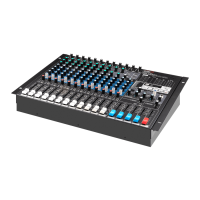
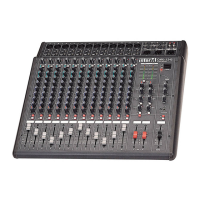
MX-1242A Professional Audio Mixer
1. Input Gain (Trim)
This knob is used to adjust the input signal to its optimal level. Set the TRIM Control
so that the PEAK Indicator (8) lights only occasionally, thereby achieving the best
balance of S/N and dynamic range. For the MIC INPUT, the gain range is –16dB to
–60dB. For the LINE INPUT, the gain range is +10dB to –26dB.
2. Line/Mic Selector Switches
These switches are used to select the input source for the associated input
channel. When a microphone or other mic-level source is connected to the rear-
panel XLR input, this switch should be on the MIC setting. When a line-level or
instrument-level source is connected to the rear-panel line input, the switch
should be set to the LINE position.
3. EQ Controls
These knobs control the equalization for the associated input channel. Four bands
of equalization are provided:
Low (80Hz), ±15dB, shelving type
Lo-Mid (300Hz) ±12dB, peak type
Mid (3kHz) ±12dB, peak type
High (12kHz) ±15dB, shelving type
4. EFX Send 1/2
These knobs control the signal levels sent to the EFX SEND 1 and 2 busses. The EFX
SEND controls are post-fader, and are directly affected by the channel’s fader
setting.
5. AUX Send 1/2
These knobs control the signal levels sent to the AUX SEND 1 and 2 busses. The
AUX SEND controls are pre-fader, and are unaffected by the channel’s fader
setting.
6. Pan Controls
These knobs control the associated channel’s stereo positioning being sent to the
Stereo L/R buss.
8


 To Next Page