8
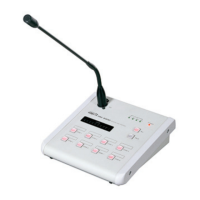
RM-8000(REMOTE MIC STATION)
66
66. TALK
Broadcasts with the button pressed, as a switch to
start broadcasting after selecting the broadcasting
area. Release the button to end broadcasting. During
broadcast, "R" is displayed on the relevant display of
both PX-8000 and LM-8000.
77
77. AREA SELECTION BUTTON
Turns on if pressing the switch to select the area to
broadcast and turns off if pressing it again.


 To Next Page