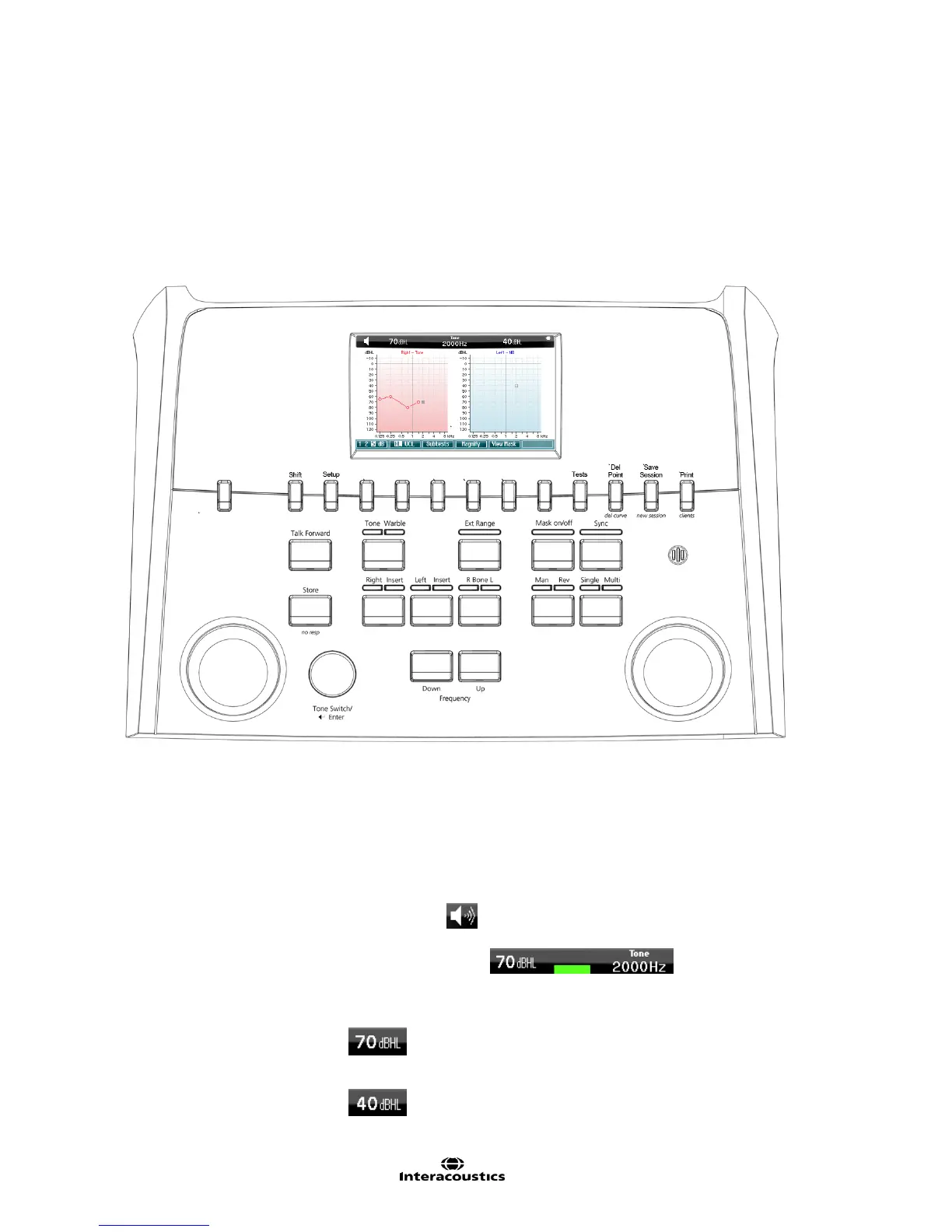
AD226
Instruction for Use - US Page 8
3.2 PC-Interface
Please refer to the Diagnostic Suite operation manual regarding hybrid mode (on-line and PC-operated
mode) as well as patient/session data transfer.
3.3 Operating instructions
The figure below shows the outline of the front plate of the AD226 including buttons, dials and display:
The following table describes the functions of the various buttons and dials.
For turning the instrument on/off.
For displaying the different test screens.
Indication sign seen when a tone is presented to the patient.
Green indication sign seen when the
patient activates the patient signal using the patient response.
Indicates intensity level for channel 1, e.g.:
Indicates masking or Intensity level for channel 2, e.g.:



 To Next Page