Item No. 8105089 – 12/2013 Page 2 of 6
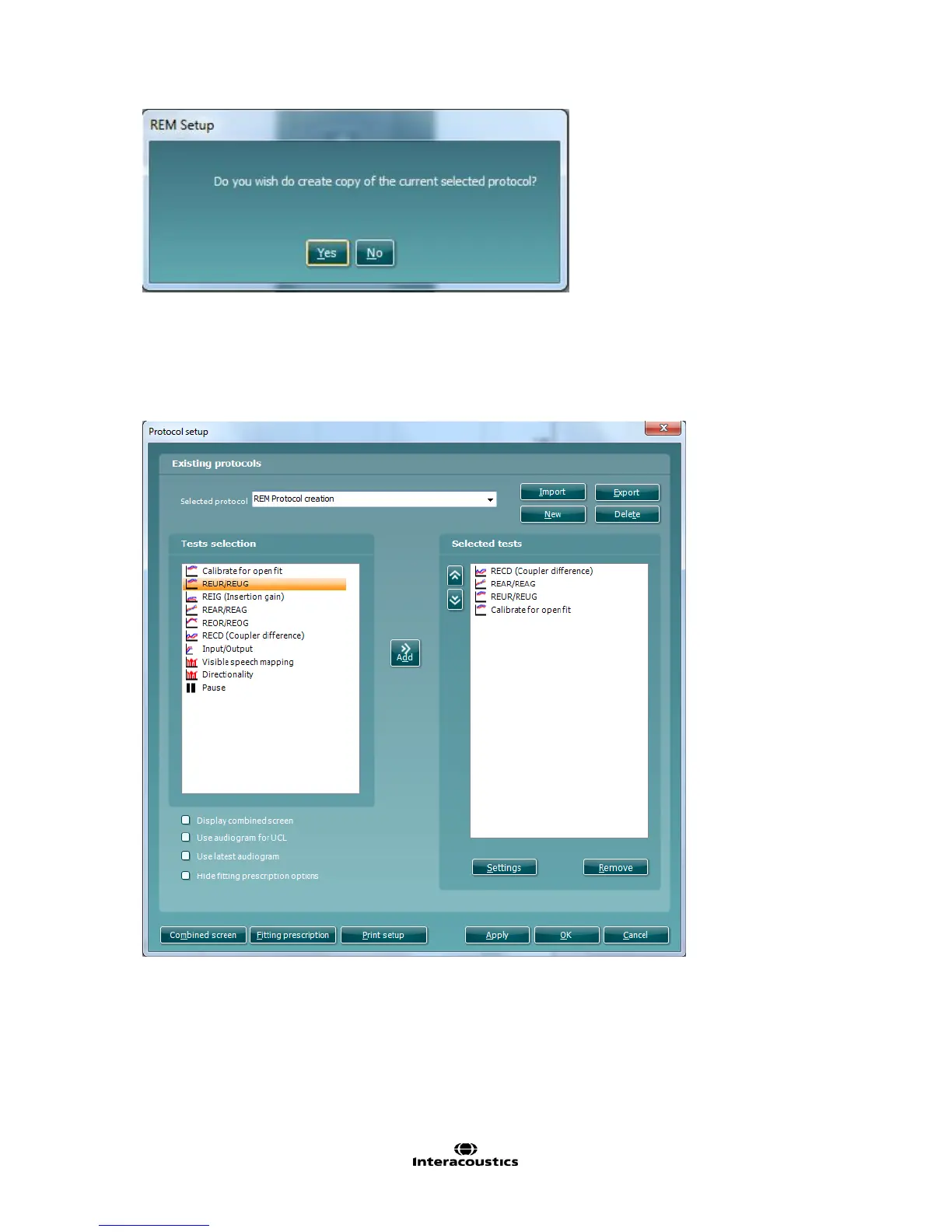
3. Name the test protocol setup in the Selected protocol section.
4. Select the tests to be included in the test protocol. Mark a test by clicking on it and press the Add. Double
clicking on a test will also select it. Choose all the tests for the test protocol using this procedure.
5. To remove a test selected by mistake, select it under Selected tests and press Remove. The test will then
jump back to the Test selection list.
6. If the order of the tests is to be changed, use the two Move arrow buttons.
Mark the test to be moved and press one of the arrow buttons. Depending on the direction of the selected
arrow, the test will then jump up or down.
7. To make adjustments to the parameters of each selected test press Settings. This will open a new window
similar to below.



 To Next Page