Item No. 8105096 – 12/2013 Page 2 of 4
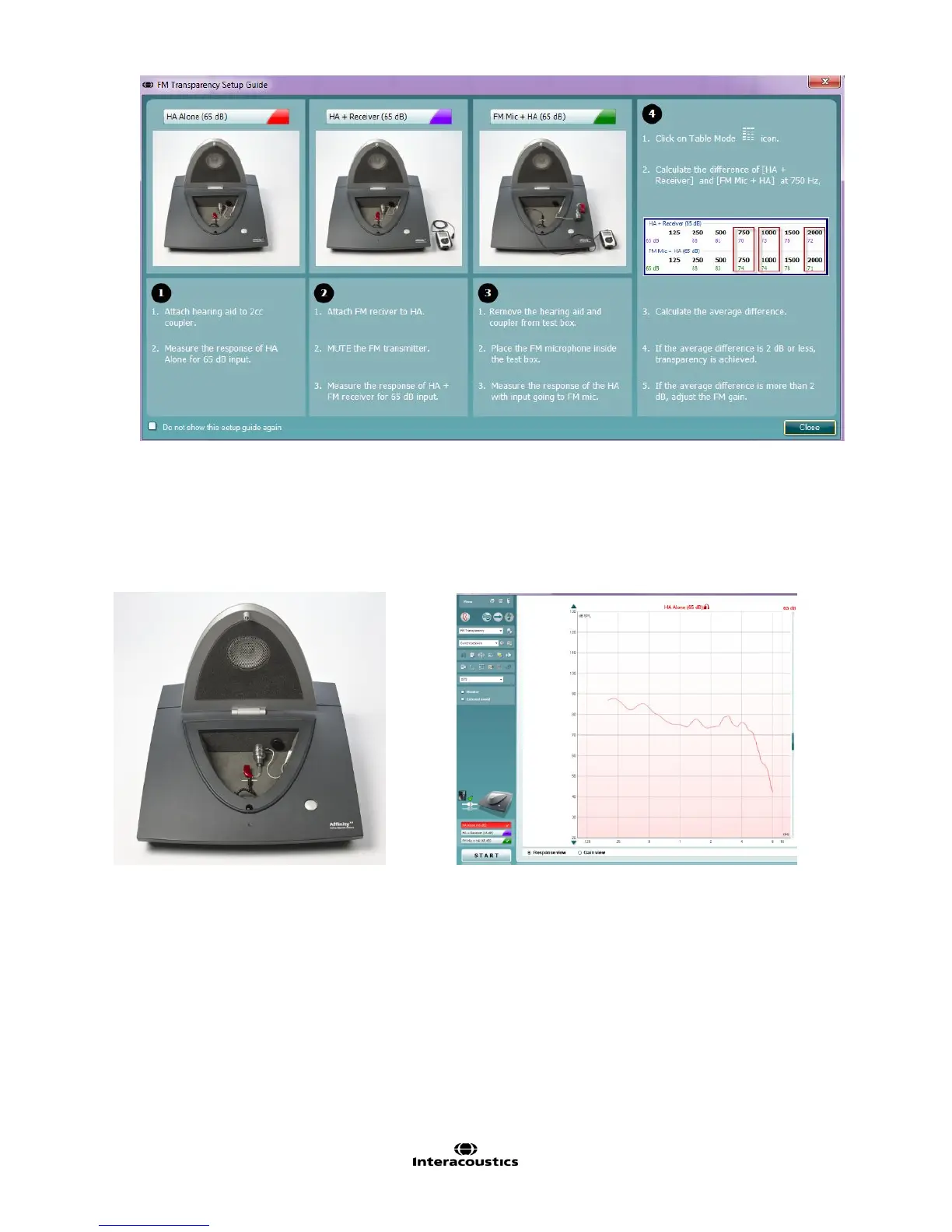
Step 1: HA Alone
1. Select the HA Alone test.
2. Attach the hearing aid to the coupler/coupler microphone.
3. Position the hearing aid in the test chamber.
4. Click START to measure the output of the hearing aid (red curve).
Step 2: HA + Receiver
1. Leaving the hearing aid attached to the coupler, attach the FM receiver to the hearing aid.
2. Turn on the FM transmitter. Mute it.
3. Click START to measure the output of the hearing aid (purple curve).



 To Next Page