Item No. 8105096 – 12/2013 Page 3 of 4
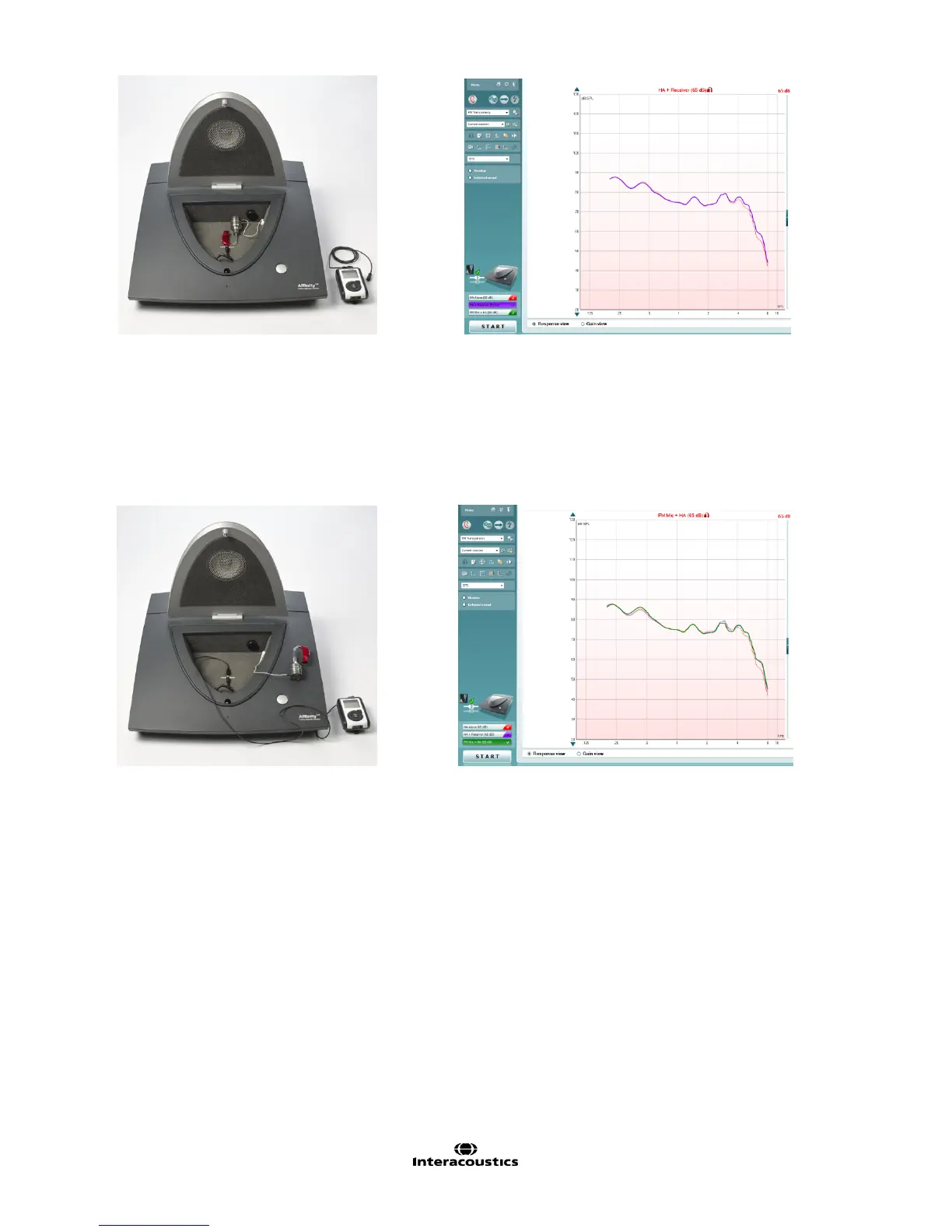
Note: the two curves should be very similar to each other
Step 3: FM Mic + HA
1. Remove the hearing aid, still attached to the coupler, from the test box.
2. Position the FM microphone inside the test box, in front of the reference microphone.
3. Click START to measure the output of the hearing aid when input is from the FM microphone (green
curve).
NOTE:
- If a significant difference is already seen between the Green curve and the Red curve, one can presume
that there is a problem with the FM microphone.
- Ensure that the test is conducted in a quiet environment, since the hearing aid is outside the test box and
the HA microphones are still active.



 To Next Page