Item No. 8105096 – 12/2013 Page 4 of 4
Step 4: Calculate the average difference
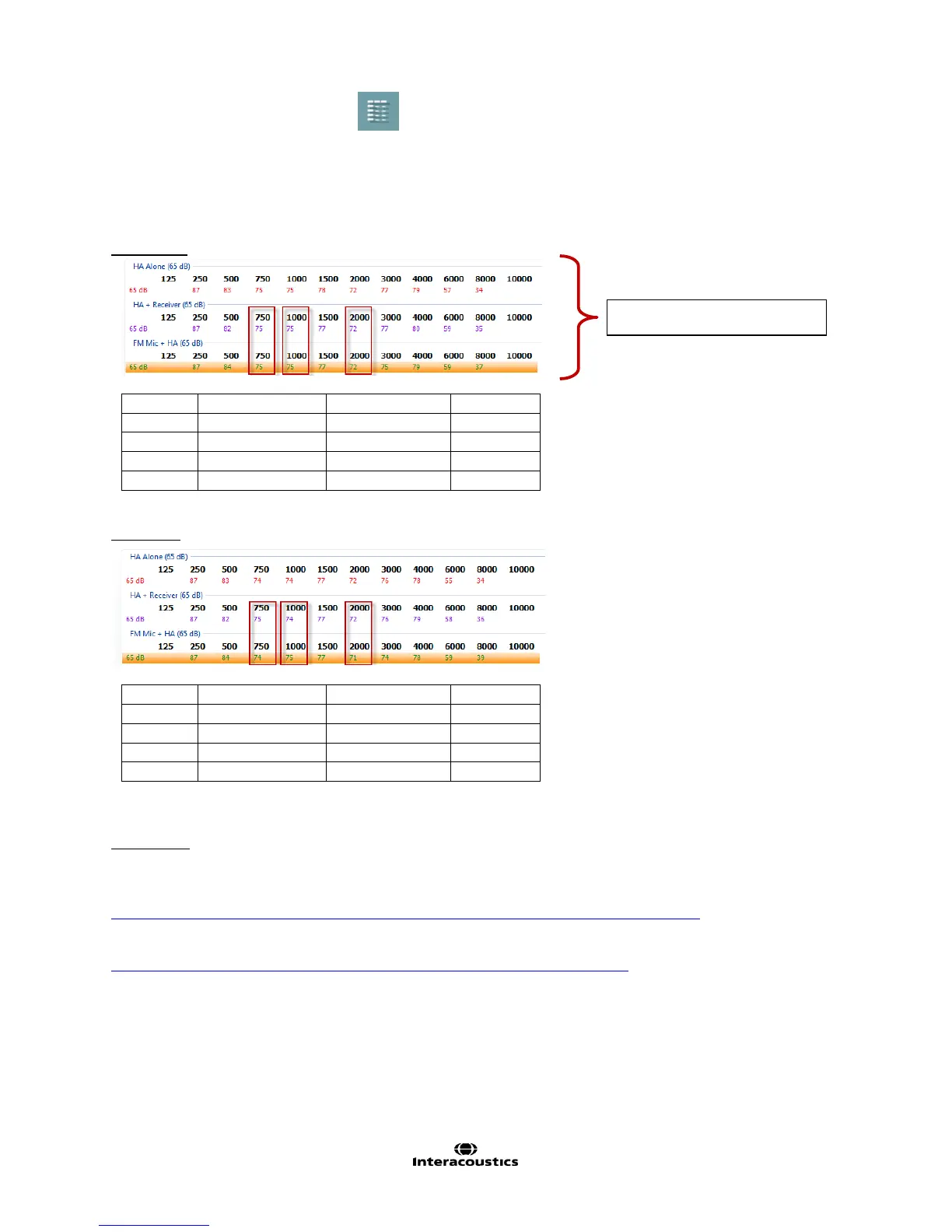
1. Click on the table mode icon to activate Table Mode.
2. Once in table mode, calculate the difference between 750 Hz, 1000 Hz and 2000 Hz and
3. Calculate the average.
4. If the average is 2 dB or less, FM transparency is achieved.
5. If the average is more than 2 dB, adjust the FM.
Example 1
*Average difference is less than 2 dB, therefore transparency is achieved
Example 2
*Average difference is less than 2 dB, therefore transparency is achieved
References:
American Academy of Audiology (April 2011). Clinical Practice Guidelines: Remote Microphone Hearing Assistance
Technologies for Children and Youth Birth to 21 Years (includes supplement A).
http://www.audiology.org/resources/documentlibrary/Documents/HAT_Guidelines_Supplement_A.pdf
Fernée, Ben Zalm (2012). FM Verification Made Easy
http://www.audiologyonline.com/audiology-ceus/course/fm-verification-made-easy-21998
Table mode view in Affinity



 To Next Page