Please refer to radiation coefficient to get the actual temperature.
The measured temperature might be lower than the actual
temperature because of reflective surface. These surfaces might be
the potential burning hazard for user.
4. Product description
Press “tart-up” key for 5 seconds and the instrument starts up.
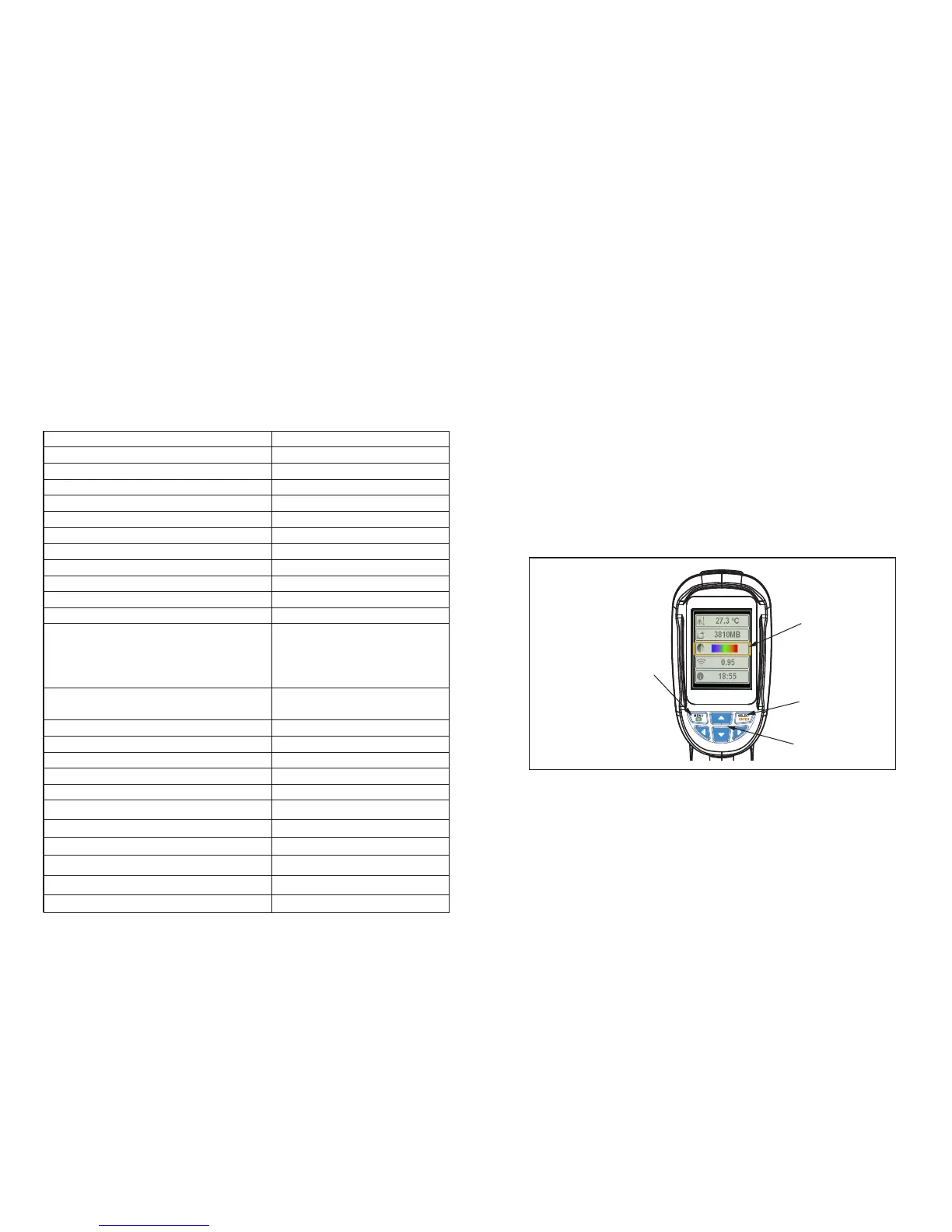
Press “menu” key for 1 second to enter into the mode of the setting
of basic functions. There are only five options on the display screen.
Press “up” or “down” key to scan the menu and select the yellow
option box.
Press “select” key and select “menu” option and edit the value.
Press “up” or “down” key to edit the value. After adjustment, confirm
the new value and press “menu” key to exit the edit mode.
Display screen 2.4” full-angle high resolution
color screen
Resolution of infrared image 60*60 (3600 pixels)
Resolution of visible image 0.3 mega pixels
Field angle/shortest focal distance 20*20/0.5m
Thermal sensitivity 0.15°C
Range of temperature measurement -20°C to +300°C
Accuracy of temperature measurement ±2% or ±2°C (±2% or ±4 )
Emissivity Adjustable 0.1-1.0
Image capturing frequency 6Hz
Range of wave length 8-14um
Focal distance Fixed focal distance
Color palette Iron red, rainbow, rainbow
high contrast, gray scale
(white glow) and gray scale
(black glow)
Vision option 25% step infrared to visional
to infrared and visional image
Memory card Mini SD card
File format bmp
Power supply AA battery * 4
Battery life 6 hours
Auto power-off time 12 minutes
Authentication CE (EN61326-1:2006)
Dimension of product (L*W*H) 212mm*95mm*62mm
Weight 320g
Operating temperature -5°C to ±40°C
Storage temperature -20°C to ±50°C
Relative humidity 10% RH to 80% RH
3. Performance indexes
Start-up/enter menu
Yellow option
box
Select/input
Navigation key
(up/down/left/right)
Figure 1- Basic Functions
2 3


 To Next Page