5
2 Connect the power supply to AC power.
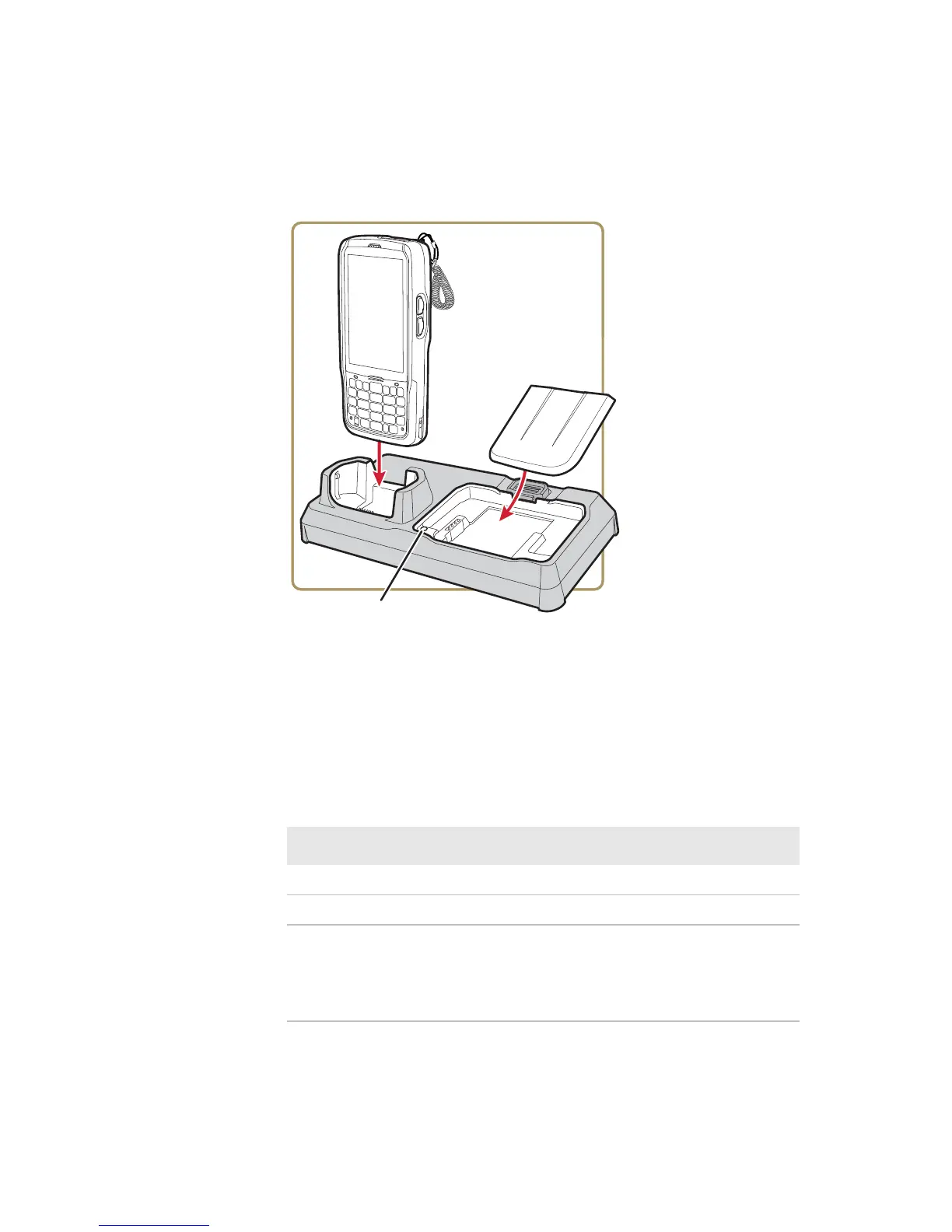
3 Place the computer or a spare battery pack in the dock. The
dock can charge a computer and a spare battery pack at the
same time.
The computer battery status LED indicates the battery
charge level. For more information, see the computer user
manual.
The Battery Pack Status LED on the dock indicates the spare
battery charge level
Battery Pack Status LED Descriptions
LED State Description
Red The battery is charging.
Green The battery is fully charged.
Yellow The battery is out of charging temperature
range. To ensure proper battery charging, the
operating range for the AD27 is 5 °C to
35 °C (41 °F to 95 °F).
Battery Pack
Status LED



 To Next Page